Free AI PPT Maker — Create Presentations in Minutes
Building a presentation from scratch takes hours: writing content, designing slides, finding images, fixing layouts. Volnyn's AI PPT maker does all of it for you. Type your topic or paste your text, and our AI generates a complete, professionally designed presentation in minutes — ready to present or export.
Create Your Presentation Free →
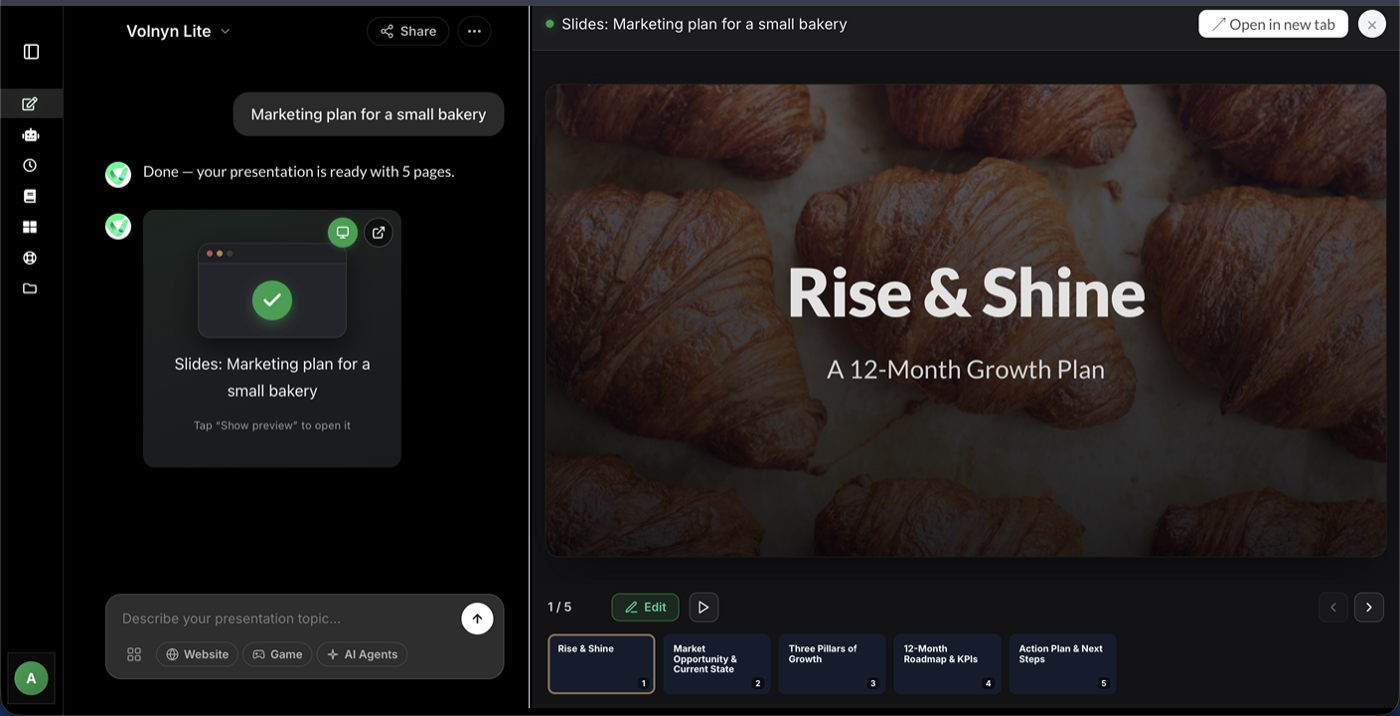
How Our AI PPT Generator Works
Creating a presentation with Volnyn takes three simple steps:
- Describe your topic. Type what your presentation is about — a business pitch, a class project, a marketing report, anything. You can also paste existing text or notes, and our AI will turn them into slides.
- AI generates your slides. Within seconds, the AI PPT creator builds a full deck: titles, bullet points, speaker notes, and a clean visual layout. Every slide is structured logically from introduction to conclusion.
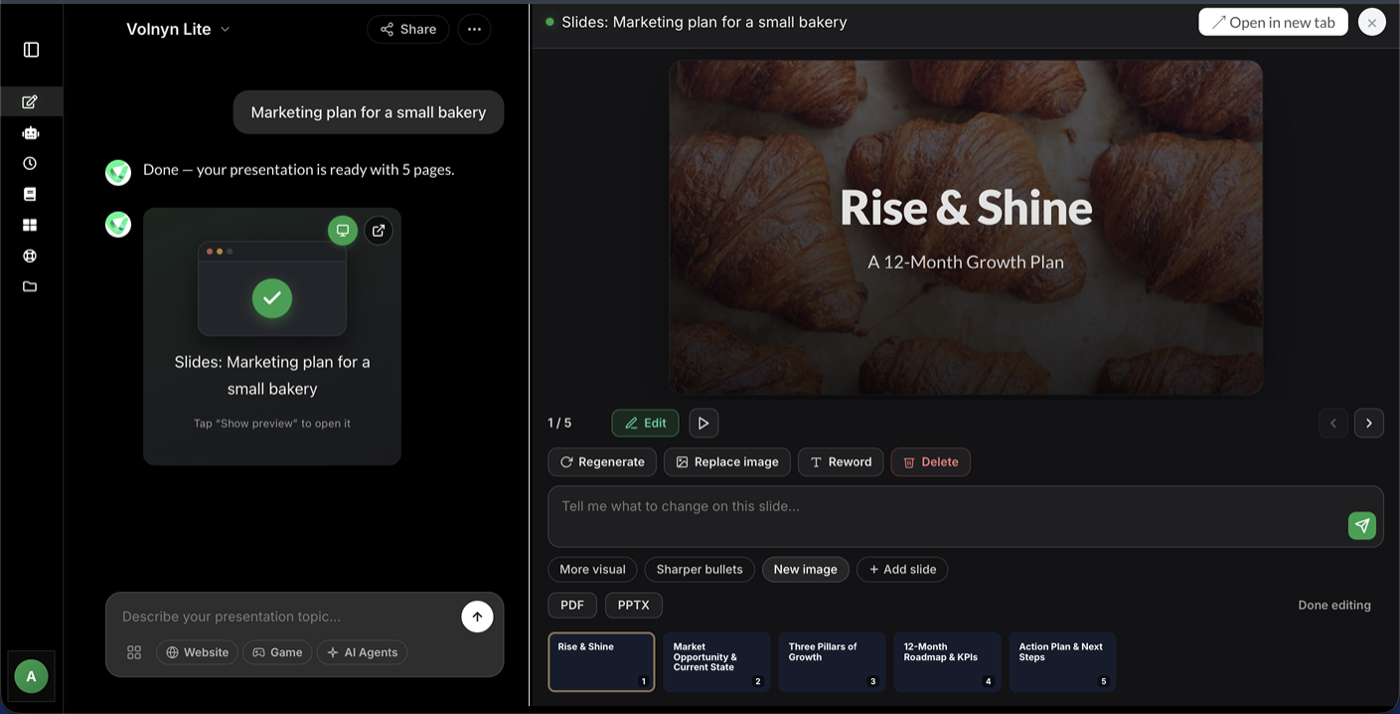
- Edit and export. Fine-tune any slide with the built-in editor — change text, colors, layouts, or images. When you're happy, present directly from Volnyn or download your deck.
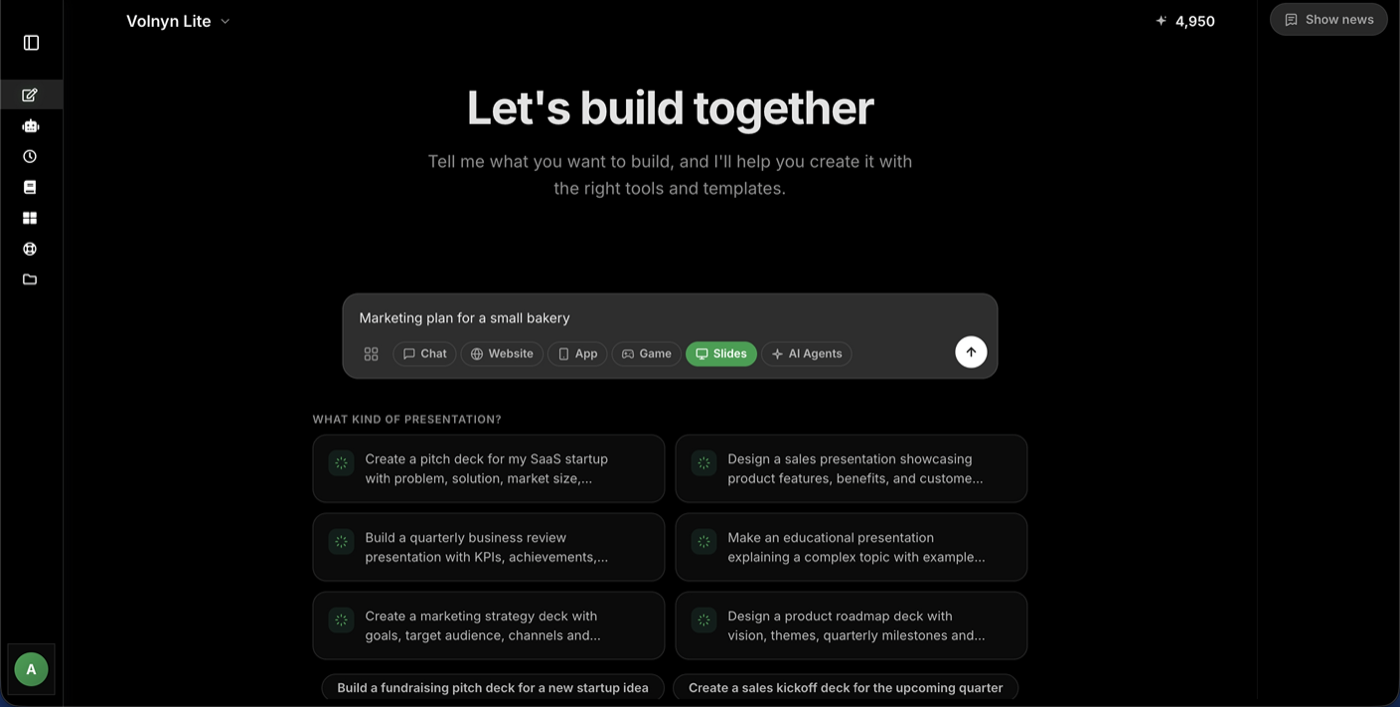
Why Use an AI Tool for PPT Instead of Making Slides Manually?
The average professional spends 3–4 hours building a single presentation. An AI PPT maker cuts that to minutes, and the difference shows in more than just speed:
- No design skills needed. The AI handles layouts, fonts, and color schemes automatically, so every slide looks professionally designed.
- Consistent structure. AI-generated decks follow a logical flow — no more staring at a blank slide wondering what comes next.
- Instant first drafts. Even if you customize heavily, starting from a complete AI-generated deck is far faster than starting from zero.
- Create PPT using AI from any text. Reports, articles, meeting notes — paste them in and get presentation-ready slides.
What Can You Create with Volnyn's AI PPT Maker?
- Business presentations — pitch decks, sales proposals, quarterly reports, project updates
- Educational slides — lectures, training materials, student projects, workshops
- Marketing decks — product launches, campaign overviews, client presentations
- Personal projects — event slideshows, portfolios, community presentations
Whatever the topic, describe it once and the AI PPT generator handles the rest.
Free AI PPT Maker — What's Included
Volnyn's free plan lets you generate complete presentations with AI at no cost. You get AI-generated slide content, professionally designed layouts, and the full slide editor. No credit card required to start — just sign up and create your first deck.
Start Free — No Credit Card Needed →
Tips for Getting the Best AI-Generated Slides
- Be specific in your prompt. "Marketing plan for a small bakery targeting local customers" produces better slides than just "marketing plan."
- Mention your audience. Telling the AI who the presentation is for (investors, students, clients) shapes the tone and depth.
- Set the slide count. Need a quick 5-slide overview or a detailed 20-slide deck? Specify it.
- Paste source material. If you already have notes or a document, paste it in — the AI will convert your text to presentation slides while keeping your key points.
- Iterate. Regenerate individual slides you're not happy with instead of the whole deck.
Frequently Asked Questions
Is Volnyn's AI PPT maker really free?
Yes. You can sign up and generate presentations with the free plan at no cost, with no credit card required. Paid plans add more generations and advanced features.
Can I create a PPT from text with AI?
Yes. Paste any text — notes, an article, a report — and Volnyn's text-to-presentation AI converts it into structured slides, keeping your main points and organizing them logically.
How long does it take to generate a presentation?
Most decks are generated in under a minute. A typical 10-slide presentation is ready in about 30–60 seconds, and you can start editing immediately.
Can I edit the slides after the AI creates them?
Absolutely. Every AI-generated slide is fully editable — change the text, swap layouts, adjust colors, add images, or delete slides entirely using the built-in editor.
Do I need design experience to use an AI slide generator?
No. That's the point of an AI PPT tool — it handles the design automatically. If you can type a sentence describing your topic, you can create a professional presentation.
