AI Presentation Maker — Professional Slides in Seconds
Great presentations take skill, time, and design sense — or an AI that has all three. Volnyn's AI presentation maker turns a simple description into a complete, professionally designed slide deck in seconds. No blank slides, no formatting battles, no design experience needed.
Make Your Presentation Free →
What Is an AI Presentation Maker?
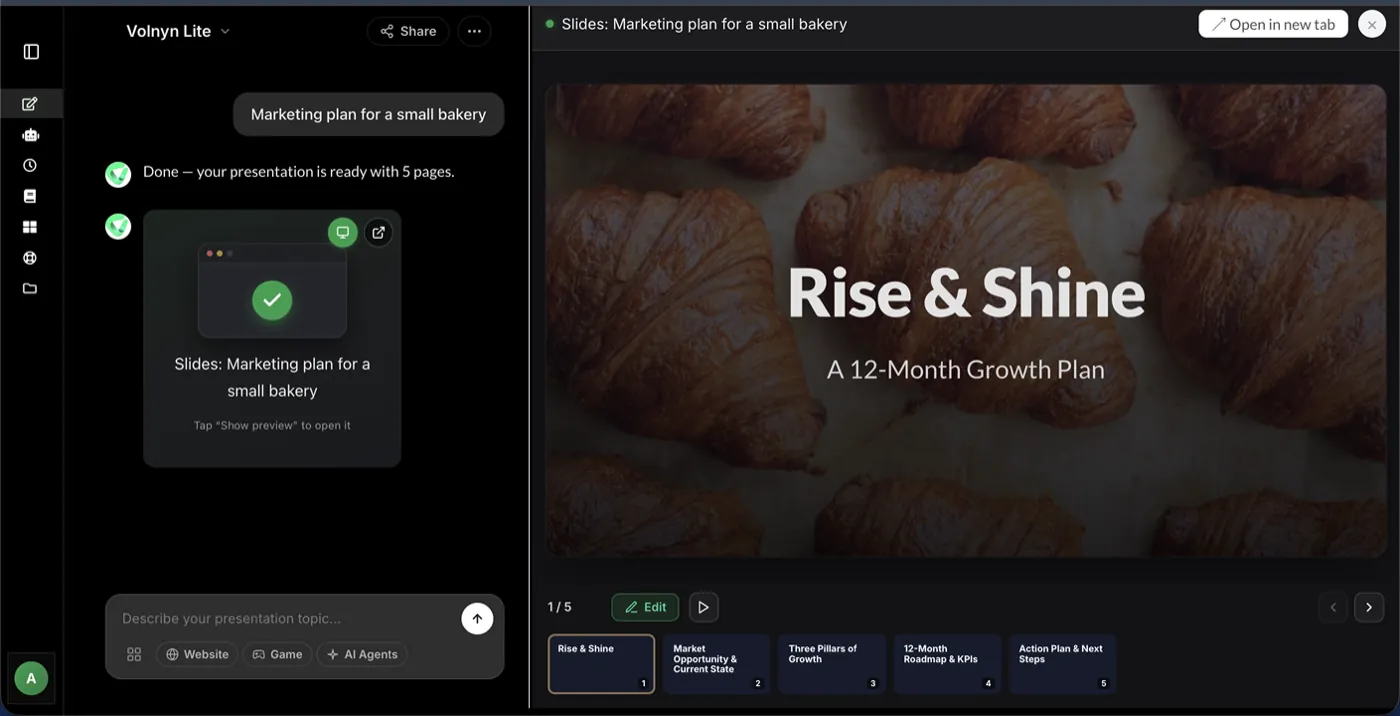
An AI presentation maker is a tool that creates complete slide decks from a text prompt. Instead of building each slide manually, you describe your topic — the AI writes the content, structures the flow, and designs every slide automatically. Volnyn's presentation creator does this in under a minute, producing a deck you can edit, present, or export.
How to Create a Presentation with AI
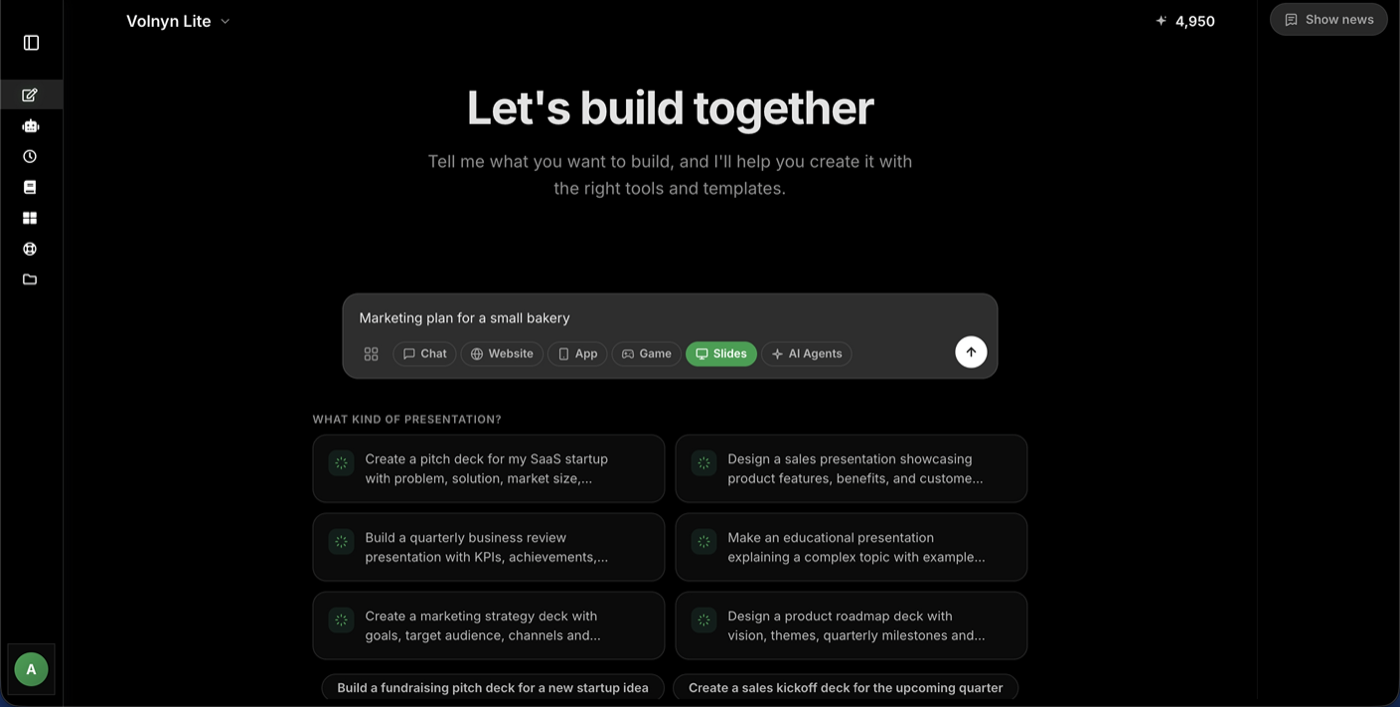
- Step 1 — Describe it. Type your topic in plain language: "Investor pitch for a food delivery startup" or "Training presentation on workplace safety." The more context you give, the better the result.
- Step 2 — Let the AI build it. The presentation generator creates the full deck: a logical structure from opening to conclusion, slide titles, concise bullet points, and a clean, consistent design.
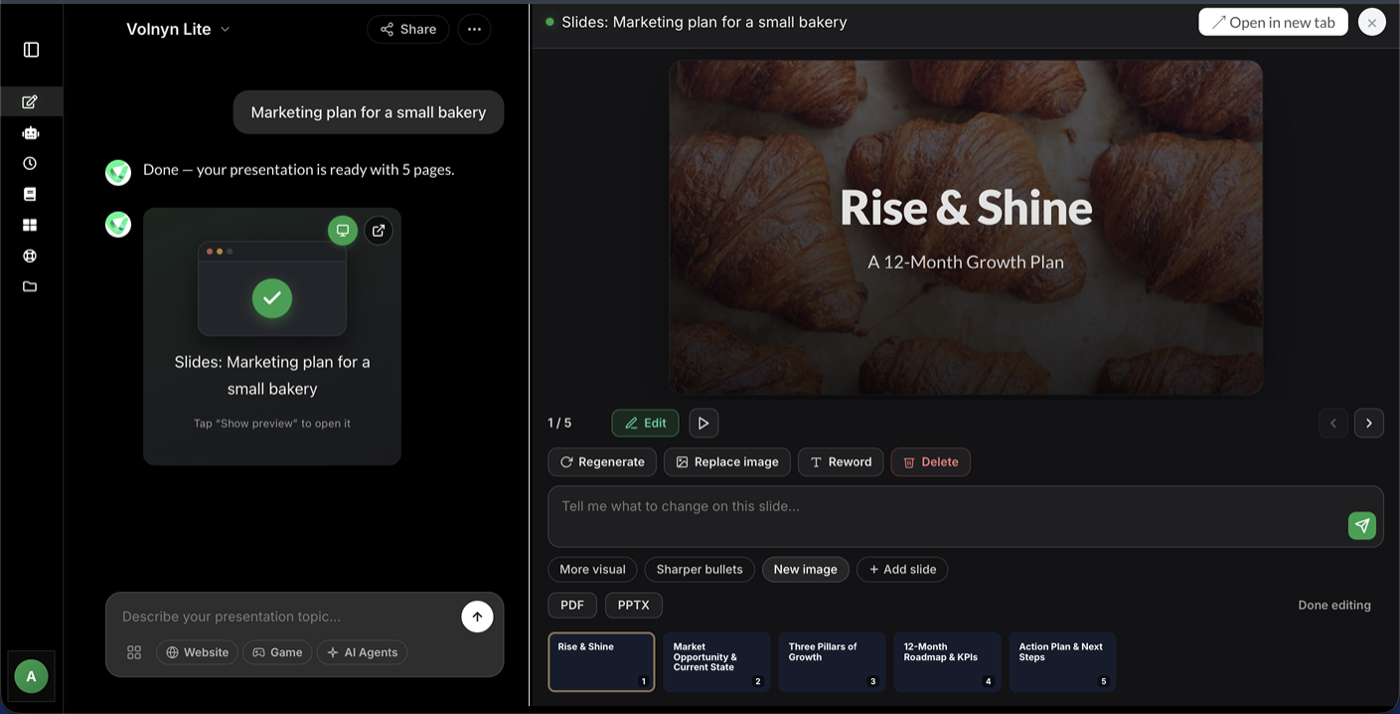
- Step 3 — Refine and present. Open any slide in the editor to adjust text, layouts, colors, or images. Present directly from your browser or export your deck when you're ready.
Who Is It For?
- Professionals — pitch decks, sales presentations, quarterly reviews, and client proposals, ready before your coffee gets cold
- Educators & students — lectures, assignments, and workshop materials with clear structure built in
- Marketers — campaign presentations, product launches, and reports that look agency-made
- Teams & founders — investor decks and internal updates without hiring a designer
Why Volnyn's AI Presentation Creator Stands Out
- Presentation AI that's free to start — generate complete decks on the free plan, no credit card required
- Text to presentation in one step — paste notes, an outline, or a document and get structured slides
- Fully editable results — every AI-generated slide can be customized in the built-in editor
- Part of a complete platform — Volnyn also includes an AI website builder and more, all in one account
Start Free — No Credit Card Needed →
Tips for Better AI-Generated Presentations
- State the goal. "A deck to convince investors" produces different slides than "a deck to train new employees."
- Name your audience. The AI adjusts tone and depth for executives, students, or customers.
- Give it your material. Feed in your notes or key points — the AI keeps your substance and adds structure.
- Ask for the right length. A 5-slide summary and a 20-slide deep-dive are both one prompt away.
- Regenerate selectively. Not happy with one slide? Regenerate just that one instead of the whole deck.
Frequently Asked Questions
Is the AI presentation maker free?
Yes — you can sign up and generate presentations on Volnyn's free plan with no credit card required. Paid plans unlock more generations and advanced features.
How is this different from PowerPoint or Google Slides?
Traditional tools give you a blank canvas — you write, design, and format everything yourself. Volnyn's AI presentation generator creates the full deck for you first, so you start from a finished draft and only refine.
Can I turn a document or notes into a presentation?
Yes. Paste your text — meeting notes, a report, an outline — and the AI converts it into structured slides while keeping your key points.
How long does it take to generate a presentation?
Typically under a minute. A standard 10-slide deck is ready in about 30–60 seconds and immediately editable.
Can I edit the presentation after the AI creates it?
Absolutely. Every slide is fully editable — change text, swap layouts, adjust colors, add or remove slides in the built-in editor.
