Introduction
Images are a critical part of developing a professional and engaging website. While text provides visitors with information, images, videos, icons, and other media make it easier for them to understand your brand, products, services, and message. A website with high-quality visuals is generally more attractive, easier to navigate, and more memorable than one that relies only on text.
After you have finished creating your website using the Volnyn AI Website Builder, you can begin customizing it with your own images and media. Whether you are creating a business website, portfolio, personal website, landing page, or online service page, adding relevant visuals helps create a stronger impression and improves the overall user experience.
The Volnyn Website Builder allows you to upload, organize, and manage media throughout your website without requiring technical expertise. Images can be added to banners, galleries, service sections, blogs, testimonials, portfolios, and many other areas of your website, enabling you to personalize every page according to your brand.
This guide explains how to upload images and media to your Volnyn website, organize visual content effectively, and follow best practices that improve both appearance and website performance.
Table of Contents
When users visit a website, images are often the first elements they notice. They help communicate ideas quickly, showcase products or services, strengthen brand identity, and create a more engaging browsing experience.
Media also improves the overall structure of a webpage. Large blocks of text can become difficult to read, while relevant images naturally complement written content and make pages more visually appealing.
Businesses can use media to showcase products, company offices, completed projects, team members, customer reviews, or promotional banners. Freelancers can present their portfolios, while service providers can demonstrate their expertise and previous work using meaningful visuals.
Choosing relevant images helps guide visitors through your website while encouraging them to continue exploring your content.
Accessing the Website Editor
Once you've created your website using the Volnyn AI Website Builder, sign in to your Volnyn account and open your website dashboard.
From there, access the website editor where you can customize individual pages, update content, modify layouts, and manage media files.
The editor is designed to provide an organized editing experience, allowing you to update different website sections without needing to write code.
Before uploading media, plan the pages you want to customize and prepare properly sized images that complement your content. Well-organized files make editing significantly easier.
Uploading Images to Your Website
Adding images is one of the easiest ways to personalize your website.
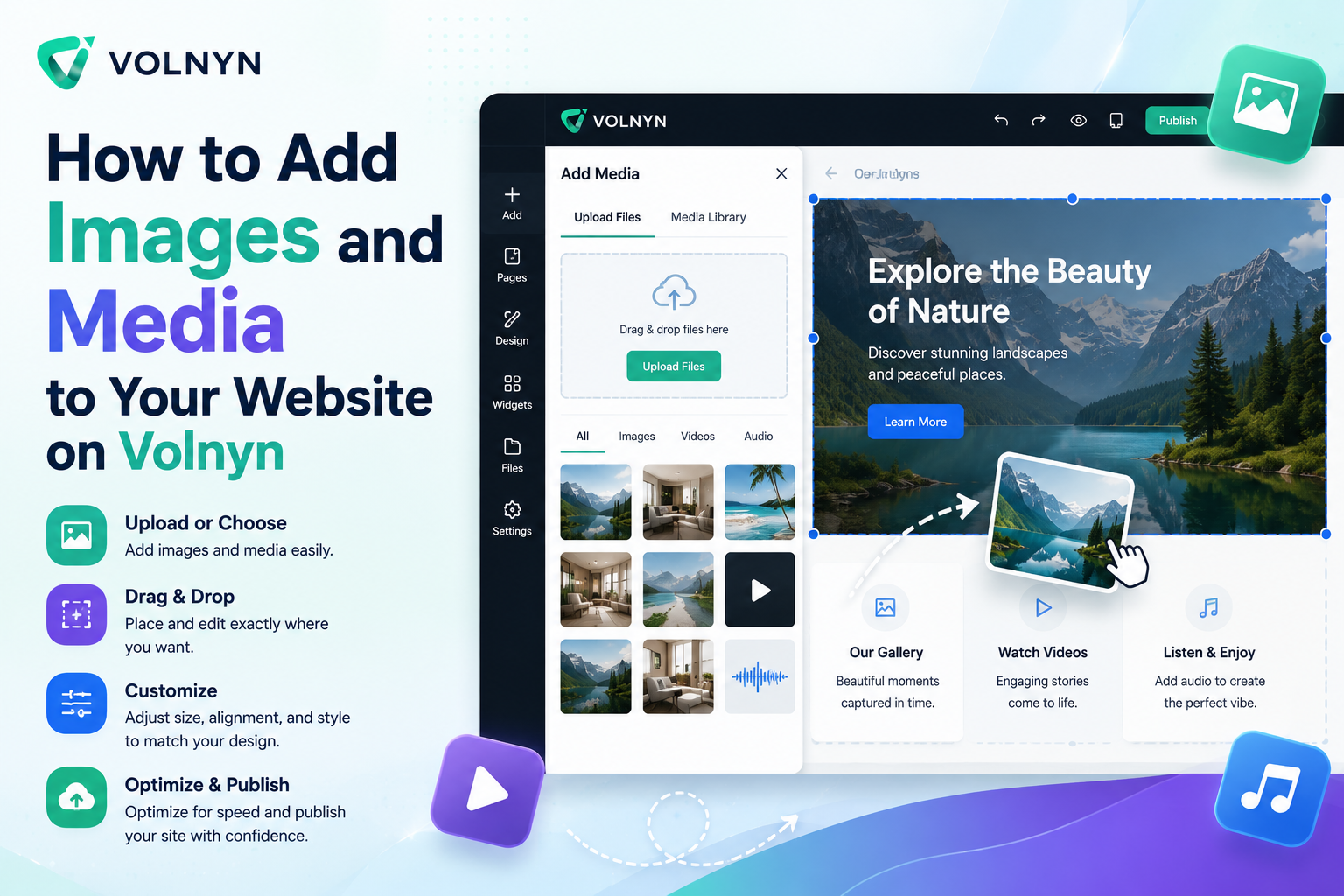
Inside the editor, select the section where you want to place an image and choose the option to upload or replace media. Browse your device, select the appropriate file, and upload it directly to your website.
Images can be used in:
- Hero banners
- About sections
- Service pages
- Product showcases
- Portfolio galleries
- Team sections
- Testimonials
- Blog articles
- Contact pages
Once uploaded, images become available throughout your website, making future updates much easier.
Adding Images to Different Sections
Different sections of a website benefit from different types of images.
Your homepage banner may feature a strong brand image that immediately communicates your business identity. Service pages often include illustrations or photographs related to the services you provide. Portfolio pages typically showcase completed work, while blog posts benefit from featured images that support the written content.
Using the right visual in the right location improves readability and creates a balanced page design.
Maintaining consistency in image style, colors, and branding throughout your website also contributes to a more professional appearance.
Images are only one part of modern website content.
Many websites also include videos, icons, graphics, animations, downloadable documents, and embedded media that provide additional value to visitors.
Videos can demonstrate products, introduce businesses, explain services, or provide tutorials. Short promotional videos often increase visitor engagement while helping explain more complex topics.
Depending on your website design, media elements can be combined with text and images to create richer page layouts that keep visitors interested.
Using multiple forms of media thoughtfully creates a more interactive browsing experience.
As websites continue to grow, organizing uploaded files becomes increasingly important.
Keeping your images well organized allows you to quickly locate files whenever updates are required. Naming images clearly and removing outdated files helps maintain an efficient media library.
Businesses that regularly update products, blog posts, or promotional campaigns can save significant time by maintaining an organized collection of media files.
Creating separate folders for banners, product images, team photos, blog graphics, and marketing materials can simplify ongoing website management.
A well-organized media library supports faster editing while making website administration much easier.
Optimizing Images for Better Performance
Large image files can negatively affect website loading speed.
Before uploading images, consider optimizing them by reducing file size while maintaining excellent visual quality. Faster-loading pages improve visitor experience and may also contribute to better search engine performance.
Always upload images that match the required design dimensions rather than unnecessarily large files.
Image compression helps maintain attractive visuals while improving website performance across both desktop and mobile devices.
Optimizing images benefits not only website speed but also overall usability.
Best Practices for Professional Visual Content
Professional websites use visuals strategically rather than simply filling empty spaces.
Consider these best practices:
- Use sharp, high-quality images that appear clear and professional.
- Select visuals that are directly relevant to your content.
- Maintain consistent colors and branding throughout the website.
- Avoid overcrowding pages with unnecessary images.
- Optimize image sizes before uploading.
- Use meaningful visuals that support your written content.
- Regularly update outdated media as your business evolves.
Choosing appropriate media strengthens your website while improving the overall visitor experience.
Reviewing Your Website Before Publishing
After adding images and media, carefully review every page before publishing your website.
Verify that all images display correctly on both desktop and mobile devices, align properly within their sections, and load without errors.
Look for inconsistent image sizes, stretched graphics, broken media, or outdated visuals that could reduce the professionalism of your website.
A final review ensures visitors experience a polished and visually consistent website from the moment it goes live.
Final Thoughts
Images and media are powerful tools that transform a basic website into a professional online presence. High-quality visuals help communicate information, strengthen your brand, improve visitor engagement, and create a more enjoyable browsing experience.
The Volnyn Website Builder makes adding and managing media simple, allowing users to personalize every page without requiring technical expertise.
By combining high-quality visuals, organized media management, and thoughtful design choices, businesses, freelancers, and creators can build websites that are both visually attractive and highly effective.
Regularly updating images and media helps keep your website fresh, relevant, and engaging as your business continues to grow.
Frequently Asked Questions
May I upload my own images to a Volnyn website?
Yes. You can upload your own images directly through the Volnyn Website Builder and use them throughout your website.
Where can I add images on my website?
Images can be added to homepage banners, service pages, galleries, portfolios, blogs, testimonials, contact pages, and many other sections of your website.
Can I include videos on my website?
Yes. Depending on your website design, you can include videos and other media to better engage visitors and present information more effectively.
Should I optimize images before uploading them?
Yes. Optimized images load faster, improve website performance, and provide a better browsing experience for your visitors.
Why is media important for a professional website?
Images and media communicate information visually, strengthen your brand, improve visitor engagement, and make websites more attractive, interactive, and easier to navigate.