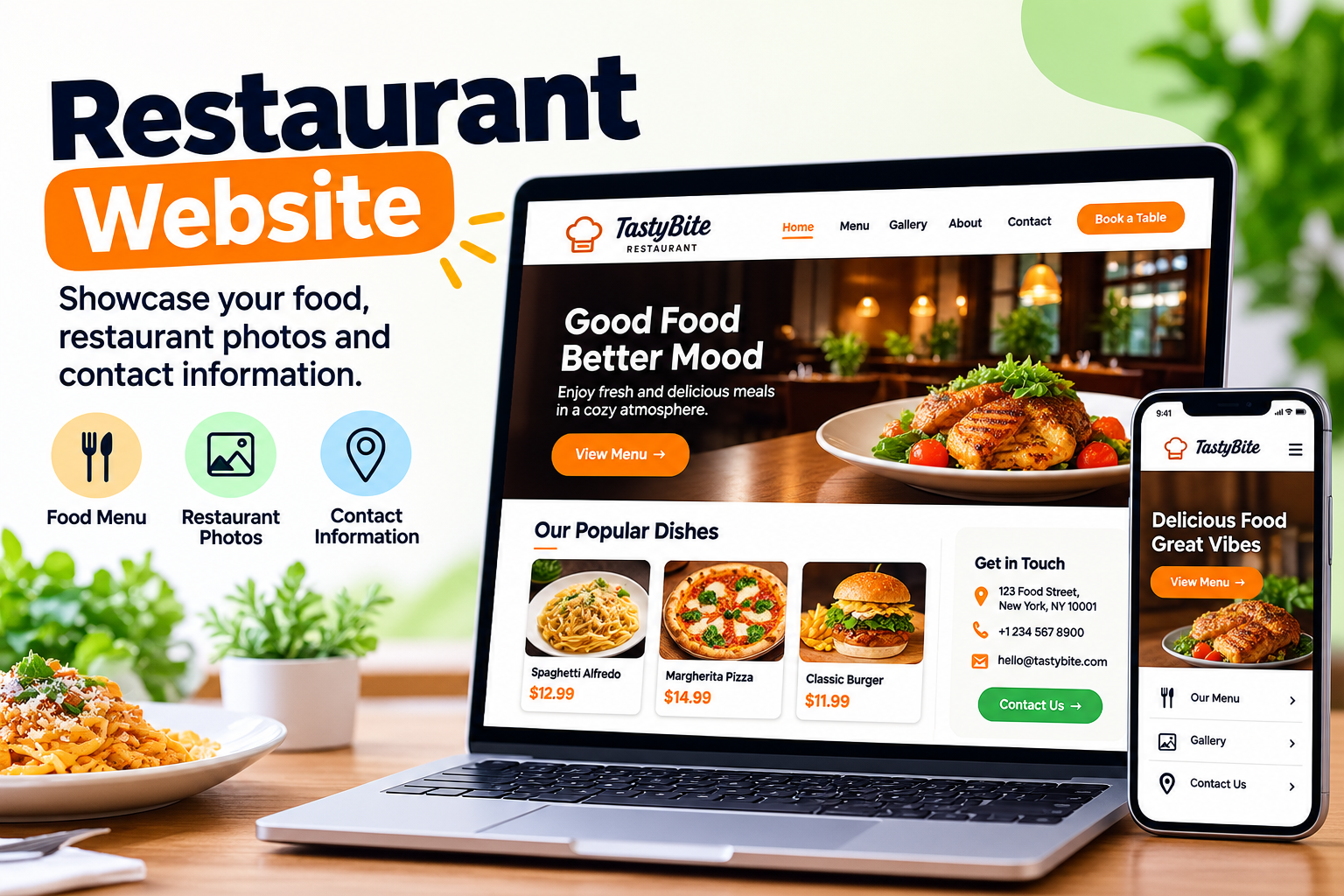
Building a restaurant website does not have to be hard or expensive. Whether you run a small café, a family restaurant, a pizza shop, or a fine-dining business, an AI website builder can help you create a website without writing code. You can use it to show your menu, share your location, display food photos, and help customers learn about your restaurant.
But creating a good restaurant website takes more than choosing a design. Your website should make it easy for people to find your opening hours, check prices, book a table, or place an order when those features are available.
In this guide, you will learn how to build a restaurant website with AI, what pages to include, how to improve it for Google, and what to check before publishing. We will also look at how to use Volnyn and when you may need extra tools for online ordering or reservations.
What Is an AI Restaurant Website Builder?
An AI restaurant website builder is a tool that uses artificial intelligence to help create a website from a written description. Instead of designing every page yourself, you describe your restaurant, choose a suitable style, and let the tool generate an initial website.
For example, you could enter this description:
Create a modern website for a family-owned Italian restaurant in Chicago. Include a homepage, food menu, about page, opening hours, location, contact details, and a section for customer reviews. Use warm colors and clear food photos. Make the website easy to use on mobile phones.
The AI can use your description to create a starting layout and website content. You can then review the result, replace sample information, upload real photos, and adjust the design.
However, not every AI website builder includes the same features. Some focus on website design and content, while others also support online ordering, payments, or table reservations. Check the available features before choosing a tool.
What Should a Restaurant Website Include?
Before you start building, decide what customers need to do on your website. A simple restaurant website may only need a menu, location, and contact details. A larger restaurant may also need online ordering, reservations, catering information, or event booking.
Here are the main pages and features to consider.
| Page or feature | Why it matters |
|---|
| Homepage | Introduces your restaurant and guides visitors to important information. |
| Food menu | Shows dishes, descriptions, prices, and available options. |
| About page | Shares your restaurant's story, style, and background. |
| Contact page | Provides your phone number, address, and other contact details. |
| Opening hours | Helps customers know when they can visit. |
| Location and map | Makes it easier for customers to find your restaurant. |
| Food gallery | Shows real dishes, the dining area, and the atmosphere. |
| Reservation option | Lets customers request or book a table if supported. |
| Online ordering | Allows customers to order food online when a suitable ordering system is connected. |
| Reviews and testimonials | Can help visitors understand other customers' experiences. |
You do not need every feature on day one. Start with the information your customers need most, then add other features as your restaurant grows.
How to Build a Restaurant Website With AI
Follow these steps to create a useful restaurant website, even if you have no coding experience.
Step 1: Choose an AI Website Builder
Start by choosing a website builder that matches your needs and budget.
For a simple restaurant website, look for a tool that can generate page layouts, create initial content, support mobile-friendly designs, and let you edit your website easily.
If you want to accept orders or reservations, check those features separately. A good-looking website does not automatically include a working ordering or booking system.
You can start with Volnyn's AI website builder. Volnyn lets you describe the website you want and generates an initial website structure, content, and design that you can customize. Its website builder also offers restaurant-related templates.
Other options include Mixo's restaurant website builder and 10Web's restaurant website builder. Compare their available features, costs, editing options, and ordering or reservation support before deciding.
Step 2: Prepare Your Restaurant Information
AI can create a starting website, but it needs accurate information about your business to produce useful content.
Prepare these details before generating your website:
- Restaurant name and type of cuisine.
- City, address, and contact number.
- Opening and closing hours.
- Food menu with current prices.
- A short description of your restaurant.
- Real photos of your food and dining area.
- Social media links, if you use them.
- Reservation or ordering details, if available.
You do not need to write every page yourself. You can provide the basic facts and let the AI help organize them.
Important: Always check AI-generated text. Replace made-up menu items, sample prices, incorrect opening hours, and other placeholder details with information from your actual business.
Step 3: Write a Clear Prompt for the AI
Your prompt tells the AI what kind of restaurant website you want. A detailed prompt usually gives you a more useful starting point than a request such as "make a restaurant website."
Describe your restaurant, target customers, design preferences, required pages, and main goal.
Here is a prompt you can adapt for your business:
Create a professional, mobile-friendly website for [Restaurant Name], a [type of restaurant] located in [City, State].
Our restaurant serves [type of food] to [target customers]. The website should have a welcoming design that matches our restaurant's style.
Include these sections:
- Homepage with a clear introduction and a prominent menu button
- Food menu with dish names, descriptions, and actual prices
- About section describing our restaurant
- Food photo gallery
- Opening hours and contact information
- Address and location map
- Customer reviews, if genuine reviews are provided
- Reservation or online ordering options if supported by the selected tools
Use readable fonts, clear headings, good spacing, and colors that fit our brand. Make the website easy to use on mobile phones and desktops.
Use simple, friendly English. Do not invent menu items, prices, awards, customer reviews, or business details. Leave placeholders for information that I have not provided.
You can use this prompt with Volnyn or another AI website builder. After the first version appears, review each section and improve anything that does not match your restaurant.
Step 4: Choose a Suitable Design
Your website should reflect the type of dining experience you offer.
For example, a family restaurant may benefit from a warm, welcoming design. A fine-dining restaurant may prefer a more refined layout with larger food images and simple typography. A casual café might use brighter colors and a relaxed style.
When choosing a design, focus on:
- Colors: Use a small set of colors that match your restaurant's brand.
- Fonts: Choose text that customers can read easily.
- Images: Show real dishes and your actual dining space.
- Layout: Keep the menu, location, and contact details easy to find.
- Mobile design: Make sure buttons and text work well on smaller screens.
Avoid adding too many animations, pop-ups, or decorative elements. Customers usually visit a restaurant website to find information quickly, so keep the main details easy to access.
Step 5: Add Your Menu and Food Photos
The menu is one of the most important parts of a restaurant website. Customers should be able to understand what you serve and how much it costs.
Organize the menu into clear categories, such as:
- Starters and appetizers
- Main courses
- Pizza and pasta
- Desserts
- Drinks
- Special meals or seasonal dishes
You should include dish names, short descriptions, and current prices. Mention dietary options or allergens where relevant, and make sure that any such information is accurate.
Use real food photos whenever possible. A clear photo of a dish from your own kitchen is more useful than an AI-generated image that shows food you do not actually serve.
If you use AI-generated images for decoration, do not present them as exact photos of your actual dishes. This helps set honest expectations for customers.
Remember to update your menu when prices, ingredients, or available dishes change.
Step 6: Add Online Ordering or Table Reservations
Some restaurants need only a website that shares information. Others want customers to place orders or reserve tables online.
Before adding these features, decide what you want the website to do.
For online food orders, you may need:
- A digital menu with current prices.
- A working cart and checkout.
- A suitable payment option, if you accept online payments.
- Pickup or delivery instructions.
- Order confirmation and a process for handling orders.
For table reservations, you may need:
- A booking form or reservation tool.
- Available dates and times.
- The number of guests.
- Contact details for the customer.
- A way to confirm, manage, or cancel reservations.
Do not assume these features work just because the AI has created a button or sample form. Connect the appropriate service and test the complete process.
Volnyn can help you create the restaurant website and its initial layout. If you need a specific ordering or reservation workflow, verify that your intended setup supports it before publishing.
Step 7: Add Your Restaurant's Location and Contact Details
Make it easy for customers to contact you or visit your restaurant.
Your website should clearly display your:
- Full business address.
- Phone number.
- Opening hours for each day.
- Email address, if you use one.
- Directions or a map.
- Links to your active social media profiles.
If your restaurant operates in more than one location, provide the correct details for each branch.
You should also create or update your Google Business Profile. Keep the address, opening hours, phone number, and website URL consistent with the information on your website.
Accurate details help customers plan their visit and reduce confusion.
Step 8: Optimize Your Restaurant Website for SEO
Search engine optimization (SEO) helps search engines understand your website and helps people discover relevant pages through search.
For a restaurant, useful search terms often include the type of food you serve and your location. For example, an Italian restaurant in Chicago might target phrases related to Italian food in Chicago, its neighborhood, or its specific services.
Start with these basic steps.
Use descriptive page titles. Give each page a clear title that explains its purpose. For example, "Italian Restaurant in Chicago | Restaurant Name" may be suitable for a local restaurant homepage.
Write useful headings. Use headings that explain the content, such as "Our Menu," "Opening Hours," and "Visit Our Restaurant."
Add helpful image descriptions. Write accurate alt text for important images. For example, "Margherita pizza with fresh basil at Restaurant Name" describes the image more clearly than "food image."
Make the website mobile-friendly. Customers may visit your website from their phones while deciding where to eat. Check that the menu, phone number, address, and main buttons work on mobile screens.
Create separate pages when needed. If you offer catering, private dining, or event services, a separate page for each important service may help customers find the right information.
Keep your information current. Update opening hours, prices, menu items, and seasonal offers when they change.
You can also review Google's SEO Starter Guide to understand the basics of creating content that search engines can discover and understand.
Do not expect an AI-generated website to rank automatically. SEO depends on useful content, accurate information, technical accessibility, competition, and other factors over time.
Step 9: Check the Website Before Publishing
Before launching, review the website as if you were a customer visiting for the first time.
Use this checklist:
- The restaurant name and description are correct.
- All menu items and prices are accurate.
- Opening hours and contact details are correct.
- Food photos display properly.
- Menu and contact links work.
- The website looks good on mobile and desktop.
- The map points to the correct location.
- Reservation and ordering functions work, if included.
- No sample text or placeholder information remains.
- Page titles and image alt text are relevant.
- The website's main pages can be accessed without errors.
- The domain and publishing settings are correct.
Test the complete customer journey. For example, try to find the menu, call the restaurant, and submit a test reservation if your setup supports it.
Fix problems before sharing the website with customers.
Step 10: Publish and Keep the Website Updated
Once everything is ready, publish your website using the publishing and domain options available in your chosen builder.
If you have your own domain, connect it according to the builder's instructions. Choose a name that is easy for customers to remember and spell.
After publishing, share the website on your social media pages, add it to your Google Business Profile, and include it in relevant marketing materials.
Your work does not end at launch. Review the website regularly to ensure that the menu, prices, opening hours, contact information, and links remain correct.
You can also check website traffic and search performance to understand which pages people visit and where improvements may be useful.
How to Use Volnyn to Build a Restaurant Website
Volnyn is an option for restaurant owners who want to create a website with AI instead of building every page from scratch.
Its AI website builder generates an initial website from a description, allowing you to review and customize the result. You can also explore its website templates to find a suitable starting design.
Here is a simple workflow:
- Open Volnyn and access its AI website-building tools.
- Describe your restaurant, its cuisine, location, and website goals.
- Generate the initial website.
- Review the pages, layout, text, and images.
- Replace sample content with your real menu, prices, and business information.
- Check mobile usability, contact details, and any required integrations.
- Review the available publishing options and publish when ready.
You can start at Volnyn's free website builder to explore the available options.
One important point: creating a restaurant website and running a complete restaurant ordering system are different tasks. Before choosing your final setup, confirm that the features you need—such as payment processing, delivery management, or table reservations—are supported by your selected tools and plan.
Frequently Asked Questions
1. Can I build a restaurant website with AI for free?
Yes, you can start building a restaurant website with an AI website builder that offers a free plan. However, some features, such as custom domains, advanced integrations, or additional publishing options, may require payment. Check the current plan details before choosing a builder.
2. How long does it take to build a restaurant website with AI?
The initial website may be generated quickly, but the complete process takes longer. You still need to add your real menu, check prices, choose photos, test mobile layouts, and confirm that all important features work. Your timeline depends on the size and complexity of your website.
3. Do I need coding skills to create an AI restaurant website?
No, many AI website builders let you create and edit a website without writing code. You describe your restaurant, review the generated design, and make changes using the available editing tools. More advanced integrations may require extra technical help.
4. Can an AI website builder create a restaurant menu?
Yes, an AI website builder can help create a menu layout and draft descriptions for your dishes. You should provide the actual dish names, ingredients, and prices, then check every detail before publishing. Never assume that AI-generated menu information is accurate.
5. Can I accept food orders through my restaurant website?
Yes, if your website builder supports online ordering or connects to a suitable ordering service. You may also need a cart, checkout, payment processing, and pickup or delivery options. Test the entire ordering process before allowing customers to use it.
6. Can I add table reservations to my restaurant website?
Yes, if your builder includes a booking feature or supports a suitable reservation integration. The system should let customers select an available time and provide the required booking details. Check how reservations are confirmed and managed before publishing.
7. How can I make my restaurant website appear on Google?
Start by creating useful pages, using descriptive page titles, adding accurate business information, and making your website accessible on mobile devices. Keep your Google Business Profile updated and make sure search engines can access your important pages. Rankings are not guaranteed and may take time to improve.
8. What pages does a small restaurant website need?
A small restaurant can start with a homepage, menu, about section, contact details, opening hours, and location information. Add ordering, reservations, catering, or event pages when your business needs them. Keep the navigation simple so visitors can find important information quickly.
9. Is Volnyn suitable for creating a restaurant website?
Volnyn can help generate a restaurant website's initial structure, design, and content through AI. It is worth considering if you want a starting website that you can customize without building everything manually. Before committing, verify that its current features and publishing options meet your specific restaurant needs.
10. What should I do after publishing my restaurant website?
Keep your menu, prices, hours, and contact details up to date. Test important links and booking or ordering functions regularly. Share the website through your marketing channels and monitor its search performance to identify areas that need improvement.
Conclusion
Building a restaurant website with AI can be a practical way to establish your online presence without starting from a blank page. The most important steps are to choose a suitable builder, provide accurate business information, create a clear menu, and make it easy for customers to find and contact your restaurant.
My recommendation is to start with a simple, useful website and add more features as your needs grow. You can explore Volnyn's AI website builder to generate your first version. Before publishing, check every detail and make sure any ordering or reservation features work as expected.