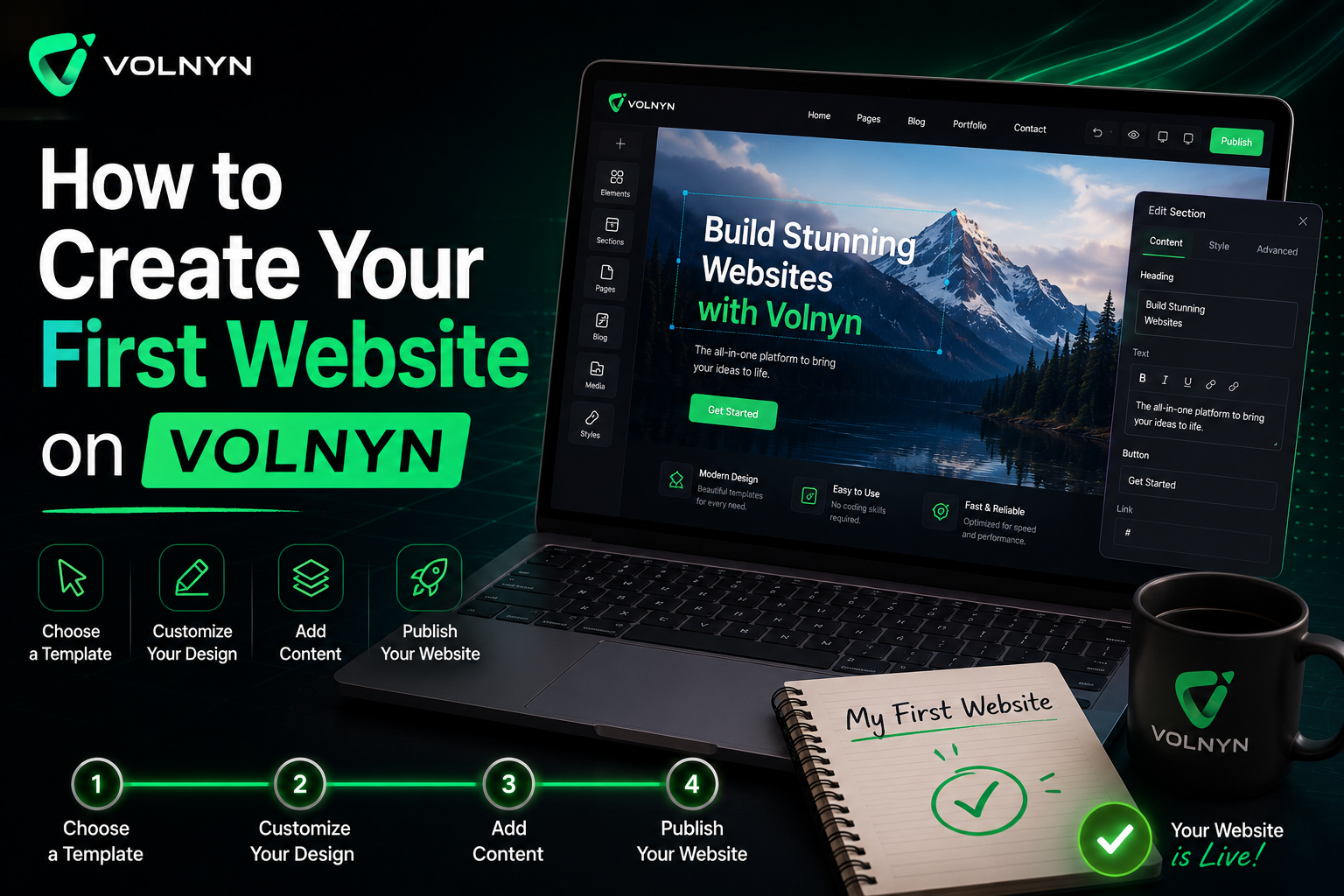
Traditionally, the creation of a website has been viewed as a technical task that involves coding skills, design experience, and a considerable amount of time. In the past, many businesses and individuals depended on web developers, web designers, and different software tools to turn an idea into a working website. For highly specialized projects, this method still has value, but the development of artificial intelligence has changed how websites can now be created.
Today, it is possible to build a complete website without writing code. AI-driven website builders are designed to make the process easier, allowing users to focus on their ideas instead of technical setup. Users can describe the type of website they want, and the AI can assist with layouts, page structure, content sections, and design direction.
Volnyn has adopted this approach with its AI Website Builder, offering a simple way for individuals, startups, freelancers, and businesses to create professional websites. Whether you need a business website, portfolio, service website, landing page, online store, or personal website, Volnyn allows you to create and launch a website through an AI-powered conversational experience.
This guide explains how to create your first website on Volnyn, from the initial idea to publishing it online.
Table of Contents
Understanding the AI-Powered Website Creation Process
In traditional website design, a lot of work usually happens before a website begins to take shape. Users may need to select templates, configure layouts, design pages, plan content, and make several technical decisions. For many users, especially those without technical experience, this process can feel difficult and time-consuming.
The Volnyn AI Website Builder follows a different approach. Instead of requiring users to build everything manually, the platform allows them to interact directly with AI. Users can explain what kind of website they want, and the system can generate a website structure that works as a strong starting point for further customization.
This reduces the complexity of the website creation process. Users do not need to focus on coding, hosting configurations, design frameworks, or page structures at the beginning. Instead, they can focus on what the website is about, who it is for, and what information they want to present to visitors.
Step 1: Open Volnyn
The website creation journey begins by visiting Volnyn. Once you open the platform, you can begin exploring the tools designed to make website creation simple and accessible through artificial intelligence.
Unlike traditional website development platforms that may require several setup steps before users can begin creating a website, Volnyn is designed to streamline the process. The goal is to make website creation easier for users at different experience levels.
Before starting, it is helpful to have a clear idea of the type of website you want to build. Understanding your audience, business objectives, required pages, and desired website features can help the AI generate a more accurate initial version of your website.
Step 2: Access the AI Website Builder Chat
After opening Volnyn, the next step is to access the AI Website Builder chat interface. This is where the website creation process truly begins.
Instead of navigating through complicated menus or manually selecting hundreds of settings, users can communicate directly with the AI assistant. The chat-based workflow makes the process feel more natural because users can describe what they want in simple language.
This removes many of the barriers that are usually involved in web development. First-time website owners can focus on their business, project, or idea instead of worrying about technical terminology or design principles.
Step 3: Describe the Website You Want
The next step is to write a prompt describing the type of website you want to create. This prompt becomes the foundation for the AI-generated website. The clearer your description is, the better the AI can understand your requirements.
For example, you may ask the AI to create:
- A professional website for a consulting company
- A portfolio website for a designer
- A website for a local restaurant
- An online store for selling products
- A service website for a marketing agency
You can also include additional details such as preferred design style, business information, desired pages, color preferences, service offerings, contact details, and industry focus. This information helps the AI begin building a website that is closer to your expected outcome.
Step 4: Generate Your Website with AI
After you submit the prompt, you will be directed to the AI Website Builder workspace, where the AI begins generating your website. The system uses the information you provided to create a website structure based on your needs.
This usually includes a homepage, navigation menu, content sections, service areas, contact information layouts, and other essential website components. Instead of starting from a blank screen, users receive a website structure that already includes the basic building blocks needed for a professional online presence.
This is one of the major benefits of using AI for website creation. What previously required hours of planning and setup can now be completed in a much shorter time. The generated website acts as a foundation that can be edited, improved, and customized according to your preferences.
Step 5: Review and Customize Your Website
The first version of a website is rarely the final version. Once the website has been created, users can review each page and section to make sure it matches their goals, brand identity, and business requirements.
This is where customization begins. You may want to update text content, change colors, adjust layouts, reorganize navigation menus, add new sections, or modify page structures. These changes help make the website more specific to your business or personal brand.
Users do not need to edit code to make these improvements. They can simply communicate changes through the AI interface. For example, you can ask the AI to add a testimonials section, create a pricing page, redesign the homepage banner, or add more service descriptions.
This conversational editing process makes website customization easier, even for users who have never created a website before.
Step 6: Add Plugins and Additional Features
Most websites need more than basic pages and written content. As your website develops, you may want to add additional functionality to improve user experience and support your business goals.
Through Volnyn, users can request extra features and website enhancements. The Volnyn plugins section can support different frontend features and interactive elements that help improve how a website looks and functions.
Common additions may include:
- Contact forms
- FAQ sections
- Image galleries
- Pricing tables
- Interactive content blocks
- Social media integrations
- Business information widgets
- Custom content sections
These elements can be added during the customization phase, helping create a more complete online experience. The ability to add functionality without manual technical implementation makes website management easier for users.
Step 7: Connect Your Domain
After the website design and content are finalized, the next step is to connect a custom domain. A domain is the web address that visitors use to access your website online.
Using a professional domain helps build credibility and improves brand recognition. Instead of sending visitors to a temporary development link, a custom domain allows users to access your website through a branded address.
For businesses, freelancers, and professionals, a custom domain is an important part of creating a trustworthy online identity. Before publishing, it is recommended to confirm that the domain is connected correctly and functioning as expected.
Step 8: Publish Your Website
The final step is publishing your website. Once your content, design, layout, plugins, and domain are ready, the website can be made available online.
Before publishing, it is useful to review important areas such as content accuracy, contact information, navigation structure, mobile responsiveness, and overall presentation. A quick review can help identify small improvements before the website becomes public.
After publishing, your website becomes accessible to visitors, customers, clients, and potential leads. The website remains manageable even after launch, allowing you to continue making updates, adding content, improving sections, and expanding functionality as your needs grow.
Why AI Website Creation Is Changing Web Development
AI-powered website creation is making website ownership more accessible than ever before. By reducing technical barriers, automating repetitive tasks, and simplifying customization, AI allows more individuals and businesses to build an online presence without relying entirely on traditional website development processes.
This does not reduce the value of professional developers or designers. Instead, it offers a faster and more user-friendly path for users who need a practical way to create and manage websites.
As AI technology continues to improve, website development is likely to become even more intuitive. Businesses and individuals will be able to focus more on their objectives, messaging, and audience experience while spending less time on technical implementation.
Final Thoughts
Building a website is no longer a complicated process that always requires coding skills, complex software, or long development timelines. With Volnyn’s AI Website Builder, users can transform an idea into a published website through a simple and conversational process.
The process is straightforward: open Volnyn, access the AI Website Builder, describe the website you want, generate the site, customize it, add plugins, connect a domain, and publish.
With its AI-powered interface and flexible website creation tools, Volnyn helps simplify the process while still allowing users to build professional and functional websites. For businesses, freelancers, startups, and individuals looking to create a web presence quickly, AI website creation offers a practical and efficient approach.
Frequently Asked Questions
Is it necessary to know coding for creating a website on Volnyn?
No. Volnyn’s AI Website Builder is designed to help users create websites without coding or technical development skills.
Can I make changes to the website later?
Yes. You can request design changes, content updates, new sections, and additional features throughout the website creation process.
Can I add plugins to my website?
Yes. You can add plugins and features to improve your website’s design, functionality, and user experience.
Can I use my own domain name?
Yes. Volnyn allows users to connect custom domains before publishing their websites.
Is the created website mobile optimized?
Yes. Websites created through the platform are designed to work across desktop, tablet, and mobile devices.
How long does it take to build a website?
The initial website structure can be created quickly. The full timeline depends on the level of customization, plugins, content updates, and additional features you want to add.