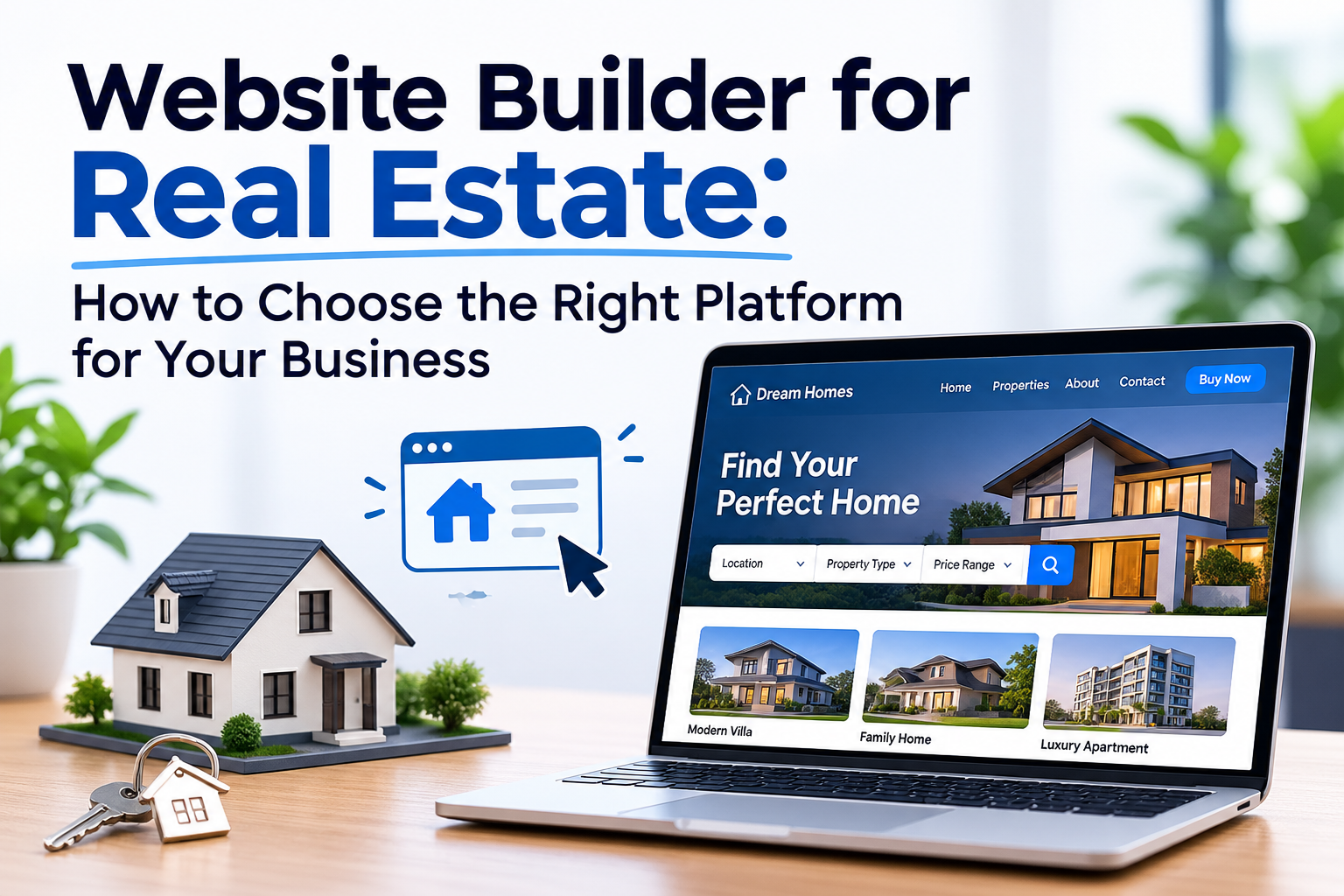
A real estate website has a different job from a basic business website. It needs to present properties clearly, build trust with potential buyers and sellers, make it easy to contact you, and give your business a professional presence online.
The challenge is choosing a website builder for real estate that gives you enough flexibility without making website management unnecessarily complicated. Some platforms focus heavily on property listings and real estate-specific systems, while others are better suited to agents who mainly need a professional website, lead-generation pages, local content, and control over their brand.
In this guide, you will learn what to look for in a real estate website builder, which features matter most for agents and brokers, how popular options compare, and where an AI website builder such as Volnyn can fit into the process.
What Should a Real Estate Website Builder Provide?
Before choosing a platform, start with what the website actually needs to accomplish.
A useful real estate website should make it easy for visitors to:
- Understand who you are and what you offer
- Browse or discover properties when your business model requires it
- Learn about the areas you serve
- Contact you about buying, selling, renting, or other services
- Find important business information quickly
- View the website comfortably on mobile devices
- Trust the business behind the website
- Take the next step without unnecessary friction
Current real estate website comparisons commonly evaluate platforms around areas such as listing visibility, lead capture, design, SEO, mobile experience, integrations, and ease of use.
The right combination depends on whether you are an individual agent, a small agency, a broker, a property manager, or a larger real estate business.
Website Builder for Real Estate Agents vs. Real Estate Businesses
Not every real estate website needs the same functionality.
For an individual real estate agent
An agent may primarily need:
- A professional homepage
- Agent profile and biography
- Services
- Property or listing pages
- Location and neighborhood information
- Contact forms
- Phone or messaging options
- Testimonials or trust elements
- Blog or educational content
- Clear calls to action
The main goal is often to turn visitors into enquiries while establishing the agent's credibility.
For a real estate brokerage
A brokerage may need a larger website structure with:
- Multiple agent profiles
- Property information
- Area or neighborhood pages
- Lead-generation forms
- Company information
- Service pages
- Content publishing
- Marketing integrations
- More advanced property-search functionality
The more complex the business becomes, the more important it is to evaluate the platform's integrations and long-term capabilities before committing.
For a property-focused website
If the website's primary purpose is to operate a large property-search experience, your requirements can be different from those of a simple agent website.
Features such as IDX or MLS-related functionality may become important depending on the market and business model. Real estate-focused platforms such as Placester and Real Geeks compete partly on these specialized capabilities, while general builders such as Wix and Squarespace provide broader website-building flexibility.
This distinction is important: the best website builder for a real estate agent is not automatically the best platform for a large property-search website.
Key Features to Look for in the Best Website Builder for Real Estate
1. Professional real estate design
Real estate is highly visual. Property photographs, agent branding, services, and location information all need to be presented clearly.
Look for:
- Clean layouts
- Large image areas
- Easy-to-read property information
- Professional typography
- Consistent branding
- Mobile-friendly layouts
- Flexible page sections
A visually attractive template is useful, but customization matters too. Your website should represent your business rather than look exactly like hundreds of other real estate websites.
2. Easy website creation and editing
Real estate professionals usually have better things to do than spend hours learning complicated website software.
A good builder should make common changes straightforward, such as:
- Updating property information
- Changing images
- Editing service descriptions
- Adding new pages
- Updating contact information
- Publishing new content
- Adjusting calls to action
AI website builders can reduce the work involved in creating the initial website by generating structure, content, and design from a description. Volnyn follows this approach: you describe what you want to build, and its AI website builder generates a starting website that can then be customized visually.
3. Lead-generation capabilities
A beautiful website is not enough if visitors cannot easily contact the business.
Depending on your business model, useful lead-generation elements can include:
- Contact forms
- Inquiry forms
- Phone numbers
- Booking or consultation options
- Clear calls to action
- Service-specific landing pages
- Seller or buyer enquiry paths
When comparing platforms, think beyond the question "Can I build a website?"
Ask:
"Can this website make it easy for a potential client to take the next step?"
That is a much more useful way to evaluate a commercial website builder.
4. Mobile responsiveness
Potential buyers and sellers may visit your website from phones while searching for properties, researching an agent, or looking for local information.
Your website should therefore work properly across:
- Smartphones
- Tablets
- Desktop computers
Volnyn states that websites created through its AI website builder are responsive across phones, tablets, and desktops.
Still, do not rely only on the builder's claim. Preview important pages yourself before publishing and check whether images, forms, navigation, and calls to action work properly on smaller screens.
5. SEO-friendly structure
Your website should make it possible for search engines to understand what your business offers and which locations or services you serve.
Important areas include:
- Descriptive page titles
- Useful meta descriptions
- Clear headings
- Logical URLs
- Relevant page content
- Internal linking
- Mobile usability
- Fast-loading pages
- Proper image optimization
- Location-focused content where appropriate
SEO should not mean filling pages with phrases such as "best real estate agent" repeatedly. The better approach is to create genuinely useful pages around the questions and needs of your target audience.
6. Templates that match your business
Templates can significantly reduce the time needed to create a professional site.
However, the number of templates is less important than whether you can adapt one to your business.
Volnyn currently provides 550+ templates across multiple business categories, including a Real Estate category, and allows users to customize generated websites through its visual editor.
That can be useful when you want to start from an industry-relevant design rather than a completely blank page.
Best Website Builder for Real Estate Agents: What Should You Compare?
There is no single platform that is automatically best for every agent.
Current comparison pages show very different recommendations because they prioritize different needs. For example, HousingWire evaluates real estate builders around factors including pricing, design quality, ease of use, and lead generation, while other comparisons put more emphasis on IDX, CRM capabilities, local SEO, or branding.
A practical comparison looks like this:
| What you need | What to prioritize |
|---|
| Simple agent website | Easy editing, professional templates, contact forms |
| Personal brand | Design flexibility, branding, content |
| Local lead generation | SEO controls, location pages, strong CTAs |
| Property-focused website | Listing functionality and relevant integrations |
| Brokerage website | Scalability, agent pages, integrations, content management |
| Fast website launch | AI generation, templates, visual editing |
| Long-term content strategy | Blogging, SEO controls, flexible page creation |
This approach is more useful than simply choosing the builder with the longest feature list.
Volnyn as a Website Builder for Real Estate
Volnyn AI Website Builder takes an AI-first approach to website creation.
Instead of starting with a completely blank website, you describe your business and the platform generates the initial structure, content, and design. You can then customize the result using its visual editor.
For a real estate professional who primarily needs a professional business website, this can reduce the amount of work between having an idea and getting the first version online.
Volnyn also lists Real Estate among its available website categories, alongside business, portfolio, services, construction, legal, hotel, and other website types.
What you can build with Volnyn
Depending on your business requirements, a real estate website can include pages such as:
- Homepage
- About the agent or company
- Services
- Property-related pages
- Areas served
- Contact page
- Blog
- Lead-generation landing pages
Volnyn's builder supports business websites, landing pages, blogs, portfolios, and online stores, while its broader platform also provides other tools from the same account.
The important point is to build the website around the actual needs of your real estate business rather than adding pages simply because a template contains them.
How to Build a Real Estate Website With Volnyn
The process can start with a simple description of your business.
Step 1: Describe your real estate business
Instead of writing only:
"Real estate agent website"
Give the builder useful context about the business, audience, services, and location.
For example, you might describe:
- The type of real estate business
- The locations you serve
- Your primary services
- Your target customers
- The action you want visitors to take
- Your preferred visual style
The more useful information you provide, the clearer the starting direction can be.
Step 2: Review the generated website
Do not publish the first version without reviewing it.
Check:
- Business information
- Headings
- Services
- Images
- Contact details
- Calls to action
- Property information
- Mobile layout
- Brand consistency
AI can accelerate the starting point, but the business owner still needs to verify the information.
Step 3: Customize the design and content
Replace generic or placeholder information with your real business details.
Add your:
- Name
- Company information
- Service areas
- Contact details
- Property information
- Professional photographs
- Testimonials or other genuine trust elements
- Relevant calls to action
Volnyn provides visual editing so users can adjust elements such as text, images, colors, and sections without traditional coding.
Step 4: Optimize important pages for search
Once the basic website is ready, review the pages from an SEO perspective.
For example, an agent serving a particular city should create useful content around that market rather than trying to rank every page for the same broad phrase.
A better structure might separate:
- Main real estate services
- Buying services
- Selling services
- Rental services
- Local area information
- Individual property information
- Helpful real estate guides
This gives each page a clear purpose and reduces the temptation to force the same keyword everywhere.
Step 5: Test before publishing
Before sending potential clients to the website, test:
- Navigation
- Contact forms
- Phone links
- Mobile layout
- Images
- Page loading
- Calls to action
- Important links
- Spelling and business information
A website builder makes creation easier, but quality control still matters.
Volnyn vs. Traditional Website Builders
Traditional website builders can be a strong choice when you want extensive manual control over the design process.
AI website builders approach the process differently.
| Traditional approach | AI website builder approach |
|---|
| Start from a template or blank layout | Start from a business description |
| Build pages manually | Generate an initial structure |
| Write and arrange content yourself | AI can generate starting content |
| Customize sections individually | Generate first, then customize |
| More manual setup | Faster initial setup |
Volnyn combines AI-generated website creation with templates and visual editing, so you do not have to choose between generating a starting point and making manual changes afterward.
The best choice depends on how much control and setup work your project requires.
When a Specialized Real Estate Platform May Be Better
An AI website builder is not automatically the right answer for every real estate business.
If your website depends heavily on specialized property-search infrastructure, MLS/IDX functionality, advanced real estate CRM workflows, or other industry-specific integrations, investigate those requirements before choosing a general-purpose builder.
Some specialized platforms specifically target these needs. For example, current comparisons highlight platforms such as Placester, Real Geeks, Sierra Interactive, and AgentFire for different combinations of real estate websites, listings, lead generation, SEO, and CRM-related functionality.
The correct decision is therefore not simply:
"Which builder has the most features?"
It is:
"Which builder provides the features my real estate business actually needs?"
How to Choose the Best Website Builder for Real Estate
Before committing to a platform, ask these questions:
Does it fit my business model?
An independent agent, brokerage, property manager, and property-focused marketplace can have very different requirements.
Can I update the website myself?
If every small change requires technical help, managing the website can become unnecessarily expensive and slow.
Can it support my SEO strategy?
Check whether you can create useful pages, control important SEO elements, structure content properly, and build a long-term content strategy.
Can visitors contact me easily?
Make sure important contact actions are obvious rather than hidden several clicks deep.
Does it work well on mobile?
Review the actual website on phones, not just the desktop preview.
Can I scale the website later?
Think about what happens when you need additional services, locations, pages, content, or functionality.
Does it support the specialized features I actually need?
This is particularly important for businesses that depend on property feeds, advanced listing search, CRM systems, or other specialized real estate workflows.
Frequently Asked Questions
What is the best website builder for real estate?
The best option depends on the type of real estate website you need. General builders can work well for professional agent and business websites, while specialized real estate platforms may be more suitable when advanced listing, CRM, or IDX functionality is central to the project. Current industry comparisons recommend different platforms because they evaluate different priorities.
What is the best website builder for a real estate agent?
For an individual agent, focus on ease of use, professional design, mobile responsiveness, SEO controls, contact or lead-generation features, and the ability to create useful local content. An AI website builder can also be useful when speed and simple website creation are priorities.
What is the best website builder for real estate brokers?
Brokers generally need to look beyond design. Scalability, agent pages, lead management, integrations, content management, and property-related functionality can become more important as the organization grows.
Can I create a real estate website without coding?
Yes. Website builders allow you to create websites without traditional programming. Volnyn's AI website builder generates a website from a description and provides visual editing for customization.
Is an AI website builder good for real estate?
It can be a good fit when the main requirement is to create a professional business website quickly without starting from scratch. However, businesses with advanced property-search or specialized real estate technology requirements should confirm that the platform supports those requirements before choosing it.
Can I use Volnyn to create a real estate website?
Yes. Volnyn currently includes Real Estate as a website category and its AI website builder can generate a website from a description, followed by visual customization.
Final Thoughts
Choosing a website builder for real estate should start with your business requirements, not with a list of impressive features.
An individual agent may need a professional brand, local content, property information, and an easy way for prospects to make contact. A brokerage may need a much broader system with multiple agents, property functionality, integrations, and more advanced workflows.
For businesses that mainly need a professional website and want to reduce the work involved in getting started, an AI website builder such as Volnyn can provide a practical starting point. You can generate the initial website from a description, customize it visually, and continue developing the site around your real business needs.
The most important step is to choose a platform that matches the website you actually need today while leaving enough room for your business to grow tomorrow.