
Answers cited to the source
Every answer points at the statute section or court opinion it rests on — the citation, whether it is still good law, and a link to the official text.
Ask a question about US law and get an answer grounded in the actual statute or case — with the citation and a link to the source. Review contracts clause by clause and keep every matter in one place.
Start from a question
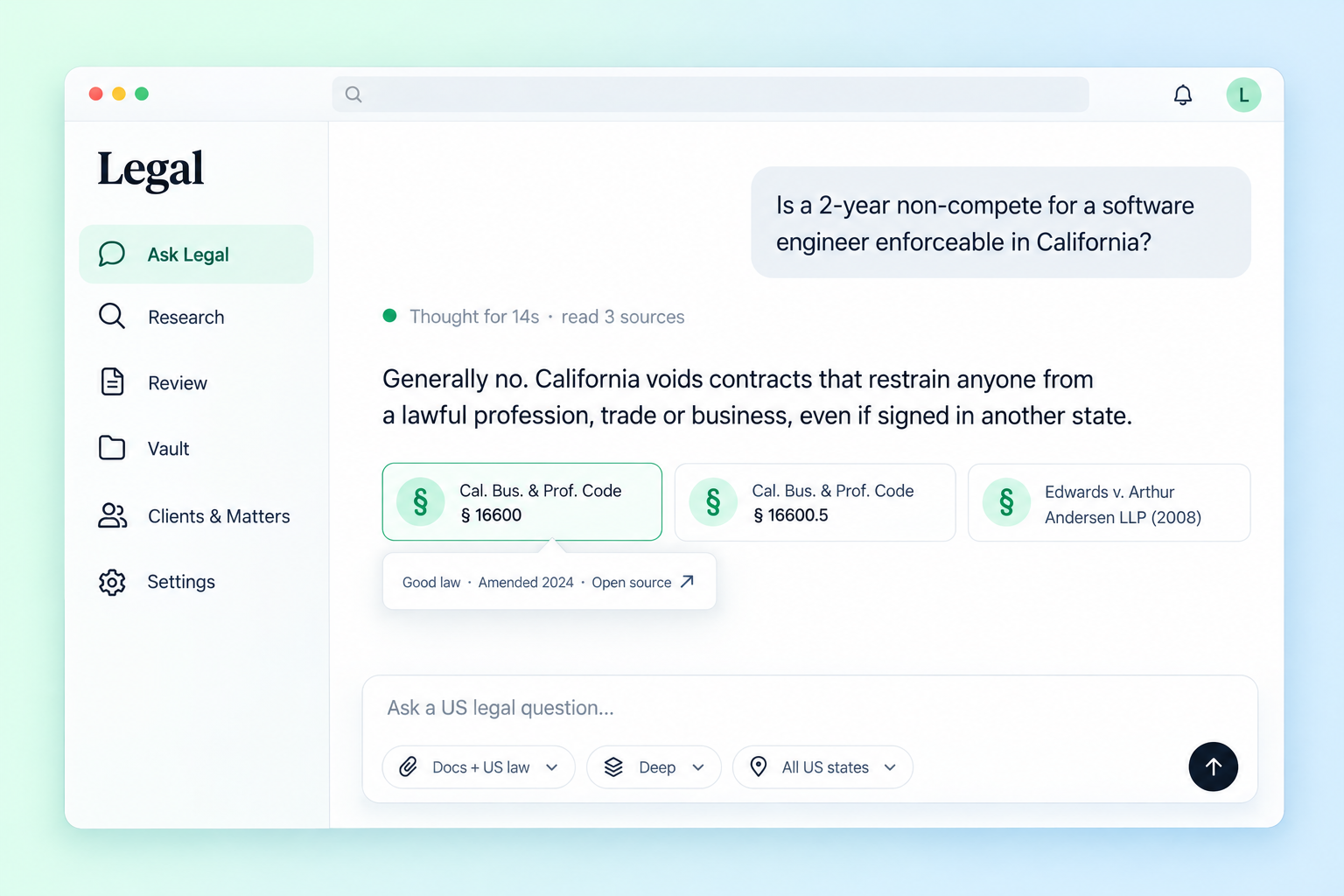
General chatbots guess at the law. Volnyn Legal looks it up, reads it, and shows you where the answer came from.
Every answer points at the statute section or court opinion it rests on — the citation, whether it is still good law, and a link to the official text.
Each material clause comes back green, yellow or red, with the words at issue, why they matter, and replacement language you can paste in.
Documents, chats and reviews sit under the matter they belong to. A matter's thread already knows its files, jurisdiction and your side.
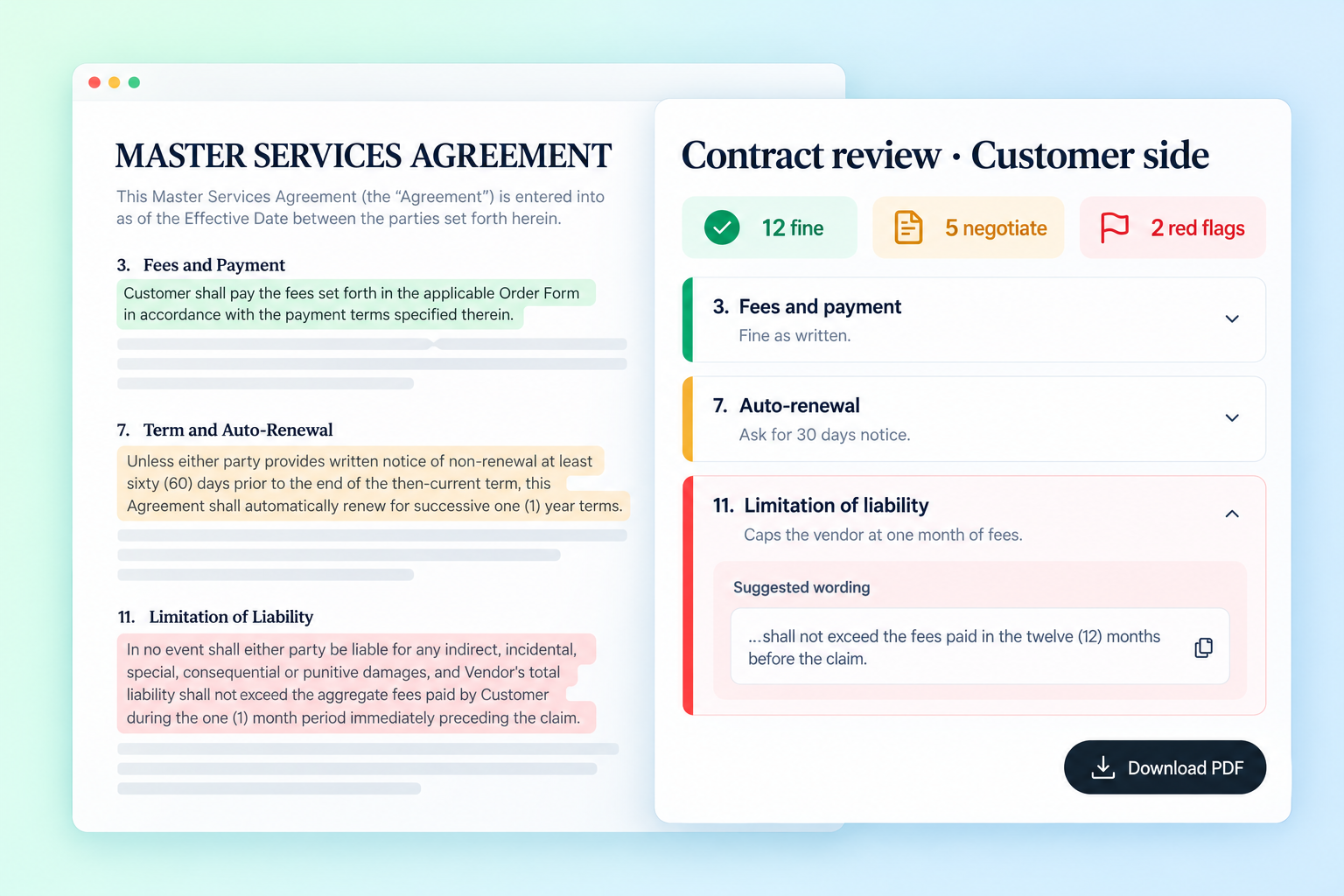
A careful read of the whole agreement, from your side of the table — in about two minutes.
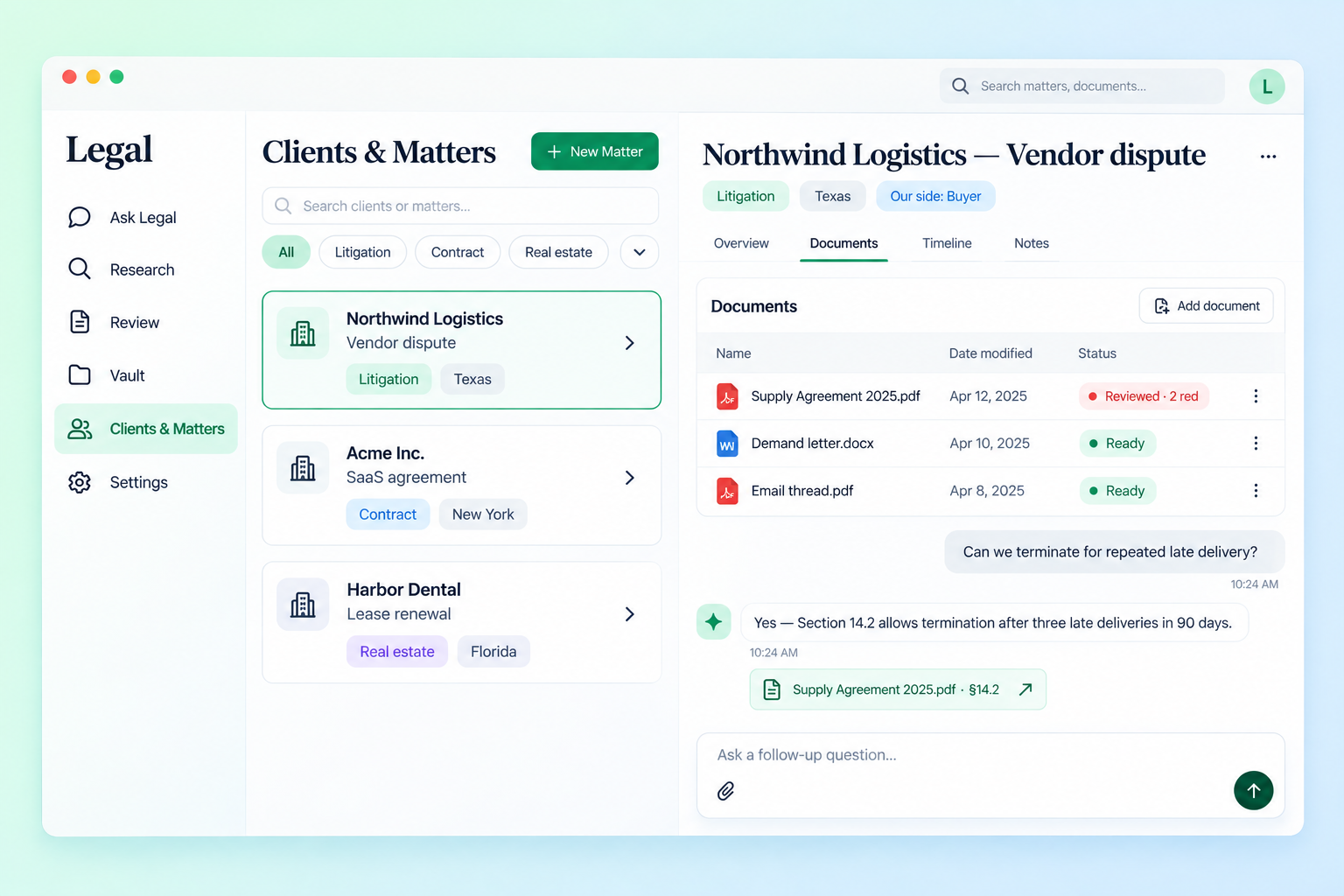
Stop pasting the same background into every chat. A matter holds the facts once, and every answer inside it starts from them.
Legal has its own sidebar in your Volnyn dashboard. Here is what each part does.
/user/legal
The chat. Type a question or drop a contract onto it. The toolbar inside the composer sets what the answer may use.
/user/legal/research
Search the law yourself, without the chat. Switch between statutes and case law, filter by state, and open the full text of any section or opinion.
/user/legal/reviews
Upload a contract or paste its text, say whose side you are on, and get a clause-by-clause review in about two minutes. It runs in the background — leave the page and come back.
/user/legal/vault
Every file you have uploaded, in or outside a matter. Ask about one file, start a review from it, or download it.
/user/legal/matters
One record per piece of work: client, matter type, jurisdiction and your side. Each matter keeps its own documents and its own chat thread.
In any long answer
A long answer turns into a memo card. Open it as a document or download it as a PDF to send on.
/user/legal/settings
Your home jurisdiction and practice areas, the side you usually act for, a contract playbook every review is measured against, and standing rules for how answers are written.
Official US primary law and court opinions — federal and every state.
Legal data by Vaquill AI · Case law from CourtListener, Free Law Project
General AI chat is fine for a first idea. Legal work needs the source.
| Capability | Volnyn Legal | General AI chatbots |
|---|---|---|
| Sources behind the answer | The statute or case it looked up, linked | Model memory, rarely cited |
| Invented citations | Only cites what it actually read | A known failure |
| Is it still good law? | Status and last amendment shown | No way to tell |
| State-by-state answers | All 50 states, DC and federal | Often mixes states up |
| Contract review | Green / yellow / red, with fixes | A general summary |
| Your playbook | Every review measured against it | Not supported |
| Clients and matters | Files, threads and reviews per matter | One long chat history |
From question to sources in under a minute.
Write the question the way you would to a colleague, or drop in the contract you need read.
Volnyn Legal searches statutes and case law for the right jurisdiction, reads the sections that matter, and shows each step as it works.
Open every citation, keep the answer in its matter, or download it as a memo.
Click a question to load it into the box above.
Presentation decks from a prompt
Learn moreAnswers renters and books viewings for you
Learn moreLogos, brand kits, and campaign visuals
Learn moreFull-stack sites without engineering
Learn moreiOS & Android apps from a prompt
Learn morePlans for every stage
Learn moreAsk about US law, review a contract, or set up your first matter. Your first question takes a few seconds.
Volnyn Legal is a research and drafting tool, not a law firm, and does not give legal advice. Answers can be wrong or out of date — check the cited sources and consult a licensed attorney before acting on them.