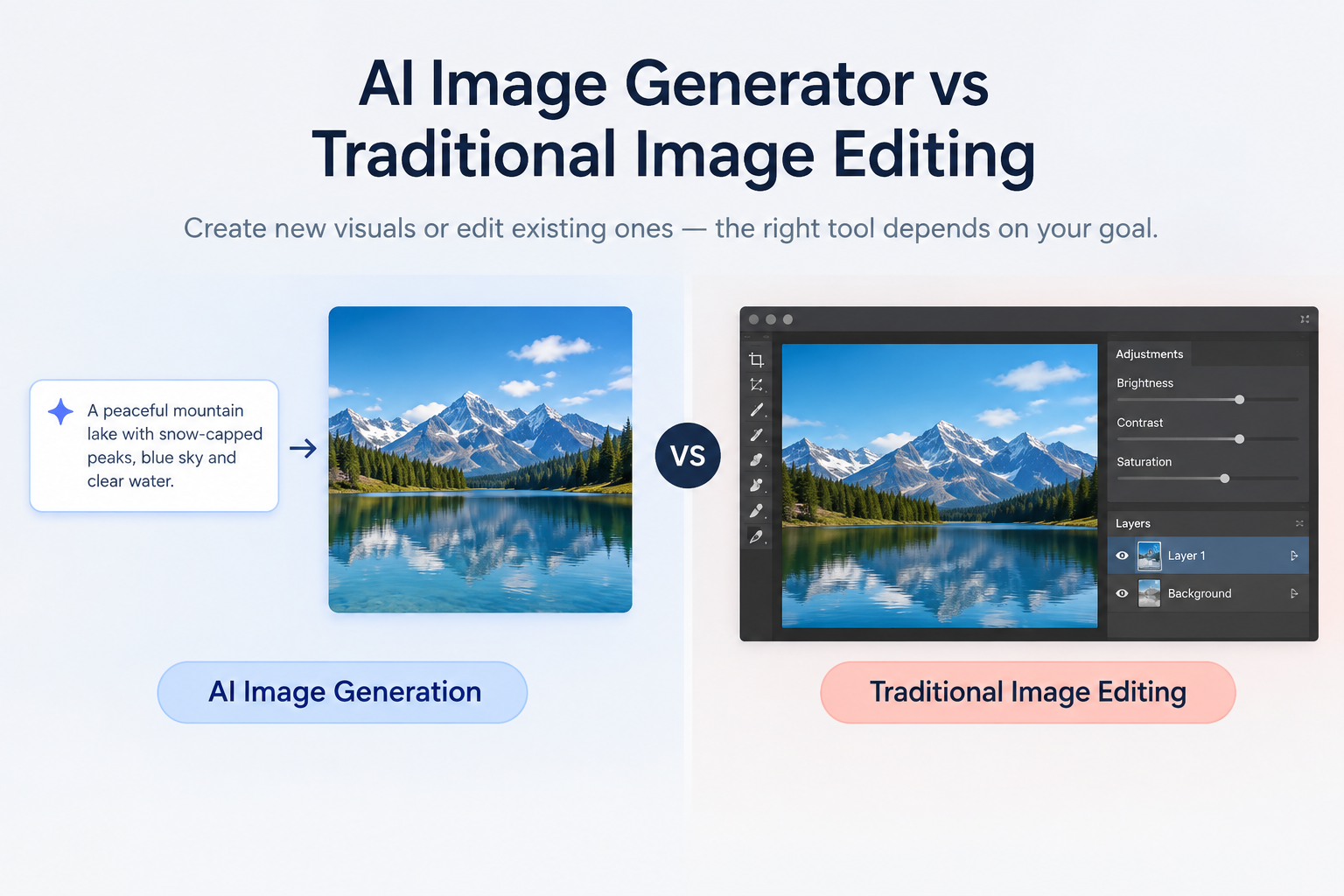
Creating an image and editing an image are not always the same task.
An AI image generator can create a new visual from a text prompt, reference image, or creative direction. Traditional image editing, on the other hand, usually starts with an existing image and gives you direct control over elements such as color, lighting, layers, masks, cropping, and individual objects.
The difference becomes less obvious when modern AI editing tools enter the picture. Tools can now generate new content inside an existing image, remove objects, expand backgrounds, and make prompt-based changes.
So the real question is not simply AI image generator vs traditional image editing.
Are you creating something new, modifying something that already exists, or combining both workflows?
This guide explains the differences, advantages, limitations, practical use cases, and the situations where a hybrid workflow makes more sense.
AI Image Generator vs Traditional Image Editing: The Short Answer
An AI image generator is primarily designed to create new visual content from instructions. Traditional image editing is primarily designed to modify an existing image with precise manual control.
An AI generator is useful when you need to explore ideas quickly or create an image from scratch. Traditional editing is useful when you need detailed control over an existing photograph, design, product image, or composition.
Modern AI editors sit between these two approaches. They allow you to start with an existing image but use natural-language instructions to generate or modify parts of it.
In simple terms:
AI image generator: “Create this image.”
Traditional editor: “Change this existing image.”
AI image editor: “Change this part of my image using my instructions.”
Hybrid workflow: “Generate the starting point, then edit and refine it.”
That distinction is more useful than asking which technology is universally better.
What Is an AI Image Generator?
An AI image generator uses a generative model to create visual content from an instruction.
The instruction may be a text prompt, reference image, or combination of inputs.
For example:
“Create a realistic product photo of wireless earbuds on a white marble desk, soft studio lighting, shallow depth of field.”
The system interprets the description and generates an image matching the requested subject, environment, style, composition, and other characteristics.
AI image generators are particularly useful for:
Concept art
Website graphics
Social media visuals
Marketing concepts
Product concepts
Illustrations
Backgrounds
Fantasy scenes
Character concepts
Presentation visuals
Creative experimentation
The major difference from conventional editing is the starting point.
You do not necessarily need an existing photograph.
You can start with an idea.
Example
Suppose you are launching a fictional coffee brand and need a website hero image.
Traditional editing requires you to begin with:
An AI generator can begin with:
“Modern specialty coffee shop interior, warm morning sunlight, premium minimalist design, realistic commercial photography.”
The result becomes a starting asset that can then be reviewed and refined.
What Is Traditional Image Editing?
Traditional image editing starts with an existing visual and gives the editor direct control over how that image changes.
Popular editing workflows can include:
The important advantage is control.
Instead of asking an AI model to interpret:
“Make the product slightly brighter.”
you can directly adjust brightness, curves, exposure, highlights, shadows, or other image properties.
This matters when small visual differences are important.
For example, a professional product designer may need the exact product shape, brand colors, packaging text, dimensions, and positioning to remain unchanged.
What Is AI Image Editing?
AI image editing combines an existing image with generative or machine-learning capabilities.
Instead of manually performing every change, you can describe some edits using natural language.
For example:
“Remove the person in the background.”
Or:
“Replace the cloudy sky with a warm sunset.”
Or:
“Extend the background to create more space on the left.”
Modern Photoshop, for example, provides Generative Fill for adding or removing content from selected areas, while also retaining traditional editing tools for more precise work.
This creates an important middle ground between pure generation and traditional editing.
AI Image Generator vs Traditional Image Editing: Key Differences
The two approaches differ most in how they handle control, starting material, creativity, and precision.
| Factor | AI Image Generator | Traditional Image Editing |
|---|
| Starting point | Prompt, reference, or idea | Existing image |
| Main purpose | Create new visual content | Modify existing content |
| Speed | Usually fast for exploration | Can be slower for detailed work |
| Creative exploration | Very strong | Depends heavily on existing assets |
| Pixel-level control | Limited compared with manual editing | Very high |
| Learning curve | Often lower | Can be higher |
| Existing photo preservation | Depends on workflow | Strong |
| Exact adjustments | Less direct | Highly controllable |
| Variations | Easy to generate | Usually more manual |
| Layers/masks | Tool-dependent | Core part of many professional workflows |
| Best for | New concepts and creative exploration | Precise editing and production work |
| Human judgment | Still necessary | Central to the workflow |
The important point is that these are different strengths, not necessarily opposing technologies.
1. Starting Point
The first major difference is what you begin with.
AI image generation
You can start with an idea:
“A futuristic city at night with autonomous vehicles and glowing architecture.”
The AI creates the visual interpretation.
Traditional editing
You start with something that already exists.
For example:
A photograph
Product image
Screenshot
Illustration
Scanned document
Existing design
You then modify that asset.
Why this matters
If you have no suitable source image, editing software cannot magically give you the exact starting visual you need without creating or sourcing something first.
An AI generator can fill that gap.
2. Speed
AI generation can be extremely useful during the exploration stage.
Instead of manually constructing five different visual concepts, you can describe different directions and generate variations.
For example:
Minimalist product shot
Luxury product shot
Outdoor lifestyle scene
Dark cinematic scene
Bright ecommerce scene
This makes AI particularly useful for ideation and iteration.
Traditional editing can still be faster when the task is simple.
Cropping an image, adjusting exposure, or changing saturation may take only a few seconds manually.
So speed depends heavily on the task.
A useful rule
Generation is often faster for creating possibilities.
Traditional editing is often faster for small, predictable adjustments.
3. Creative Control
AI gives you a different type of control.
You describe the desired result rather than manually controlling every visual parameter.
That can be powerful when you know what you want conceptually but do not know exactly how to build it manually.
For example:
“Turn this ordinary office into a premium modern workspace with warm lighting and plants.”
The AI attempts to interpret the instruction.
Traditional editing works differently.
You decide:
That gives you more granular control.
4. Precision
Traditional editing remains valuable when precision is the priority.
Consider a product photograph containing:
A generative model may produce an attractive result while unintentionally changing details.
That is a problem when visual accuracy matters more than creative variation.
Traditional editing lets you preserve the source asset while making controlled changes.
Best approach for precision-sensitive work
Use AI where it saves time, then manually inspect and correct the result.
5. Learning Curve
AI image generation is generally approachable because the interface can be conversational.
A beginner can type:
“Create a professional LinkedIn banner for a technology company.”
They do not need to understand layers, masks, channels, curves, or advanced compositing before generating the first concept.
Traditional editors can have a steeper learning curve because professional workflows may involve:
That does not make traditional editing obsolete.
It means the two workflows require different skills.
6. Creative Exploration
This is one area where AI image generation can be particularly useful.
Imagine a designer needs to develop a campaign around a new travel product.
Instead of spending hours producing rough concepts manually, the designer can generate several directions:
Mountain adventure
Tropical beach
Urban travel
Luxury resort
Family vacation
Minimal editorial style
These images can act as visual references.
The final campaign can then be refined manually.
This is one reason AI is increasingly useful as an ideation tool, not just a final-image generator.
7. Editing Existing Images
If the original image matters, editing is often the more appropriate starting point.
Consider a professional headshot.
You may want to:
You do not necessarily want AI to invent an entirely new person.
You want the original subject to remain recognizable.
This is where AI-assisted image editing becomes particularly useful.
When Should You Use an AI Image Generator?
Use an AI image generator when the main problem is:
“I need a visual that does not exist yet.”
It can be useful for:
Concept development
Create rough visual directions before investing time in final production.
Website imagery
Generate supporting visuals for landing pages, blog posts, campaigns, or presentations.
Marketing concepts
Explore different advertising concepts before selecting a final creative direction.
Social media
Generate visual ideas for posts, campaigns, announcements, and promotional content.
Illustrations
Create custom visual styles when suitable stock imagery is difficult to find.
Creative experimentation
Try compositions and concepts that would be expensive or impractical to photograph.
When Is Traditional Image Editing Still Better?
Traditional editing is particularly useful when you need direct control over an existing image.
Examples include:
For example, if a product label contains small legal text, changing that text through a generative system may introduce errors.
A manual editing workflow can preserve the original text while changing the surrounding design.
When Should You Use AI Image Editing?
AI image editing is useful when the source image matters but manual editing would take unnecessary time.
Common examples include:
Removing unwanted objects
Replacing backgrounds
Extending an image
Cleaning up distractions
Making localized changes
Generating missing visual areas
Trying several variations
Making prompt-based edits
Adobe's current Photoshop workflow illustrates this convergence: Generative Fill can modify selected portions of an existing image, while the application still provides conventional editing tools for precision work.
The important distinction is:
AI editing does not necessarily mean giving up manual control.
Modern workflows increasingly combine both.
AI Image Generator vs Traditional Editing: Practical Examples
Example 1: Website Hero Image
Goal
You need a completely new hero image for a SaaS website.
Better starting point: AI image generation.
Prompt:
Modern SaaS workspace with a laptop showing an analytics dashboard, clean office environment, natural daylight, professional technology photography, wide composition.
After generation, you can still edit the final image.
Example 2: Product Photography
Goal
You already have an accurate product photo and want to remove the background.
Better starting point: AI-assisted editing or traditional editing.
The product itself should remain accurate.
Generating an entirely new product image may unintentionally change the product's appearance.
Example 3: Social Media Campaign
Goal
You need ten creative concepts for a campaign.
Better starting point: AI generation.
Generate several visual directions first.
Then select the strongest concept and refine it manually.
Example 4: Professional Portrait
Goal
You have a real portrait and want to clean up the background.
Better starting point: AI-assisted editing.
You already have the important source image.
There is no reason to regenerate the person's identity unless that is specifically the goal.
Example 5: Detailed Poster
Goal
You need precise typography, alignment, brand colors, and multiple layers.
Better starting point: Traditional editing/design software.
AI can help generate background imagery, but the final composition may benefit from manual control.
The Hybrid Workflow: Why You Don't Have to Choose One
The most practical workflow is often:
Generate → Review → Edit → Refine → Export
Instead of treating AI and traditional editing as competitors, use each for the task it handles well.
Step 1: Generate
Create several possible directions.
Step 2: Select
Choose the concept closest to the final objective.
Step 3: Edit
Correct unwanted elements, composition, color, or background issues.
Step 4: Refine
Check:
Brand consistency
Text
Product details
Faces
Hands
Lighting
Shadows
Composition
Resolution
Step 5: Export
Prepare the final asset for its intended platform.
This hybrid workflow can reduce repetitive work while retaining human quality control.
Can an AI Image Generator Replace Traditional Editing?
Not completely.
AI image generation can replace some manual tasks, but it does not eliminate the need for precise editing in every workflow.
Traditional editing remains useful when:
Exact visual control matters
Original image fidelity matters
Layered files are required
Typography needs precise control
Brand assets must remain unchanged
Small technical corrections are required
You need repeatable production processes
At the same time, traditional software itself is incorporating AI.
Photoshop now includes both AI generation and AI-assisted editing alongside its established editing environment.
So the future is less about AI replacing editors and more about AI becoming another layer of the editing workflow.
What About Image Quality?
AI-generated images can look highly polished, but visual quality should not be judged only by resolution or realism.
Check:
Anatomy
Hands and fingers
Facial details
Text
Product geometry
Reflections
Shadows
Lighting consistency
Perspective
Small objects
Brand elements
A visually impressive image can still contain subtle errors.
Traditional editing can also produce poor results when the editor lacks the required skill.
The technology does not remove the need for visual review.
What About Authenticity?
This is especially important for business content.
An AI-generated image can communicate an idea, but it should not automatically be presented as a photograph of a real event, product, employee, customer, or location.
For example, a restaurant could use AI to create an illustrative food concept.
But if customers need to see the actual restaurant interior, using an invented AI scene could be misleading.
A useful rule is:
Use generated visuals for concepts, storytelling, and creative communication; use authentic photography when the real subject itself is important to the reader's decision.
What About Copyright and Commercial Use?
Copyright and licensing questions around AI-generated images are more complicated than simply asking whether an image is “AI-generated.”
The rules can depend on:
The U.S. Copyright Office has stated that AI-assisted work is not automatically excluded from copyright protection, but copyright protection for AI-generated output depends on the presence of sufficient human authorship. It specifically distinguishes human creative contributions from merely providing prompts.
For commercial projects, check the specific tool's current terms rather than assuming that every AI-generated image has identical rights.
Common Mistakes to Avoid
1. Using AI generation when you need exact product accuracy
If a real product must remain visually accurate, be careful about regenerating it from scratch.
2. Assuming AI always saves time
For simple edits such as cropping or basic color adjustment, traditional tools may be faster.
3. Trusting the first AI result
The first generation is often a starting point rather than a finished asset.
4. Ignoring small errors
Inspect faces, hands, text, product details, reflections, and shadows.
5. Treating AI and traditional editing as mutually exclusive
You can use both.
6. Using invented visuals where authenticity matters
A generated image should not be mistaken for a real photograph.
7. Forgetting licensing
Check the current commercial-use terms of the specific AI tool and model you use.
How to Choose the Right Image Workflow
Use this simple decision tree.
Do you already have an image?
No → Start with an AI image generator.
Yes → Continue.
Does the original image need to remain accurate?
Yes → Use traditional or AI-assisted editing.
No → AI generation or image-to-image workflows may provide more creative freedom.
Do you need pixel-level control?
Yes → Traditional editing is likely important.
No → AI-assisted editing may be faster.
Are you exploring many creative directions?
Yes → AI generation can help create variations quickly.
Do you need a production-ready layered design?
Yes → Use a traditional editing/design workflow for the finishing stage.
AI Image Generator vs Traditional Image Editing: Which Workflow Fits?
There is no single workflow that fits every project.
| Your goal | Recommended starting point |
|---|
| Create a completely new scene | AI image generator |
| Create concept art | AI image generator |
| Generate website visuals | AI image generator |
| Remove an unwanted object | AI image editor |
| Replace a background | AI image editor |
| Extend a photo | AI image editor |
| Correct color precisely | Traditional editor |
| Work with layers | Traditional editor |
| Create exact typography | Traditional editor |
| Preserve a real product | Traditional/AI-assisted editing |
| Explore many concepts | AI generator |
| Create a final polished campaign | Hybrid workflow |
The strongest workflow may therefore be:
AI for exploration + AI editing for repetitive changes + traditional editing for precision.
How Volnyn Fits Into an AI Image Workflow
If you want to experiment with both generation and image editing without treating them as completely separate tasks, Volnyn's AI Image Studio provides a generation-and-editing workflow.
Volnyn's current Image Studio supports text-to-image generation, model selection, aspect ratios, styles, multiple variations, and tools for editing or refining an existing image. Its workflow is built around generating, reviewing, refining, and saving images to the Library.
A practical workflow can look like this:
Describe the image you need.
Choose an appropriate aspect ratio.
Generate variations.
Compare the results.
Open a promising result for editing.
Make targeted changes.
Save the final version to your Library.
Use the finished image in your broader creative workflow.
For example, a marketer creating a website hero image could start with:
“Professional technology workspace with a modern laptop, clean desk, soft natural lighting, blue and neutral color palette, realistic commercial photography, wide horizontal composition.”
If the first result is close but needs adjustment, the workflow does not have to start from zero.
That is where the combination of generation + editing becomes more useful than thinking about either category in isolation.
For broader image-generation research, readers can also explore Volnyn's existing guide to Best AI Image Generators for Realistic Images in 2026, which discusses realism, editing, consistency, model differences, and workflow considerations. Best AI Image Generators for Realistic Images in 2026
Frequently Asked Questions
Is an AI image generator the same as an AI image editor?
No. An AI image generator primarily creates new visual content, while an AI image editor modifies an existing image. Some modern tools combine both capabilities.
Can AI edit an existing image?
Yes. Modern AI editing tools can perform tasks such as object removal, background changes, image expansion, and other prompt-based modifications. The exact capabilities vary by tool.
Is traditional image editing still useful?
Yes. Traditional editing remains valuable when you need precise control over pixels, layers, masks, colors, typography, or brand assets.
Is AI image editing faster than traditional editing?
For some repetitive or generative tasks, it can be. For simple adjustments such as cropping or basic color changes, conventional editing may still be faster.
Can AI image generators replace Photoshop?
Not for every workflow. AI can automate or accelerate some tasks, but professional editors may still need Photoshop's precise editing, compositing, layers, masking, and other controls.
Should I use AI or traditional image editing?
Start with the task rather than the technology. Use AI generation for creating new concepts, AI editing for prompt-based modifications to existing images, and traditional editing when precise control is important.
Can I combine AI generation with traditional editing?
Yes. A hybrid workflow can use AI to generate ideas or assets and traditional editing to refine the final result.
Are AI-generated images copyrighted?
Copyright treatment depends on the jurisdiction, the human contribution, and other circumstances. Do not assume that every AI-generated image receives the same copyright protection.
Final Takeaway
The choice between an AI image generator and traditional image editing is not really a choice between old technology and new technology.
They solve different problems.
Use an AI image generator when you need to turn an idea into a new visual.
Use AI image editing when you already have an image but want to make certain changes through natural-language instructions.
Use traditional editing when precision, control, layers, typography, or exact visual accuracy matter.
And when a project needs all three, use a hybrid workflow.
The most useful question is therefore not:
“Which technology is better?”
It is:
“What does this image need to accomplish, and which part of the workflow should AI handle?”
That approach gives you the flexibility of AI without giving up the control that professional image editing still provides.