Have you ever wanted to launch a product, promote a service, or collect leads online but felt stuck because you did not know how to design a landing page? You might have a clear idea of what you want to offer, yet writing the content, choosing a layout, and building the page can take more time than expected.
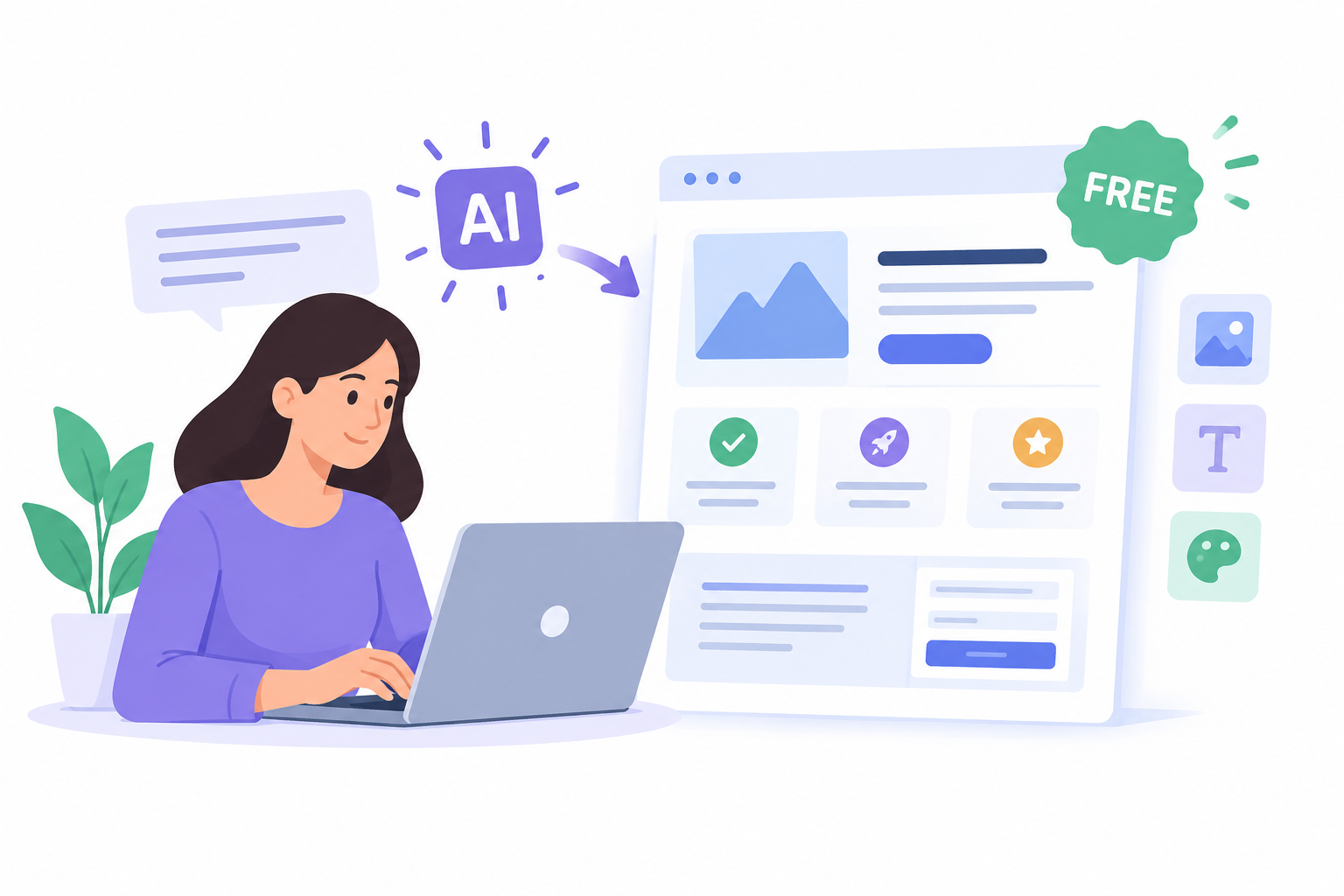
An AI landing page generator can help you turn that idea into a starting page without building every section from scratch. You describe your goal, audience, offer, and preferred design, and the AI generates a page structure and draft content that you can review and customize.
But here is something worth understanding: generating a landing page is only the first step. You still need a clear message, a useful offer, a working call to action, and a page that visitors can use easily on mobile and desktop.
In this guide, you will learn how AI landing page generators work, how to create a landing page for free, what to look for when choosing a tool, and how to improve the finished page before publishing it.
What Is an AI Landing Page Generator?
An AI landing page generator is a tool that uses artificial intelligence to help you create a focused web page from a written description, also called a prompt.
Instead of manually planning every section, you explain what the page should achieve. The tool then helps generate elements such as:
A headline and supporting text.
A page layout with relevant sections.
Draft content for your product, service, or campaign.
Suggested images and visual styles, depending on the tool.
Buttons and calls to action.
A starting design that you can edit before publishing.
For example, imagine you run a small marketing agency and want to attract business owners who need SEO services.
You could enter a prompt explaining your services, target audience, main offer, brand colors, and preferred call to action. An AI tool can use that information to prepare a landing page draft instead of making you start with a blank screen.
You then review the wording, replace any unsuitable content, add your real contact details, and make sure the page accurately represents your service.
How Is an AI Landing Page Generator Different from a Website Builder?
The two tools are closely related, but they serve slightly different purposes.
An AI landing page generator focuses on creating a page for one main goal, such as collecting leads, promoting a product, or registering people for an event. An AI website builder can help you create a broader website with multiple pages, navigation, and different types of content.
Feature | AI landing page generator | AI website builder |
|---|
Main purpose | Support one campaign or goal | Build a complete website or web app |
Typical structure | One focused page | One or more connected pages |
Main content | Offer, benefits, proof, call to action | Homepage, service pages, about page, blog, and more |
Best suited for | Lead generation, product launches, sign-ups | Businesses, creators, portfolios, and growing projects |
What to check | Forms, tracking, publishing, and integrations | Page management, domain options, editing, and scalability |
Some tools offer both capabilities. You do not always need a separate landing page platform if your website builder can create and publish the type of page you need.
What Should You Look for in the Best AI Landing Page Generator?
The best AI landing page generator is not necessarily the one that creates the most attractive design. It is the one that helps you achieve your goal while giving you enough control over the finished page.
Before choosing a tool, check these six areas.
1. AI Content and Layout Generation
A useful tool should help you create a sensible page structure and draft content from your description.
Look for a way to explain your audience, offer, and goal. If the first result is too generic, you should be able to refine the content and layout rather than accept everything the AI produces.
For example, a landing page for a free SEO audit should explain what the visitor receives, what information they need to provide, and what happens after they submit the form.
2. Design Customization
AI-generated content is a starting point, not a finished design.
Check whether you can edit:
Headlines, descriptions, and button text.
Colors, fonts, spacing, and images.
Section order and page layout.
Desktop and mobile layouts.
These controls help you make the page match your brand instead of looking like a generic template.
3. Forms and Integrations
If your goal is to collect leads, a contact form is important. If you are promoting a webinar, you may need a registration form. An online product campaign might need a checkout or payment integration.
Before choosing a builder, confirm that it supports the specific functionality you need. A page that looks good but cannot collect or handle responses properly will not solve your problem.
4. Mobile-Friendly Design
Many visitors will open your landing page on a phone, especially if they arrive through social media, email, or an advertisement.
Check that the headline is readable, buttons are easy to tap, images fit the screen, and forms are simple to complete. Do not assume that a page is ready for publication just because its desktop preview looks good.
5. SEO and Performance Controls
If you want people to discover your landing page through search engines, look for useful SEO controls, including:
Editable page titles and meta descriptions.
A clear heading structure.
Descriptive image alt text.
A suitable page URL.
Options for adding relevant content and internal links when appropriate.
You should also check loading speed, image sizes, and whether the published page can be crawled and indexed.
Remember that an AI landing page generator cannot guarantee search rankings. The quality of your content, competition, technical setup, and usefulness to visitors still matter.
6. Free Plan and Publishing Limits
A free AI landing page generator can be useful when you are testing an idea or working with a limited budget. However, free access does not always mean every feature is free.
Before committing to a tool, check whether its free plan allows you to:
Generate and edit a page.
Publish the finished page.
Connect a custom domain.
Use forms and integrations.
Access analytics or tracking.
Remove platform branding, if necessary.
Check the current pricing and plan limits directly on the provider's official website. Do not choose a tool based only on the word "free."
How to Create a Landing Page with AI for Free in 6 Steps
You do not need to be a professional designer to create a useful landing page. The important part is knowing what you want the page to achieve before you start using an AI tool.
Let's walk through the process from the first idea to the final review.
Step 1: Define Your Landing Page Goal
First, decide what you want visitors to do after they open your page.
Do you want them to book a call, request a quote, download a guide, register for an event, or purchase a product?
Choose one main goal. If you try to promote several unrelated offers on the same page, visitors may struggle to decide what to do.
For example, suppose you offer website design services. Your landing page goal could be to collect enquiries from small business owners who need a new website.
Write down these details before opening your AI tool:
Audience: Who do you want to reach?
Offer: What are you giving or selling?
Main benefit: Why should visitors care?
Call to action: What should they do next?
Proof: What genuine evidence can support your offer?
This short plan will help the AI generate more relevant content.
Step 2: Choose a Free AI Landing Page Generator
Next, choose a tool that fits your goal, budget, and technical needs.
If you only need a simple campaign page, a dedicated landing page builder may be enough. If you want a landing page that can later grow into a full website, an AI website builder may be a better fit.
You can start with Volnyn's AI website builder, which supports landing pages as well as broader website projects. You can describe what you want to build, generate a starting structure, and refine the result.
You can also explore Volnyn's free website builder to check the available starting options.
Before publishing, confirm that the current plan supports the specific features you need. Your requirements might include a custom domain, a form, analytics, or a third-party integration.
Step 3: Write a Clear AI Landing Page Prompt
Your prompt has a direct effect on the usefulness of the first draft.
If you enter only "Create a landing page for my business," the tool has very little information to work with. It may generate a design and copy that look reasonable but do not explain your actual offer.
Instead, give the AI clear instructions about the audience, goal, content, and design.
Here is a practical prompt you can adapt:
Example AI landing page prompt
Create a professional landing page for an SEO agency that helps small business owners improve their websites.
The main goal is to collect enquiries from potential clients who need an SEO audit.
Include a clear headline, a short explanation of the service, three key benefits, the process, genuine trust signals, frequently asked questions, and a contact form.
Use a clean layout, readable typography, a simple color scheme, and a clear call-to-action button. Make the page easy to use on mobile devices.
Do not invent client reviews, rankings, statistics, guarantees, or case studies. Use placeholders where real business details or proof are needed.
Keep the language simple, helpful, and professional.
Copy reusable prompt template
Notice that the prompt explains more than the page's appearance. It also describes the audience, conversion goal, content structure, and accuracy requirements.
That is important because an attractive landing page with unclear messaging may still fail to communicate the offer.
Step 4: Generate and Customize the Page
Once you submit the prompt, review the generated page instead of publishing it immediately.
Start with the headline. Can a new visitor understand what you offer without reading the entire page? If not, rewrite it.
Then review the other sections:
Headline: Explain the main offer or benefit.
Supporting text: Give visitors enough context to understand it.
Benefits: Show how the offer addresses their needs.
Proof: Add genuine testimonials, examples, credentials, or other relevant evidence where available.
Call to action: Tell visitors exactly what to do.
Visuals: Use relevant images rather than decorative images that distract from the message.
You should also check the page for made-up facts or generic AI wording. If the tool adds a claim about your experience, customer results, or service guarantees, remove it unless you can verify it.
The goal is not to keep regenerating the page until it looks impressive. The goal is to make the page accurate, useful, and easy to understand.
Step 5: Add the Required Functionality
Now make sure the page actually supports your goal.
For a lead generation page, this may mean adding a form with fields for a name, email address, and a short description of the visitor's needs.
For a product launch, you may need a working purchase link or a product registration form. For an event, you might need a registration system and confirmation message.
Keep the experience simple. Ask only for information you genuinely need at this stage.
Before publishing, test the complete process. Submit the form yourself, check whether the response reaches the right place, and confirm that the visitor receives any expected confirmation.
If you need payment processing, email marketing, or CRM integration, verify that the builder supports the required connection. Do not assume every integration is available on every plan.
Step 6: Test and Publish Your Landing Page
Before you launch, review the page on both a desktop and a mobile device.
Use this checklist:
Landing page launch checklist
- The headline explains the offer clearly.
- The main call-to-action button works.
- All forms and links have been tested.
- The page displays properly on mobile.
- Images load correctly and have suitable alt text.
- Spelling, grammar, and business details are correct.
- Claims and testimonials are genuine and verifiable.
- The page title and meta description are relevant.
- The page loads without obvious errors.
- Analytics or conversion tracking is configured if needed.
Once the checks are complete, publish the page using the method supported by your chosen platform.
If you are using a custom domain, confirm that it points to the correct page. If you want organic search traffic, also check whether the published URL can be crawled and indexed.
Finally, remember that publishing is not the end of the process. Review your results and improve the page when real visitor behaviour shows that something needs attention.
Which AI Landing Page Generators Are Worth Comparing?
Several tools approach AI-assisted landing page creation in different ways. Rather than assuming one is best for everyone, compare the features that matter to your project.
The following options have official product or feature information available. This is a practical comparison of their stated capabilities, not a claim that each tool has been independently tested.
1. Volnyn
Volnyn supports AI-assisted website creation, including landing pages. Its official website describes generating a site structure and content from a natural-language prompt, followed by further editing.
It is worth considering if you want to start with a landing page and may later need a broader website or web application.
Explore Volnyn's AI website builder
2. Wix
Wix describes an AI-assisted landing page workflow that uses a conversation about your business and goals to help generate a page. Its editor and broader website tools can be useful if you also need other site pages or business features.
Check the current plan details to confirm which publishing and business features you need.
Explore Wix's landing page builder
3. Unbounce
Unbounce offers its Smart Builder alongside a classic landing page builder. Its AI-assisted features are relevant to marketers who want to create campaign pages and use supported conversion optimization features.
It is worth comparing when lead generation and campaign testing are central to your work.
Explore Unbounce
4. Framer
Framer offers website design and AI-assisted page creation. It may suit creators and teams that care about visual design, page layout, and control over the appearance of their site.
Check its current plans and publishing options before choosing it for a campaign.
Explore Framer
How Should You Choose Between These Tools?
Use your actual project requirements to narrow the options.
Your requirement | What to prioritize |
|---|
You want to generate a page from a prompt | Quality of generated structure and content |
You want a landing page plus a full website later | Broader website-building capabilities |
You run advertising campaigns | Forms, analytics, integrations, and testing |
You need more design control | Layout editing, typography, and responsive previews |
You have a limited budget | Free publishing options and plan restrictions |
You want organic traffic | SEO controls, page quality, crawlability, and performance |
For an independent review of additional tools and their stated features, you can also consult Wix's AI landing page builder comparison. Its guide provides another starting point for comparing available options.
The important thing is to compare what you can actually use, not just how many features appear on a pricing page.
How to Write a Landing Page That Converts Visitors into Leads
Creating a page is one thing. Helping visitors take the next step is another.
A landing page conversion happens when a visitor completes the action you want, such as submitting a form, booking a call, or making a purchase. Your design can support that action, but the message and offer also need to make sense to your audience.
Here are the main areas to focus on.
Write a Headline That Explains the Offer
Visitors should understand the purpose of your page quickly.
Avoid vague headlines such as “Welcome to Our Amazing Business.” Instead, explain what you offer and who it helps.
For example:
Vague: “Grow Your Business with Us.”
Clearer: “Get a Website Designed for Your Small Business.”
More specific: “Launch a Professional Small Business Website Without Writing Code.”
The best version depends on your actual offer. Do not promise a result that your service cannot support.
Explain Benefits Instead of Listing Only Features
A feature describes what a product does. A benefit explains why that feature matters to the visitor.
For example, “edit your page without coding” describes a feature. “Update your service details without waiting for a developer” explains a practical benefit.
You can include both, but make sure the reader understands how the feature helps them.
Add Genuine Trust Signals
People may hesitate before sharing personal information or paying for something online. Relevant evidence can help them make a more informed decision.
Depending on your business, consider adding:
Real customer testimonials with permission.
Examples of completed work.
Relevant professional qualifications.
A clear explanation of your process.
Accurate contact and business information.
Transparent pricing or service terms where appropriate.
Never let an AI generator invent testimonials, client logos, awards, or performance statistics. If you do not have customer reviews yet, explain your process clearly and use genuine examples of your work instead.
Keep the Call to Action Clear
Your call to action, often called a CTA, tells visitors what to do next.
Use wording that describes the action, such as “Request an SEO Audit,” “Register for the Webinar,” or “Get a Project Quote.”
Make the main button easy to find. If you include multiple buttons, ensure that they support the same overall goal rather than competing for attention.
Reduce Unnecessary Friction
Every additional step can make a process harder to complete.
For example, if someone wants to request a quote, you may not need to ask for their full address, company size, budget, phone number, and several other details immediately.
Start with the information you need to respond. Ask for more details later if they are necessary.
How to Optimize an AI-Generated Landing Page for SEO
If your landing page should attract visitors from Google, you need to think beyond the AI-generated design.
Search engines need to understand the page, and visitors need content that matches what they are looking for.
1. Use Your Main Keyword Naturally
For this topic, the main keyword is AI landing page generator.
Use it where it makes sense, such as the title, introduction, and a relevant heading. Related phrases, including free AI landing page generator, best AI landing page generator, AI landing page creator, and landing page builder AI, can be included when they genuinely fit the content.
Do not force every variation into the same paragraph. Closely related phrases can share one article when they satisfy the same search intent.
For example, people searching for a free AI landing page generator may want to compare tools, understand free-plan limits, or start creating a page. You can address these needs together because they are closely connected.
However, someone searching for a detailed guide to building a nonprofit's entire website may need a separate article. That reader has a broader goal than creating a single landing page.
2. Create a Clear Heading Structure
Use one clear H1 for the main topic, H2 headings for major sections, and H3 headings for related steps or details.
For example:
- H1: AI Landing Page Generator: How to Create a Landing Page with AI for Free
Your headings should help readers navigate the article. They should not exist simply to repeat keywords.
3. Write a Useful Title and Meta Description
Your SEO title should explain the page's topic and give searchers a clear reason to open it.
Your meta description should summarize the real benefit of the page. Google may generate a different search snippet, so treat the description as useful guidance rather than a guaranteed display.
4. Optimize Images and Loading Speed
Use images that help explain the offer or demonstrate the product. Compress large files, choose suitable formats, and add descriptive alt text when images communicate meaningful information.
Also check the published page's loading speed, mobile layout, and technical accessibility. An AI-generated page still needs a technical review.
5. Measure Results and Improve the Page
If your builder supports analytics or can connect to an analytics tool, use the available data to understand what visitors do.
Depending on your setup, useful measures may include:
For example, if many people visit your page but few submit the form, review whether the offer is clear, whether the form asks for too much information, and whether the CTA matches the visitor's expectations.
Do not change everything at once. Make a specific improvement and compare the results over a suitable period.
How Volnyn Can Help You Build a Landing Page with AI
If you want to create a landing page and keep the option of expanding it into a larger website, Volnyn is one platform worth exploring.
Its AI website builder lets you describe the website you want and generate a starting structure and content. The platform also describes landing pages as one of the types of projects you can build. You can then refine the result rather than begin with a blank page.
Here is a practical way to approach the process:
Describe your project. Explain your audience, offer, and main conversion goal.
Generate a starting page. Give the AI enough detail to produce a relevant structure.
Review the content. Correct any generic or inaccurate statements and add your real business information.
Refine the design. Adjust the layout, colors, typography, and content to fit your brand.
Check publishing requirements. Confirm the available plan, domain options, and any forms or integrations you need.
If you are working with a limited budget, review Volnyn's free website builder and its current terms before deciding whether it meets your requirements.
One important point: AI-generated content should not replace your own judgment. Review the final page carefully, especially if it describes a regulated service, makes claims about results, or asks visitors to share sensitive information.
Common Mistakes to Avoid When Using an AI Landing Page Generator
Even a capable tool can produce a weak result if you give it unclear instructions or skip the review process.
Choosing Design Before Defining the Goal
A visually attractive page will not necessarily help you reach your objective. Decide what action you want visitors to take before choosing a layout.
Using Generic AI Content Without Editing It
AI-generated wording can sound polished while saying very little. Replace vague claims with specific information about your offer, audience, and process.
Adding Too Many Calls to Action
If your page promotes a consultation, a newsletter, several products, and unrelated services at the same time, visitors may not know where to start. Give the page one primary goal.
Assuming a Free Tool Includes Everything
A tool may let you generate a page for free but limit publishing, custom domains, integrations, or other features. Check the current plan details before building your entire workflow around it.
Publishing Without Testing
Broken links, forms that fail to submit, unreadable mobile text, and incorrect business details can undermine the page. Test the actual published version, not just the preview.
Expecting AI to Guarantee Conversions or Rankings
An AI landing page generator can help you create and refine a page, but it cannot guarantee sales, leads, or search rankings. Your offer, audience, competition, technical setup, and ongoing improvements all influence the outcome.
Frequently Asked Questions
1. What is the best AI landing page generator?
The best AI landing page generator depends on your needs. Compare how well each tool generates content, allows design changes, supports publishing, and handles forms or integrations. If you want to grow from a single landing page into a broader website, consider an AI website builder as well.
2. Is there a free AI landing page generator?
Yes, some platforms offer free access to AI-assisted page creation. However, free plans may limit publishing, custom domains, integrations, or other features. Check the provider's current terms to understand what you can use without paying.
3. How can I create a landing page with AI?
Start by defining your audience, offer, and main goal. Choose an AI landing page generator, describe the page in a detailed prompt, and review the generated content and layout. Test the forms, links, mobile design, and publishing setup before launching.
4. Can I use an AI landing page generator without coding?
Yes, many AI landing page tools are designed for people without coding skills. They can generate a starting layout and content from a written prompt. You may still need technical help if your project requires custom functionality or complex integrations.
5. Are AI-generated landing pages good for SEO?
They can be, provided you review and improve the content and technical setup. Use accurate information, clear headings, relevant keywords, useful page content, and descriptive metadata. AI generation alone does not guarantee indexing or high rankings.
6. What should I include on a landing page?
A typical landing page includes a clear headline, an explanation of the offer, relevant benefits, a primary call to action, and supporting information that builds trust. Depending on the goal, you may also need a form, pricing details, FAQs, or genuine testimonials.
7. How do I write a good prompt for an AI landing page creator?
Describe your business, target audience, offer, main conversion goal, preferred design, and required sections. Include specific instructions about tone and mobile usability. Tell the AI not to invent testimonials, statistics, or claims, and review the result before publishing.
8. What is the difference between an AI landing page generator and an AI website builder?
An AI landing page generator focuses on a page designed for one main action, such as collecting leads or promoting a product. An AI website builder can create a larger site with multiple pages and broader functionality. Some platforms provide both capabilities.
9. Can an AI landing page generator connect to forms and analytics?
Some tools support forms, analytics, and third-party integrations, while others offer only part of this functionality. Check the specific builder and plan you intend to use. Test form submissions and tracking after publishing to confirm that everything works.
10. How can I improve a landing page that is not generating leads?
Start by checking whether the headline clearly explains the offer and whether the CTA tells visitors what to do. Review the form length, page usability, mobile experience, traffic quality, and loading speed. Use available analytics to identify likely problems, then test focused improvements rather than changing everything at once.
Conclusion
An AI landing page generator can make the first stage of page creation easier by helping you develop a layout, draft content, and organize the main sections. However, a useful landing page still needs a clear goal, accurate information, a relevant offer, and a simple path for visitors to take action.
My recommendation is to start with one specific goal and choose a builder that supports your actual publishing and integration needs. Use AI to create the first draft, then improve it with your own business knowledge and real evidence. If you want to build a landing page with room to grow into a wider website, explore Volnyn's AI website builder and review the available options.