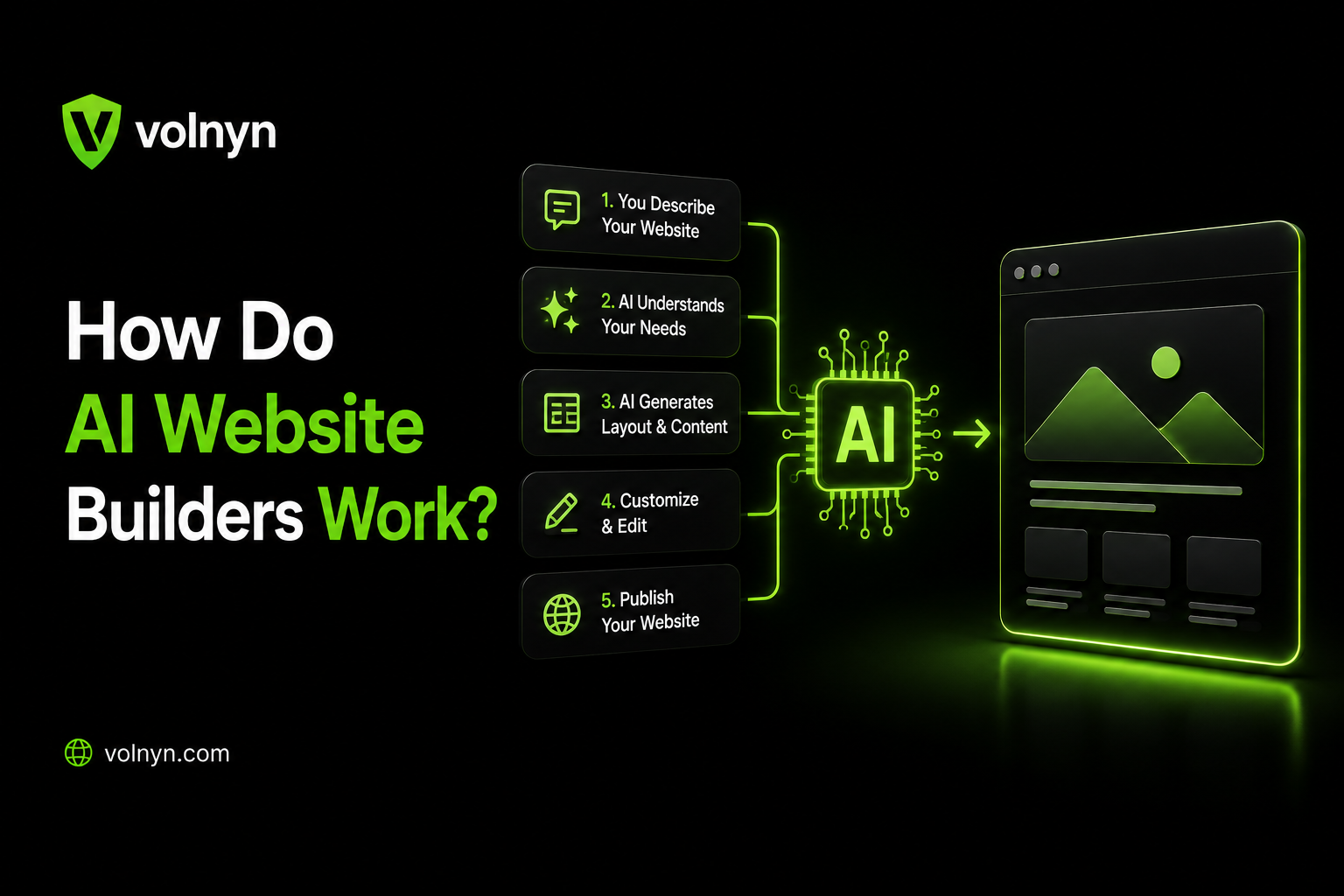
You describe your business in a sentence, and a few minutes later you have a working website with pages, content, images, layout, and design already in place.
But what actually happens between your prompt and that finished website?
The simple answer is that an AI website builder does not rely on one magical AI model. Modern platforms combine AI models, design systems, templates, software components, content generation, and other web technologies to turn a natural-language description into a website.
The exact architecture varies from one platform to another. Some builders rely heavily on templates and predefined components, while newer systems can generate or modify code and support more complex web applications.
In this guide, we'll break down how AI website builders work, what happens at each stage, what AI can automate, and where human review is still important.
The Short Answer
Most AI website builders follow a process that looks roughly like this:
Interpret your instructions — The system identifies information such as your business type, audience, goals, style, pages, and required functionality.
Plan the website — It determines a suitable structure, page hierarchy, sections, and design direction.
Generate content and assets — AI can create page copy, headlines, calls to action, images, and other content depending on the platform.
Assemble the website — The generated content and design decisions are placed into templates, components, design systems, or generated code.
Let you refine the result — You can change the content, layout, colors, images, sections, and functionality through visual controls or additional AI instructions.
Publish and maintain it — After reviewing the site, you can connect a domain, publish it, and continue making changes as your business evolves.
The important point is that not every AI website builder uses the same technical approach.
For example, Volnyn describes a workflow in which you provide a natural-language brief, the platform structures pages, content, and interactions, and you can continue refining the result through chat and visual editing. It also supports more application-oriented projects such as dashboards, stores, booking flows, and data-backed applications.
Step 1: The AI Interprets What You Type
The process starts with your instructions.
Imagine you enter:
"Create a modern website for a family-run Italian restaurant in Chicago. We offer dine-in, catering, and private events."
The system needs to turn that description into useful information.
It may identify things such as:
Business type: Restaurant
Location: Chicago
Audience: Local customers and event clients
Services: Dine-in, catering, private events
Style: Modern and family-oriented
Likely pages: Home, Menu, About, Catering, Events, Contact
Potential actions: Reservations, enquiries, directions, or booking
Modern AI systems can interpret natural language and extract these kinds of requirements without forcing you to fill out a long technical form.
This is one reason a specific prompt usually produces a more useful first draft than something as vague as:
"Make me a website."
A more detailed instruction gives the system more information to work with.
What Should You Tell an AI Website Builder?
A useful prompt can include:
For example:
"Create a professional website for a small accounting firm in Chicago that serves startups and local businesses. Include Home, Services, About, Pricing, and Contact pages. Use a clean, trustworthy design and make the main CTA 'Book a Consultation.'"
If you want more guidance on this part, Volnyn also provides a dedicated guide for writing a good prompt.
Step 2: The System Plans the Website Structure
After understanding your request, the platform needs to decide what the website should contain.
This can involve choosing:
This is where AI website builders differ from traditional blank-canvas tools.
Instead of asking you to start with an empty page and manually decide what section should come next, an AI builder can use your description to create a starting structure.
For example, a service business might need:
Hero section
Services
Why choose us
Testimonials
About section
CTA
Contact section
An online store might require a completely different structure, including product listings, categories, cart functionality, and checkout.
Volnyn's current AI website builder supports different website types including business websites, portfolios, landing pages, blogs, service websites, and online stores.
Step 3: Choosing Templates, Components, or Design Patterns
The next question is: What should the website look like?
There isn't one universal answer because AI website builders use different implementation strategies.
Some platforms rely heavily on:
Templates
Reusable components
Design systems
Predefined layouts
Styling rules
Others can generate or modify website code more directly.
Some combine both approaches.
For example, Volnyn provides a large template library while also allowing users to generate a website from a description and customize it through its editor. Its public website currently lists 550+ templates across categories such as restaurants, services, portfolios, e-commerce, health, education, and more.
The important distinction is this:
The AI does not necessarily invent every part of a website from zero.
It can make decisions within the design system, components, templates, or code-generation capabilities available to that platform.
This approach can make the first version faster and more consistent.
Step 4: Generating the Website Copy
Once the structure is established, AI can generate the written content.
Depending on the platform and the information you provide, this can include:
Headlines
Subheadings
Service descriptions
Product descriptions
Calls to action
About-page copy
FAQs
Supporting website text
Large language models are one technology that can be used for this type of generation, but the exact models and supporting systems differ between platforms.
The quality of the output depends heavily on the information supplied.
Compare:
"Create a website for a photographer."
with:
"Create a portfolio website for a wedding photographer based in Lahore. The photographer specializes in outdoor weddings and intimate ceremonies. The main goal is to generate consultation enquiries."
The second prompt gives the system much more context.
AI-Generated Copy Still Needs Editing
A generated website can give you a useful first draft, but you should not assume every sentence is ready to publish.
Check:
Business facts
Prices
Services
Contact information
Claims and statistics
Locations
Testimonials
Product details
AI can produce fluent text while still getting business-specific information wrong.
That makes human review an important part of the website creation process.
Step 5: Generating or Selecting Images
Many AI website builders can also help with visual assets.
Depending on the platform, this may involve:
The goal is to make the visual style consistent with the website's subject and branding.
For example, a restaurant website may need food photography, while a software company may benefit from product screenshots, interface visuals, or illustrations.
But generated images should not automatically replace authentic business photography.
If you're building a real business website, consider using:
Authentic visuals can make an AI-generated website feel much more connected to the actual business.
If image quality and performance matter, you can also explore Volnyn's AI image generator for creating supporting visuals.
Step 6: Assembling the Website
Now the platform has to turn all those decisions into an actual website.
This is where AI website builders can differ significantly.
Template and Component-Based Approach
A platform may take the generated content and place it into existing templates, sections, components, and design systems.
The underlying website structure may already define things such as:
Responsive behavior
Navigation
Buttons
Forms
Typography
Spacing
Section layouts
The AI then determines how those building blocks should be used for your particular project.
Code-Generation Approach
Other AI development tools can generate or modify HTML, CSS, JavaScript, React components, or other application code from natural-language instructions.
This approach can provide greater flexibility, but it also creates additional technical considerations.
Generated code may need testing for:
Functionality
Browser compatibility
Security
Accessibility
Performance
Data handling
Backend behavior
And there is another important category: hybrid systems.
A platform can combine structured components with AI-generated changes, allowing users to move between AI instructions and visual editing.
For example, Wix currently describes its AI website creation experience as a hybrid approach that combines conversational AI with drag-and-drop editing and AI-generated pages, sections, visuals, and custom elements.
B12 is another example of how these approaches can evolve. Its current B12 3.0 documentation describes full-website code generation through its AI Agent, while its earlier B12 2.0 system relied more heavily on templates and predefined layouts.
So it would be inaccurate to say that every modern AI website builder works from templates alone.
Step 7: Responsive Design and Technical Checks
A website also needs to work beyond the desktop screen.
Depending on the platform, the website may be designed or adapted for:
Some platforms also provide automated safeguards or checks as part of their publishing workflow.
However, automated systems should not be treated as a guarantee that every page is perfect.
You should still manually test:
For SEO, also check the actual implementation rather than assuming that an AI-generated site is automatically optimized.
Important checks include:
Volnyn describes its website builder as providing SEO-minded structure and metadata-friendly pages, but these features should still be reviewed for the specific site you publish.
What Happens When You Ask the AI to Change Something?
The process does not necessarily end when the first website is generated.
You might ask:
"Add a testimonials section."
Or:
"Make the homepage more suitable for a small business."
Or:
"Change the hero section and make the CTA more prominent."
The system interprets the new instruction and applies the requested change to the existing project.
Depending on the platform and the request, it may modify:
A specific component
A section
Several pages
Content
Layout
Styling
Website functionality
This is one of the major advantages of conversational website creation.
You can describe what you want to change without necessarily knowing the technical implementation behind that change.
Volnyn, for example, describes an iterative workflow in which users can change layout, copy, and flows through chat rather than rebuilding the project from scratch.
AI Website Builder vs. Traditional Website Builder
The biggest difference is not simply that one uses AI and the other does not.
The bigger difference is how much of the initial decision-making is automated.
With a traditional website builder, you generally have more direct responsibility for selecting a template, arranging sections, writing content, adjusting the design, and configuring the site.
With an AI website builder, you can start by describing the result you want, and the system can generate a substantial starting point for you.
After that, the experiences can become surprisingly similar.
Both types of builders may give you:
Visual editing
Templates
Sections
Image controls
Typography settings
SEO settings
Publishing tools
The AI approach simply moves more of the initial work from manual construction to natural-language instructions.
Template-Based AI vs. Code-Generating AI
These two approaches are worth separating because they solve slightly different problems.
| Approach | How it works | Main advantage | Main consideration |
|---|
| Template/component-based | AI works with existing structures and components | Faster and more predictable website creation | Customization may depend on available components |
| Code-generating | AI generates or modifies website/application code | Greater flexibility | Requires stronger testing and technical validation |
| Hybrid | Combines structured components, AI generation, and visual editing | Balances speed and control | Exact capabilities vary by platform |
Neither approach is automatically right for every project.
A simple business website may benefit from a structured builder.
A custom application with authentication, databases, dashboards, or complex workflows may require a more application-oriented platform.
For example, Volnyn's web-app offering is designed to go beyond static pages and supports use cases such as dashboards, stores, booking flows, and data-backed applications.
What AI Website Builders Can Automate
AI can significantly reduce the amount of manual work involved in creating a website.
Depending on the platform, it can help with:
Initial website structure
Page and section generation
First-draft copy
Design direction
Visual asset generation or selection
Responsive layouts
Website customization
Basic SEO-related settings
Repetitive content changes
Some website functionality
Volnyn's current AI website builder, for example, lets users describe their business, generate a complete website draft, customize it with a visual editor, and publish it without requiring coding or design experience.
What Still Needs Human Review
AI can speed up website creation, but it does not remove the need for judgment.
1. Business Accuracy
Make sure the site accurately represents:
Your services
Prices
Locations
Policies
Contact information
Product details
2. Brand Authenticity
Replace generic content and visuals where necessary.
Use your:
Real photographs
Brand voice
Customer examples
Product information
Original case studies
3. Functionality
Test everything before launch.
Click every important button and test:
Contact forms
Booking forms
Checkout
Navigation
Links
Account flows
Interactive elements
4. SEO
Do not assume that an AI-generated website will automatically rank.
Review the site's:
Search intent
Content quality
Titles and descriptions
Headings
Internal linking
Images
Indexing
Structured data
Page performance
5. Accessibility
Check whether users can actually navigate and understand the website.
Pay attention to:
Text contrast
Keyboard navigation
Image alt text
Form labels
Heading hierarchy
Mobile usability
6. Complex Functionality
For applications involving:
User accounts
Databases
Payments
Custom integrations
Sensitive information
Complex business logic
additional technical testing may be required.
Why AI-Generated Websites Can Look Similar
You may have noticed that some AI-generated websites share similar visual patterns.
There is a straightforward reason.
AI systems learn from patterns, while website builders also provide templates, components, design systems, and established UI conventions.
If two businesses provide similar information and ask for similar styles, their websites can therefore end up with similar:
Section structures
Navigation patterns
Typography choices
CTA placement
Page hierarchy
Visual styles
That does not necessarily mean the websites are copies.
It means the system is working within learned patterns and the design options available to it.
The solution is not to avoid AI. Instead, refine the generated site with your own:
Brand identity
Images
Copy
Layout decisions
Customer information
Product details
Visual preferences
Can AI Build a Website From One Sentence?
Yes, a single sentence can be enough to create a starting point on many AI website builders.
But there is an important distinction:
A one-sentence prompt can start the website. It does not necessarily provide enough information to make the final website excellent.
For example:
"Build a website for my photography business."
can create a starting point.
But this is much more useful:
"Build a portfolio website for a wedding photographer in Lahore. The photographer specializes in outdoor weddings and intimate ceremonies. The goal is to generate consultation enquiries. Include Home, Portfolio, About, Packages, Testimonials, and Contact pages. Use an elegant editorial style with a strong visual focus."
The second prompt gives the AI more context about the business, audience, purpose, structure, and design.
If you want to build a website without starting from a blank canvas, you can also explore Volnyn's free website builder.
How to Get Better Results From an AI Website Builder
A simple workflow can make the generated result much better.
Step 1: Define the Goal
Ask yourself:
What should visitors do on this website?
Examples:
Book an appointment
Buy a product
Request a quote
Contact the business
Read your content
View a portfolio
Sign up for a service
Step 2: Describe the Audience
Tell the AI who the website is for.
For example:
"The site is for local homeowners looking for reliable plumbing services."
Step 3: List the Required Pages
Instead of letting the AI guess everything, specify important pages.
For example:
Home
Services
About
Pricing
Portfolio
FAQ
Contact
Step 4: Explain the Design Direction
Mention:
Step 5: Add Your Real Information
Give the system accurate:
Business name
Services
Location
Pricing
Contact information
Brand colors
Product information
Step 6: Review Before Publishing
Finally, treat the AI-generated website as a draft that needs a quality-control pass.
This is especially important for business websites where incorrect information can damage trust.
For more practical website planning, you can also explore Volnyn's guide on how to plan a website with AI.
Can AI Website Builders Build Full Web Applications?
This depends heavily on the platform.
A basic AI website builder may focus primarily on content-driven websites such as:
Business websites
Portfolios
Blogs
Landing pages
Service websites
More advanced AI development platforms can go further and support:
Databases
Authentication
Dashboards
Payments
Booking systems
Data-driven sections
Custom workflows
For example, Volnyn's web-app platform explicitly describes support for full-stack applications, including data-backed sections, authentication-ready flows, stores, bookings, dashboards, and integrations.
So the phrase "AI website builder" can describe very different levels of technology.
Before choosing a platform, look at what it can actually build rather than relying only on the label.
Common Misconceptions About AI Website Builders
"The AI understands my business exactly like a human."
Not necessarily.
AI can interpret the information you provide and generate useful results from learned patterns, but that is different from having real-world knowledge of your business.
You still need to provide accurate information and review the result.
"One prompt creates a perfect website."
Usually, the first generation is better treated as a starting point.
The strongest result often comes from generating a draft and then refining:
Copy
Design
Images
Navigation
CTAs
Functionality
SEO
"Every AI website builder works the same way."
They do not.
Some emphasize templates and visual editing. Others use AI agents, code generation, structured components, or hybrid workflows.
Always check the actual capabilities of the platform you are considering.
"AI means I don't need to review the website."
This is one of the biggest mistakes.
AI can reduce the amount of manual work, but it does not eliminate the need for:
Fact checking
UX testing
SEO review
Accessibility checks
Brand editing
Functionality testing
FAQ
How do AI website builders work?
AI website builders typically interpret a natural-language description, determine a website structure, generate or select content and design elements, and assemble them into a working site. The exact technology varies between platforms, with some relying heavily on templates and components and others supporting code generation or hybrid workflows.
Do AI website builders write code?
Some do, while others rely more heavily on templates, components, and predefined website structures. Modern platforms can also combine these approaches, so you should check the specific builder's capabilities rather than assuming that every AI website builder generates raw code.
Why does a detailed prompt produce a better website?
A detailed prompt gives the system more useful information about your business, audience, goals, pages, style, and functionality. That gives the AI more context when generating the initial website.
Are AI-generated websites unique?
The content and combination of design decisions can be generated for your specific input, but AI systems also work with learned patterns, design systems, templates, and common web conventions. Two similar prompts can therefore produce websites with similar structures.
Can AI website builders create online stores?
Some can. The exact ecommerce features vary by platform. Depending on the builder, you may get product pages, shopping carts, checkout, payment integrations, inventory tools, or other commerce features.
Can an AI website rank on Google?
Yes, an AI-generated website can be indexed and potentially rank in search results, but AI generation alone does not guarantee rankings. Search performance still depends on factors such as content quality, search intent, technical SEO, site structure, authority, user experience, and competition.
Do I need coding knowledge?
Not necessarily. Many AI website builders are designed for people who do not know how to code. However, technical knowledge becomes more valuable when you are building complex applications, debugging problems, integrating external systems, or making advanced customizations.
Should I publish an AI-generated website immediately?
It is better to review it first. Check the content, images, links, forms, mobile layout, SEO settings, accessibility, and business information before making the site public.
Final Takeaway
So, how do AI website builders work?
They take a natural-language description and turn it into a structured website through a combination of AI models, design systems, templates, components, generated content, software logic, and—in some platforms—generated or modified code.
The exact process is different from one platform to another.
The biggest change AI brings to website creation is not that it completely replaces web development. Instead, it changes the starting point.
Instead of beginning with:
"Which button do I click first?"
you can begin with:
"Here's what I want to build."
The AI can then handle much of the initial structure and content generation, while you focus on the parts that require human judgment: accuracy, brand identity, user experience, SEO, functionality, and the final quality of the website.
If you want to experience that workflow yourself, you can build a website with Volnyn's AI website builder, start from one of its templates, or explore the broader Volnyn platform for websites, apps, presentations, images, video, and other AI-powered tools.