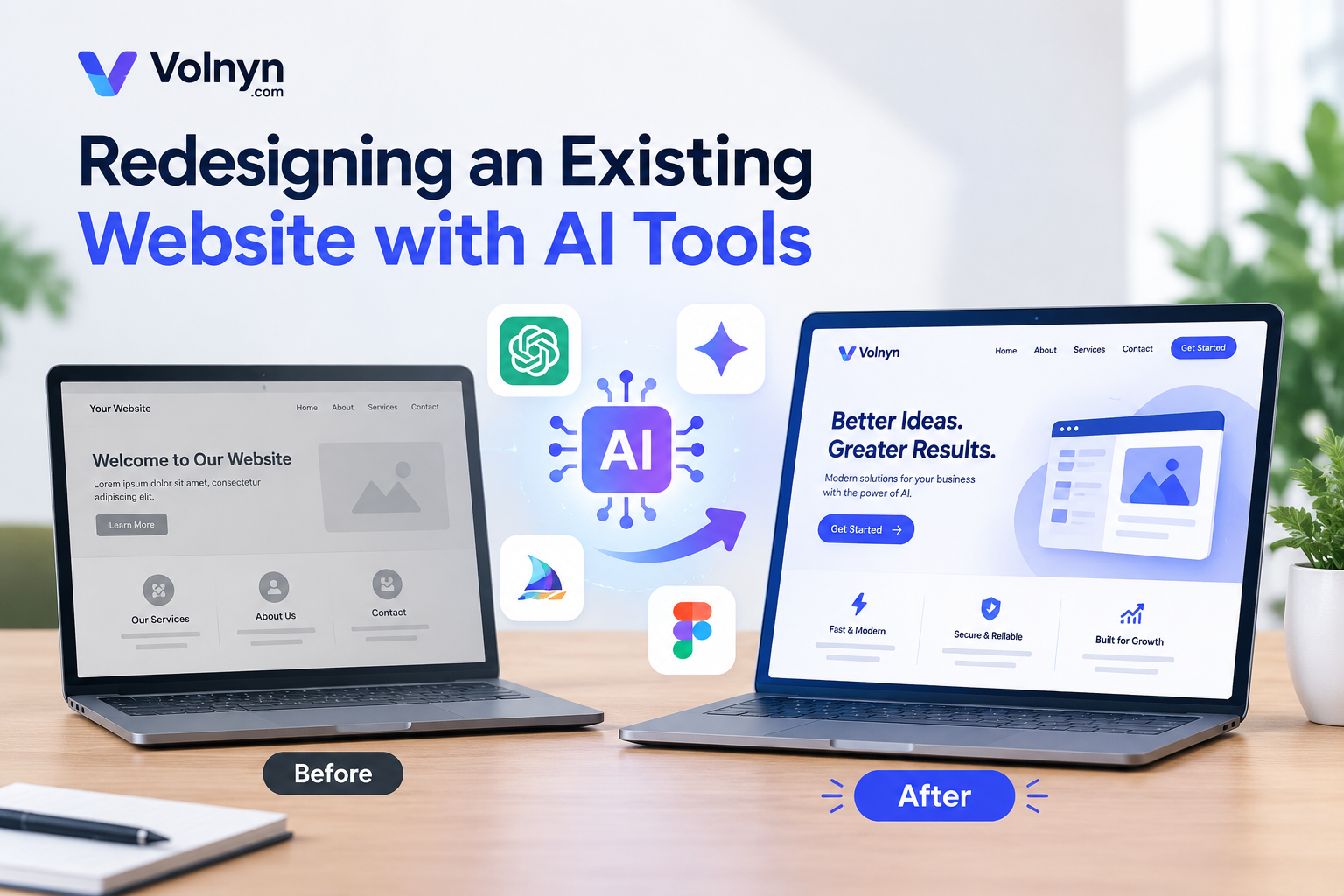
Redesigning a website does not always mean rebuilding every page, rewriting all your content, or starting with a blank screen. With the right approach, you can use artificial intelligence (AI) to identify design problems, improve page layouts, refresh outdated content, and create a better experience for visitors while preserving the valuable parts of your existing website.
If your website looks outdated, loads poorly on mobile devices, or no longer supports your business goals, AI can help you plan and execute improvements more efficiently. The key is knowing what to change, what to keep, and how to protect your existing SEO performance during the process.
In this guide, you will learn how to redesign a website with AI step by step without unnecessarily rebuilding everything from scratch.
What Does It Mean to Redesign a Website With AI?
Redesigning a website with AI means using AI-powered tools to help improve its visual design, layout, content, structure, and usability. Instead of manually planning every change, you can use AI to generate design ideas, suggest improvements, organize content, and help create updated page layouts.
For example, a business website might have an outdated homepage, confusing navigation, and service pages that are difficult to read on mobile devices. AI can help you identify these issues and develop a clearer design direction.
However, AI should support your decisions rather than make every decision for you. You still need to review the results, verify important information, and ensure the redesigned website meets your business and customer needs.
Can You Redesign a Website Without Starting From Scratch?
Yes. In many cases, you can redesign a website while keeping its existing content, branding, domain, and important URLs.
The exact process depends on your current platform, website structure, and the tools you choose. Some websites can be improved by updating individual sections, while others may require a new theme, template, or design system.
Here are some elements you may be able to preserve:
Existing content: Keep useful articles, service descriptions, product information, and landing page copy.
Brand identity: Retain your logo, brand colors, recognizable visual elements, and established messaging.
Website URLs: Preserve important URLs whenever possible to reduce unnecessary SEO disruption.
Search performance: Protect pages that already attract organic traffic and have valuable backlinks.
Business information: Maintain accurate contact details, product information, testimonials, and other essential content.
Before making major changes, create a backup and document your current website structure. This gives you a reference point and helps you recover if something goes wrong.
How to Redesign a Website With AI: Step-by-Step Guide
Step 1: Audit Your Existing Website Before Making Changes
The first step is understanding what needs improvement. Redesigning a website without reviewing its current performance can lead to unnecessary work and the loss of features or content that already perform well.
Start by reviewing your most important pages, including your homepage, service pages, product pages, blog posts, and contact page.
Look for problems such as:
Outdated layouts or inconsistent visual styles.
Confusing menus and navigation.
Weak calls to action.
Difficult-to-read text and crowded page sections.
Poor mobile usability.
Slow-loading pages.
Outdated information or broken links.
Missing or unclear page titles and descriptions.
Use Google Analytics, Google Search Console, or other available analytics tools to understand which pages attract visitors and organic search traffic.
You can also review user feedback and common customer questions to identify areas where the website does not meet visitors' expectations.
AI prompt example:
"Act as a website UX and conversion specialist. Review the following website information and identify its biggest design, navigation, content, accessibility, and conversion problems. Prioritize the five most important improvements. Explain why each change matters and recommend what should be preserved rather than replaced."
Provide relevant screenshots, page content, or audit findings when available. AI recommendations will be more useful when they are based on actual information rather than assumptions.
Step 2: Decide What to Keep, Improve, or Replace
Once you understand the existing problems, divide your website elements into three groups.
| Category | What to do |
|---|
| Keep | Preserve effective content, useful functionality, recognizable branding, and valuable URLs. |
| Improve | Update outdated layouts, confusing navigation, weak copy, and inconsistent styling. |
| Replace | Remove broken components, obsolete sections, and features that no longer serve a clear purpose. |
This step helps prevent unnecessary redesign work.
For example, if your service pages already rank well in Google but have an outdated visual layout, you may only need to improve their presentation, readability, and calls to action. Rewriting every page or changing every URL would add risk without necessarily providing additional value.
Your redesign plan should focus on solving real problems, not changing elements simply because a new design is available.
Step 3: Create a Redesign Plan With AI
Before changing the website, ask AI to develop a practical redesign plan based on your audit.
Explain your business type, target audience, website goals, current problems, and the pages that need attention. Ask for recommendations that fit your available time, budget, and technical resources.
For example, an online store might prioritize product navigation, product images, mobile usability, and checkout clarity. A professional service website might focus on service descriptions, trust signals, contact information, and appointment requests.
AI prompt example:
"Create a website redesign plan for an existing [business type] website. The target audience is [audience], and the main goal is [goal]. The current problems are [list problems]. Recommend improvements to the homepage, navigation, page layouts, content, mobile experience, and calls to action. Preserve useful existing content and URLs wherever possible. Organize the recommendations by priority and implementation effort."
Ask AI to separate essential changes from optional enhancements. This makes it easier to work through the redesign without disrupting your entire website at once.
Step 4: Improve the Website Design With an AI Website Builder
After creating your plan, you can use an AI website builder to explore new layouts and design directions.
An AI website builder can help turn written instructions into a website design, reducing the amount of manual work needed to develop an initial layout. You can describe your business, preferred style, page structure, and desired functionality to guide the result.
For example, you might request a clean homepage with a clear headline, a short introduction, service cards, customer testimonials, and a prominent contact button.
The important point is to use AI to develop a design that solves your identified problems rather than choosing a template simply because it looks attractive.
If you want to explore an AI-assisted website creation workflow, visit Volnyn. You can also review the Volnyn guide to writing a good AI website prompt for guidance on describing your intended website.
AI prompt example:
"Create a modern, professional homepage concept for an existing [business type] website. The target audience is [audience]. Use a clear visual hierarchy, readable typography, consistent spacing, mobile-friendly sections, and a prominent [desired action] button. Include [required sections]. Keep the design practical and easy to navigate. Do not invent customer testimonials, business credentials, or unsupported claims."
Review the generated design carefully. You may need to adapt it to your existing platform, because an AI website builder does not necessarily import or preserve every component of an existing website automatically.
Step 5: Redesign the Homepage First
The homepage is often the first page visitors see, so it is a useful starting point for your redesign.
Focus on making it immediately clear what your business offers, who it serves, and what visitors should do next.
A practical homepage structure may include:
Hero section: A clear headline, a short explanation, and a primary call to action.
Services or products: A simple overview of your main offerings.
Benefits: Explain how your business helps customers solve their problems.
Trust elements: Include genuine reviews, case studies, certifications, or testimonials where appropriate.
Supporting information: Answer common questions or address customer concerns.
Final call to action: Give visitors a clear next step.
AI can help you explore alternative headlines, simplify long paragraphs, and reorganize page sections. However, keep claims specific and accurate. Generic statements that could describe any business will not make your homepage more useful.
Do not remove a section that already generates leads or supports customer decisions without understanding its purpose first.
Step 6: Update Existing Content Without Losing Its Value
A website redesign is an opportunity to improve outdated content, but it does not mean every page needs to be rewritten.
Review existing pages and identify content that is inaccurate, difficult to understand, repetitive, or poorly organized. Use AI to improve readability and structure while preserving information that remains useful.
For SEO, pay particular attention to:
Search intent and the questions each page answers.
Existing page titles and meta descriptions.
Heading hierarchy and content organization.
Relevant internal links.
Image descriptions and alternative text.
Important product, service, and business details.
Avoid replacing specific, helpful content with generic AI-generated paragraphs. If an existing page attracts relevant search traffic, understand why it performs well before making substantial changes.
AI-generated content should also be fact-checked, edited, and reviewed for originality and usefulness before publication.
Step 7: Make the Redesigned Website Mobile-Friendly
A visually attractive desktop website may still provide a poor experience on a phone. Mobile usability should therefore be part of the redesign process from the beginning.
Check whether:
Text remains readable without zooming.
Buttons and links are easy to tap.
Navigation works on smaller screens.
Images fit their containers correctly.
Important content appears in a logical order.
Forms are easy to complete.
Pop-ups do not obstruct essential content.
Pages load and respond efficiently.
You can ask AI to review screenshots or a description of your mobile layout and suggest improvements. However, recommendations alone are not enough. Test the actual website on different screen sizes and devices.
Also measure performance using appropriate tools rather than assuming that a simpler design automatically means a faster website.
Step 8: Preserve SEO During the Redesign
Protecting SEO is one of the most important parts of redesigning an existing website.
Changes to URLs, page content, internal links, navigation, and technical settings can affect how search engines discover and understand your pages. A redesign should improve the user experience without unnecessarily removing existing search value.
Before launch, follow these checks:
Keep important URLs stable. Avoid changing URLs unless there is a clear reason. If a URL must change, create an appropriate permanent redirect from the old URL to the most relevant new destination.
Preserve valuable content. Do not delete useful pages simply to make the website shorter or cleaner. Review their traffic, rankings, backlinks, and purpose first.
Review title tags and meta descriptions. Ensure important pages have unique, relevant metadata that accurately describes their content.
Maintain internal links. Update links that point to changed URLs and ensure visitors can still reach important pages through navigation and contextual links.
Check indexing settings. Confirm that important pages are not accidentally blocked by robots directives or marked with unintended noindex instructions.
Review canonical tags and the sitemap. Ensure canonical URLs are correct and that the XML sitemap reflects the pages you want search engines to index.
Test redirects and broken links. Make sure old URLs lead to appropriate destinations and important pages do not return unexpected errors.
Monitor performance after launch. Use Google Search Console and your analytics platform to watch for indexing issues, traffic changes, and other unexpected problems.
For a website with many URLs, complex navigation, or significant organic traffic, consider staging the redesign and completing a technical SEO review before launch.
Step 9: Test the Website Before Publishing
Do not publish the redesigned website immediately after the design looks finished.
First, test the main user journeys. A visitor should be able to find information, navigate between pages, submit forms, and complete important actions without unnecessary difficulty.
Use this checklist:
Main navigation and footer links work correctly.
Contact forms and other important forms function properly.
Buttons lead to the intended destinations.
Text, images, and layouts display correctly on mobile and desktop.
No important content or pages are missing.
Page titles, meta descriptions, and headings are accurate.
Images are appropriately sized and have useful alt text where needed.
Important URLs return the correct status codes.
Redirects, canonical tags, and indexing settings are correct.
Analytics and conversion tracking work as expected.
A backup or recovery plan is available.
If possible, test the new design in a staging environment before replacing the live website. This gives you time to identify problems without exposing visitors to an unfinished redesign.
Step 10: Publish and Monitor the Results
Once testing is complete, publish the redesigned website using the appropriate process for your platform.
If you are using Volnyn, you can review its publishing documentation for information about publishing a site. The exact steps will depend on your website setup.
After launch, compare the new website's performance with your baseline.
Monitor metrics such as:
Organic clicks and impressions.
Rankings for important search queries.
Conversions, leads, or sales.
Engagement with important pages.
Mobile usability and page performance.
Errors reported in analytics or Search Console.
Avoid judging the redesign only by its appearance. A successful redesign should make the website more useful to visitors while supporting your business goals.
If performance declines, investigate the cause before making further changes. Check for broken redirects, missing content, indexing problems, tracking issues, or unexpected changes to important pages.
Common Mistakes to Avoid When Redesigning a Website With AI
AI can make redesign work more efficient, but poor implementation can still create problems.
Rebuilding Everything Without a Clear Reason
Replacing every page, layout, and piece of content can increase cost and risk. Start with the problems identified in your audit and make changes where they provide clear value.
Changing URLs Unnecessarily
Changing URLs can disrupt existing links and search visibility if redirects and other technical details are not handled properly. Keep established URLs whenever practical.
Publishing AI-Generated Content Without Reviewing It
AI can produce inaccurate details, repetitive copy, or claims that do not match your business. Review every important page before publishing.
Choosing Design Over Usability
Animations, visual effects, and complicated layouts are not automatically improvements. Prioritize readability, navigation, accessibility, and clear calls to action.
Ignoring Mobile Performance
A design that works well on a desktop may fail on a mobile device. Test real pages at different screen sizes before launch.
Skipping Backups and Testing
Without a backup or staging process, recovering from a failed redesign can be difficult. Protect your current website and test the new version before making it live.
How Long Does an AI Website Redesign Take?
The time required depends on the website's size, technical complexity, content quality, and the number of changes involved.
A small website that needs visual updates may require considerably less work than a large ecommerce store with hundreds of product pages, custom functionality, and complex URL structures.
AI may reduce the time spent on planning, drafting content, and exploring layouts. However, audits, integrations, technical fixes, quality assurance, and SEO checks still require careful attention.
Rather than choosing a fixed deadline before reviewing the website, divide the work into manageable stages: audit, planning, design, implementation, testing, and launch.
Frequently Asked Questions
Can AI redesign my existing website automatically?
AI can help generate design concepts, suggest improvements, create content, and build website layouts. However, the level of automation depends on the tool and your existing platform. You may still need to migrate content, configure integrations, test functionality, and handle technical SEO.
Can I keep my domain name when redesigning my website?
Yes. In most redesign projects, you can keep your existing domain name. You may need to update hosting, DNS, or domain settings depending on the platform and migration method you choose.
Will redesigning my website affect SEO?
It can. Changes to URLs, content, internal links, redirects, page speed, and indexing settings may affect organic performance. Keeping valuable content, preserving important URLs, testing redirects, and monitoring Search Console can help reduce avoidable risks.
Should I redesign my entire website or only a few pages?
It depends on the problems you need to solve. If the website's core structure works well, start with high-priority pages such as the homepage, important landing pages, or pages with usability issues. A full redesign may be appropriate when the existing platform or architecture no longer meets your needs.
Can I use an AI website builder if I already have a website?
Yes, but the workflow depends on the builder and your current website. Some tools may help you create a new design, while others may support different migration or editing options. Check whether your chosen tool can import existing content, preserve URLs, and support your required functionality before committing to a migration.
Is AI website redesign suitable for small businesses?
Yes. AI can help small businesses plan design improvements, organize content, generate layout ideas, and reduce some manual work. The final website should still be checked for accuracy, usability, accessibility, security, and search performance.
Final Thoughts
Redesigning a website with AI does not have to mean starting over. By auditing your current website, preserving valuable content, prioritizing meaningful improvements, and testing every important change, you can improve its appearance and usability without discarding what already works.
Start with the pages and problems that matter most. Use AI to speed up planning and design, but make decisions based on your audience, business goals, and actual website performance.
If you are exploring AI-assisted website creation, visit Volnyn and review the guide to writing effective website prompts to learn how to communicate your design requirements more clearly.
The best redesign is not necessarily the one that changes the most. It is the one that makes your website easier to use, more effective for your business, and ready to grow.