Text to Presentation — Turn Your Words into Slides Instantly
You already wrote the content — notes, a report, an outline, meeting minutes. Why rebuild it slide by slide? Volnyn's text-to-presentation AI takes any text you paste and converts it into a complete, designed slide deck in seconds. Your points, properly structured, professionally presented.
Convert Text to Slides Free →
How Text to Presentation Works
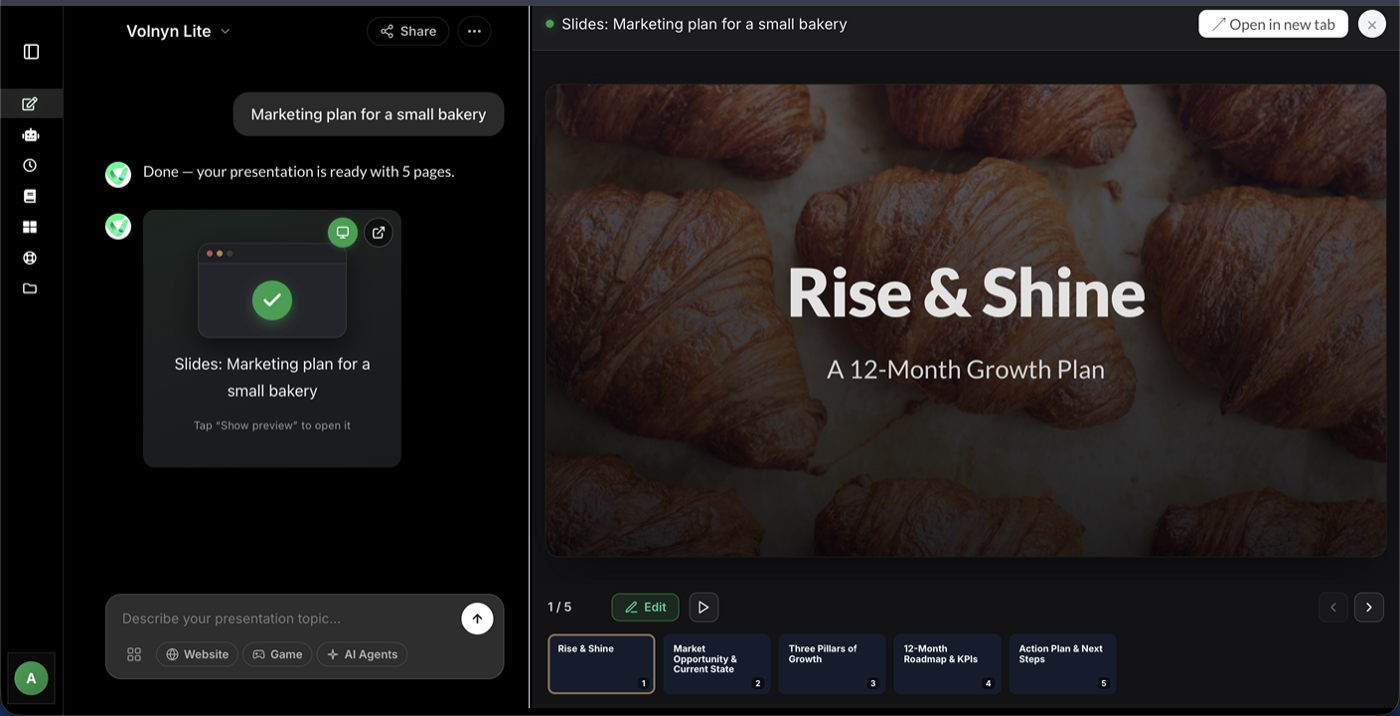
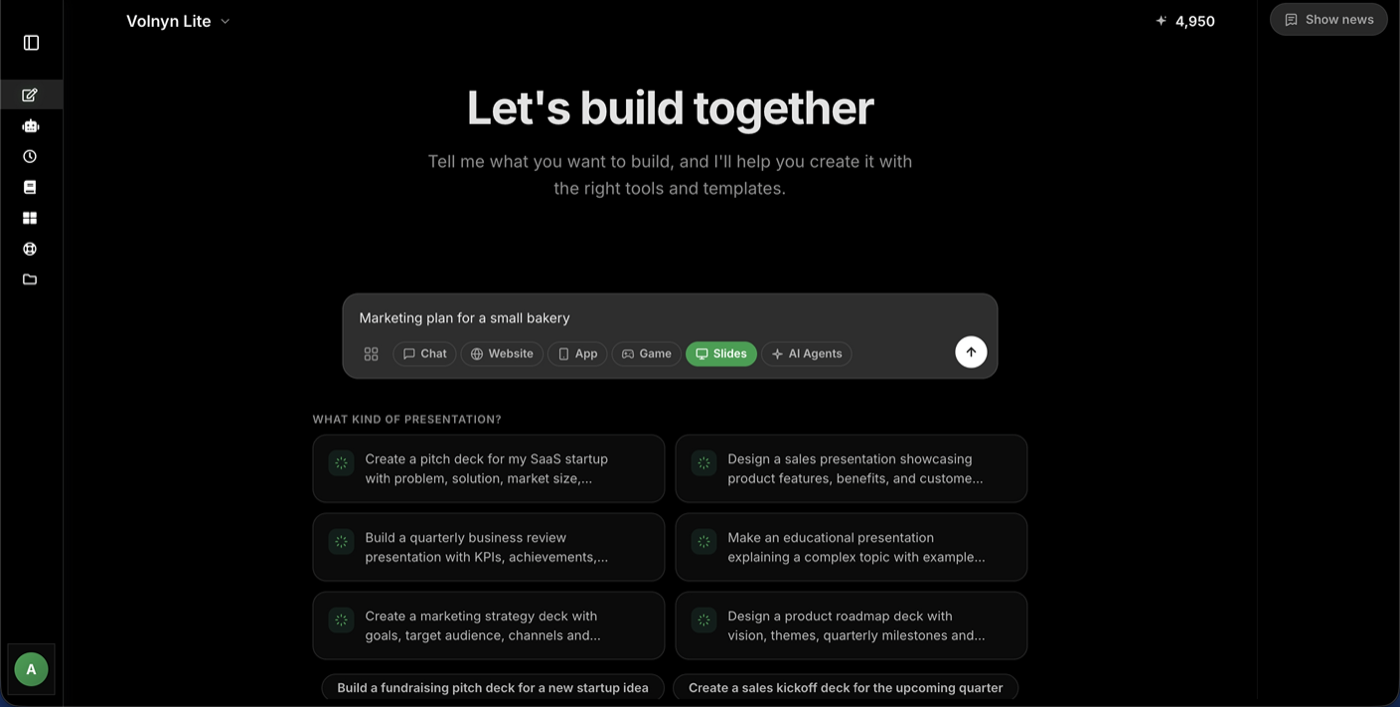
- Paste your text. Notes, a document, an article draft, bullet points — anything. Short or long, rough or polished.
- AI structures it into slides. The converter identifies your key points, organizes them into a logical flow, writes concise slide content, and applies a clean design — automatically.
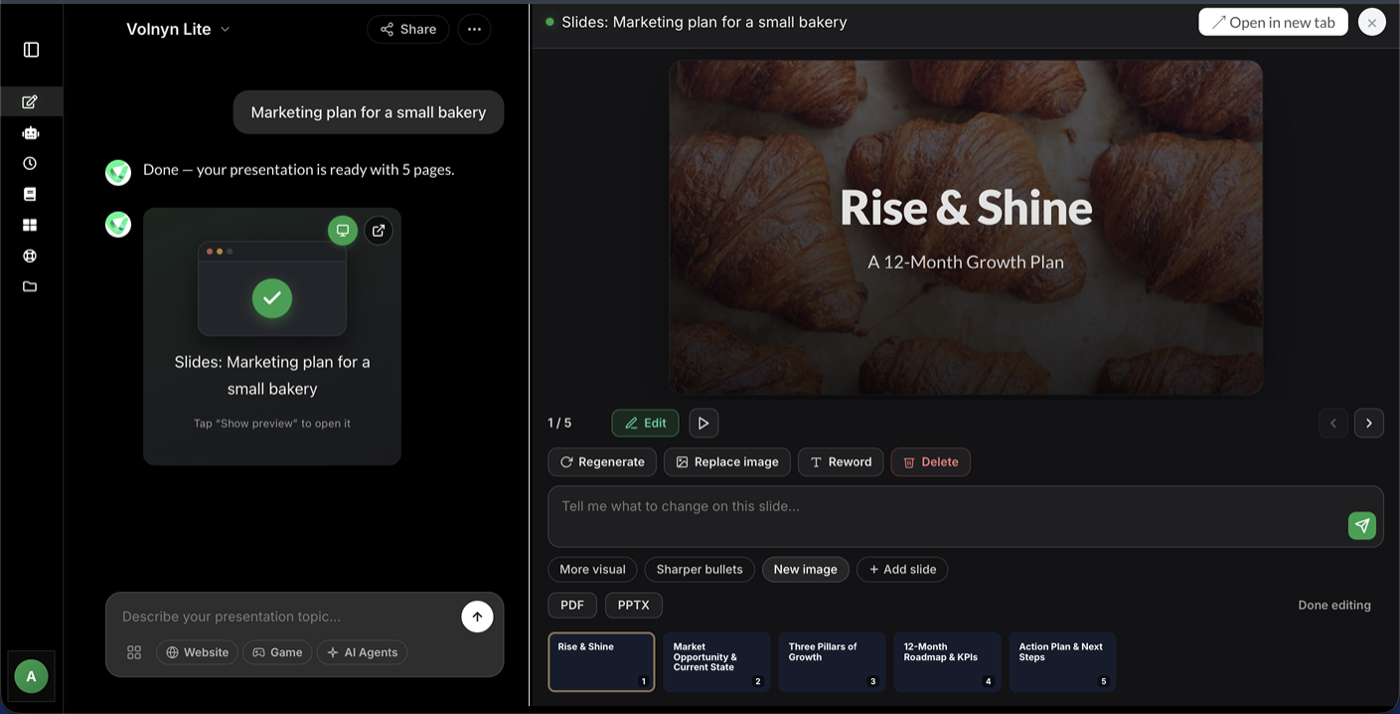
- Review and refine. Every generated slide opens in the editor. Adjust wording, reorder slides, change layouts or colors — then present or export.
What Kind of Text Can You Convert?
- Meeting notes → a follow-up deck your team actually reads
- Reports & documents → an executive summary presentation
- Article drafts or blog posts → a webinar or talk deck
- Study notes → revision slides and teaching material
- Project briefs → kickoff presentations
- Rough bullet points → a structured, complete deck
If it's text, the AI can turn it into a presentation.
Why Convert Text to Slides with AI?
- Your content stays yours — the AI structures and condenses what you wrote; it doesn't replace your points with generic filler
- Hours become seconds — no copy-pasting into slide after slide
- Structure comes built in — a clear opening, organized sections, and a proper closing slide
- Design is automatic — consistent fonts, spacing, and colors without touching a settings panel
- Free to start — convert your first documents without a credit card
Volnyn's converter is part of a full toolkit — the same account includes our AI slide generator and AI presentation maker for building decks from scratch too.
Start Free — No Credit Card Needed →
Tips for the Best Text-to-Slide Results
- Keep headings in your text. If your document has sections, the AI uses them to structure slides.
- Trim what you don't need first. Paste the relevant part, not the whole 40-page report.
- Tell it the audience. Add one line at the top like "convert this for a client presentation" to shape tone.
- Ask for a length. "Make this 8 slides" keeps summaries tight.
- Refine per slide. Regenerate individual slides that need a different angle instead of reconverting everything.
Frequently Asked Questions
How do I convert text to a presentation?
Sign up free, paste your text into Volnyn's converter, and the AI generates a structured slide deck from it in under a minute. You can then edit any slide before presenting.
Does it work with long documents?
Yes — paste long-form content and the AI condenses it into key points across slides. For very long documents, pasting the most relevant sections gives the tightest results.
Will the slides keep my original points?
Yes. The AI organizes and condenses your content rather than replacing it — your arguments, data, and structure carry through to the slides.
Is the text to presentation tool free?
Yes — it's included in Volnyn's free plan with no credit card required. Paid plans add more generations and features.
Can I edit the slides after conversion?
Fully. Every slide is editable in the built-in editor — text, layout, colors, images, and slide order.
