
Welcome to Volnyn
Sign in or create an account to continue
Continue with Google
or
Sign in with email
New here? Create an account
By continuing, you agree to our Terms of Service
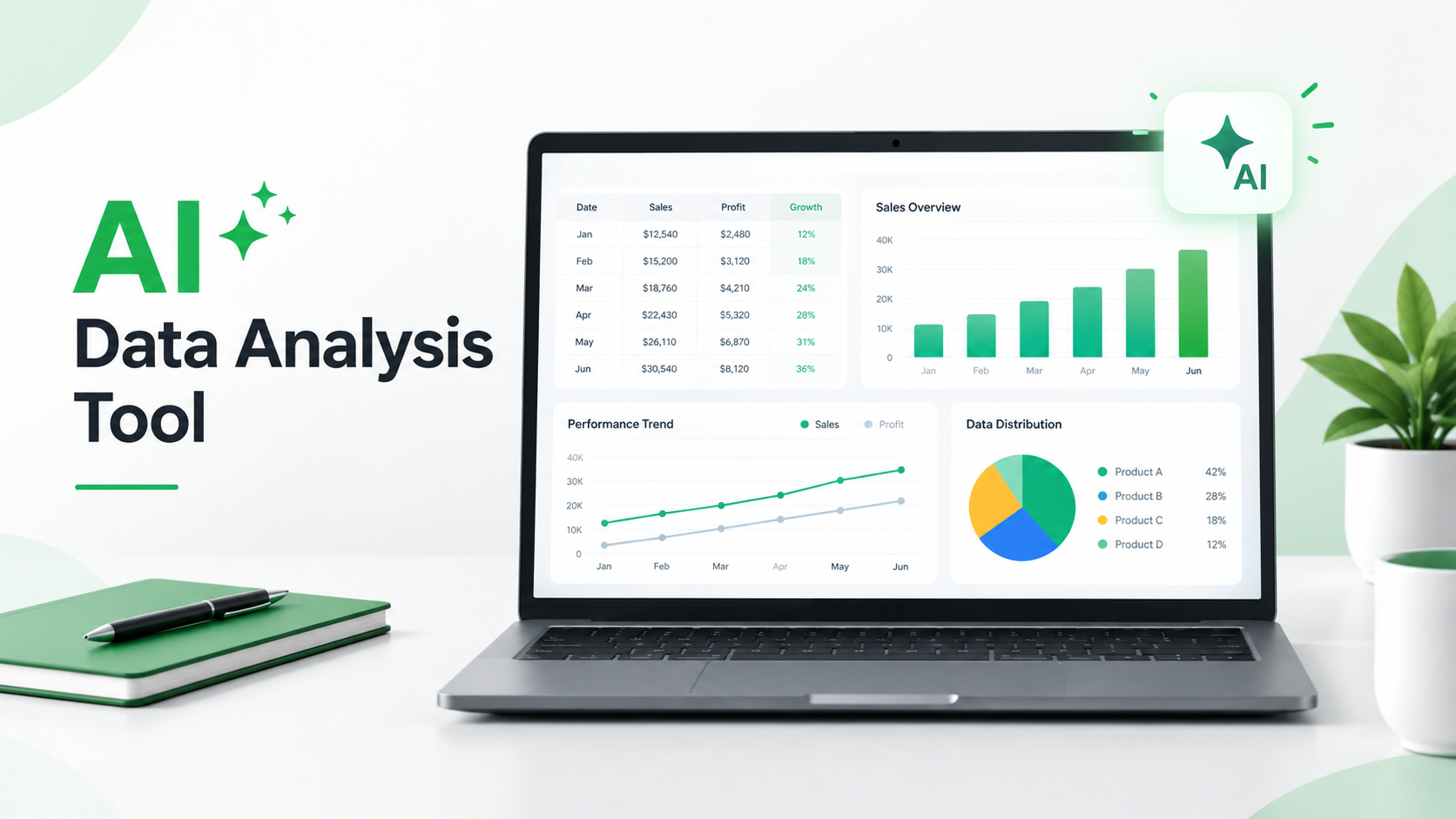
Working with data is an important part of running a business, managing projects, and making informed decisions. Whether you are reviewing sales figures, monitoring advertising campaigns, organizing expenses, or understanding customer feedback, data can help you identify what is working and what needs improvement.
However, analyzing large amounts of information manually can take considerable time. You may need to organize spreadsheets, calculate figures, compare results, create charts, and prepare reports before you can understand what the numbers actually mean.
An AI data analysis tool can simplify parts of this process. Instead of manually reviewing every record, you can use artificial intelligence to summarize information, assist with calculations, identify patterns, and turn data into easier-to-understand reports.
But AI analysis is not automatically accurate, and different tools support different tasks.
In this guide, you will learn how AI data analysis works, explore practical business examples, discover useful prompts, and understand how to choose a tool that fits your needs.
An AI data analysis tool is software that uses artificial intelligence to help people organize, examine, summarize, and interpret information.
Traditional data analysis often involves manually reviewing spreadsheets, writing formulas, creating charts, and comparing figures. AI-powered tools can simplify some of these activities by allowing users to describe their requirements in natural language.
For example, imagine you have a spreadsheet containing monthly sales records. Instead of manually calculating every total, you could ask an AI tool:
"Calculate the total revenue for each month, identify the highest-performing product, and summarize the main changes in sales."
Depending on its capabilities, the tool may calculate figures, create a summary, generate charts, or explain patterns in your dataset.
AI data analysis tools can be useful for:
Business owners reviewing sales and expenses.
Marketing teams analyzing campaign performance.
Freelancers organizing project information.
Students working with research data.
Professionals preparing business reports.
Teams looking for patterns in operational data.
The results depend on the quality of the data, the instructions you provide, and the capabilities of the selected platform. AI-generated insights should always be reviewed before being used for important decisions.
AI data analysis tools use different technologies and methods to process information. These may include machine learning, natural language processing, statistical methods, and generative AI.
Although the exact process varies between platforms, most AI-assisted analysis workflows follow a few common steps.
The first step is to give the tool information to analyze.
Depending on the platform, you may be able to work with spreadsheets, structured tables, reports, or other supported data sources.
For example, an online store might organize its sales information using these columns:
Order date
Product name
Quantity sold
Unit price
Total revenue
Customer location
Before sharing information, remove sensitive customer details that the tool does not need.
After providing the information, describe your objective in simple language.
For example:
"Compare monthly sales figures, calculate total revenue, and explain which products performed best."
Clear instructions help the AI understand what kind of analysis you need.
The AI tool may organize information, perform supported calculations, identify patterns, or generate summaries.
Some platforms can also create charts and visual reports to make results easier to understand.
The exact analysis depends on the available features and the format of your data.
Once the analysis is complete, check whether the results make sense.
Review calculations, compare important figures with the original dataset, and look for missing or unusual values.
AI can misunderstand data or produce incorrect conclusions, so verification is an essential part of the process.
After reviewing the results, you can use the information to support business planning, marketing improvements, budgeting, and other decisions.
Remember that AI provides assistance, not guaranteed answers. Business decisions should also consider context, experience, and reliable evidence.
AI data analysis tools can support many different activities. Here are some practical examples of how people and businesses can use them.
Sales data helps businesses understand how their products and services perform over time.
An AI data analysis tool can help organize sales records and explore questions such as:
Which products generate the highest revenue?
How do sales compare between months?
Which products have lower sales?
Are there noticeable changes in sales performance?
For example, an online store owner could review monthly sales information to identify products that deserve more attention.
Rather than looking at individual orders, the owner can request a summary of revenue by product, month, or location.
Marketing teams often work with information from advertising platforms, email campaigns, websites, and social media.
An AI tool can help summarize metrics such as:
Advertising spend
Impressions
Clicks
Conversions
Click-through rate
Cost per conversion
You could ask an AI assistant to compare two campaigns and explain which one performed better based on the available metrics.
However, make sure the data uses consistent dates, attribution methods, and measurement definitions before comparing results.
Businesses need to monitor revenue, expenses, budgets, and cash flow.
AI-assisted analysis can help organize financial information and summarize changes over time.
For example, you could use an AI tool to review monthly expenses and identify categories with significant increases.
Financial information should be checked carefully. Do not treat AI-generated financial interpretations as professional accounting, tax, or investment advice.
Customer feedback can include reviews, survey responses, support messages, and comments.
When there are many responses, reviewing them individually can take time.
Some AI analysis tools can help group feedback into common themes, such as:
Product quality
Customer service
Pricing concerns
Delivery experience
Feature requests
This can help businesses understand recurring customer concerns and identify areas that may need improvement.
Project managers often need to review deadlines, budgets, task completion, and resource usage.
An AI data analysis tool can help summarize project records and highlight information that requires attention.
For example, you could ask:
"Review this project tracker and identify tasks that are overdue or marked as incomplete."
The usefulness of the result depends on whether the underlying project information is accurate and up to date.
Students, researchers, and professionals may work with survey results, numerical records, and other datasets.
AI can help summarize information, organize responses, and explain basic patterns.
For academic or professional research, always verify calculations and cite original sources. AI-generated summaries should not replace proper research methods.
Understanding how AI data analysis works becomes easier when you see actual examples. The following sample datasets demonstrate how AI can assist with everyday business tasks.
These are illustrative examples created for this guide, not results from a real company's records or a claimed tool-testing exercise.
Imagine you own an online store and want to understand how much revenue different products generate.
You have the following sample dataset:
| Product | Units Sold | Unit Price | Total Revenue |
|---|---|---|---|
| Laptop | 10 | $1,000 | $10,000 |
| Keyboard | 20 | $50 | $1,000 |
| Monitor | 8 | $250 | $2,000 |
| Mouse | 30 | $25 | $750 |
| Total | 68 | — | $13,750 |
You can provide this table to an AI data analysis tool and use the following prompt:
Prompt:
"Analyze this sales dataset. Calculate total revenue, identify the highest-revenue product, compare product performance, and explain three useful observations. Use only the figures provided and show your calculations."
What can you learn from this analysis?
Total revenue is $13,750.
Laptops generate the highest revenue at $10,000.
Mice have the highest unit sales at 30 units.
Keyboards generate $1,000 from 20 units sold.
The important point is that the product with the highest number of sales is not necessarily the product generating the most revenue.
This type of analysis can help a store owner understand the difference between sales volume and revenue before making inventory or marketing decisions.
Suppose a marketing team runs two advertising campaigns and wants to compare their performance.
Here is a sample dataset:
| Metric | Campaign A | Campaign B |
|---|---|---|
| Advertising Spend | $500 | $600 |
| Impressions | 20,000 | 25,000 |
| Clicks | 800 | 1,000 |
| Conversions | 40 | 30 |
You can ask an AI tool:
Prompt:
"Compare these two marketing campaigns. Calculate click-through rate (CTR), cost per conversion, and conversion rate. Explain which campaign performed better for generating conversions and support your conclusion with calculations."
Calculated results:
| Metric | Campaign A | Campaign B |
|---|---|---|
| CTR | 4% | 4% |
| Cost per Conversion | $12.50 | $20 |
| Conversion Rate | 5% | 3% |
Based on these figures, Campaign A generated conversions at a lower cost.
Campaign B received more clicks, but that did not translate into more conversions.
This example demonstrates why businesses should evaluate multiple performance metrics instead of judging a campaign by impressions or clicks alone.
A small business may want to understand where its money goes each month.
Consider this sample expense dataset:
| Expense Category | Monthly Cost |
|---|---|
| Office Rent | $1,200 |
| Marketing | $800 |
| Software | $200 |
| Internet | $100 |
| Transportation | $300 |
| Total | $2,600 |
You can use this prompt:
Prompt:
"Organize these expenses by category, calculate the total monthly cost, and calculate the percentage of expenses represented by each category. Identify the largest expense category."
What does the analysis show?
Total monthly expenses are $2,600.
Office rent accounts for approximately 46.15% of expenses.
Marketing accounts for approximately 30.77%.
Transportation accounts for approximately 11.54%.
Software accounts for approximately 7.69%.
Internet accounts for approximately 3.85%.
This information helps a business understand which categories represent the largest share of its spending.
It does not automatically mean that the largest expense should be reduced. The business should consider whether each cost is necessary and how it contributes to operations.
Imagine an online store receives these customer comments:
| Customer Comment | Possible Theme |
|---|---|
| "The product quality is excellent." | Product Quality |
| "Delivery took longer than expected." | Shipping |
| "Customer support responded quickly." | Customer Service |
| "The price is a little expensive." | Pricing |
| "I would like more product options." | Product Variety |
You can ask an AI tool:
Prompt:
"Group these customer comments into common themes. Summarize the positive feedback and concerns separately. Do not invent customer opinions or claim that a theme is frequent unless the data supports it."
The tool can help organize comments into categories and make them easier to review.
For a larger dataset, this approach can help a business identify recurring concerns and decide which issues deserve further investigation.
Choosing the right tool depends on your goals, the type of information you work with, and the level of analysis you need.
Before selecting an AI data analysis tool, consider these important features.
A useful tool should make it easier to ask questions about your data using everyday language.
For example, instead of manually searching through a table, you might ask:
"Which category had the highest expenses last month?"
Natural language interaction can make data analysis more approachable for beginners.
Many businesses already store information in spreadsheets.
Look for a tool that supports the spreadsheet formats or data sources you use. Also check whether it can understand columns, dates, numerical values, and formulas correctly.
Charts and graphs can make complicated information easier to understand.
Depending on the platform, useful visualization options may include:
Bar charts
Line charts
Pie charts
Scatter plots
Trend comparisons
Summary dashboards
Visualizations should clearly represent the underlying data rather than simply making a report look attractive.
Some AI tools can turn numerical information into written explanations.
For example, an AI assistant may help summarize sales performance, compare expense categories, or explain changes between two reporting periods.
Accuracy should be one of your most important considerations.
A reliable workflow should make it possible to review the original data, inspect calculations, and verify results.
Do not rely on an AI-generated conclusion without checking how it was produced.
Business datasets can contain customer details, financial records, and confidential company information.
Before uploading data, review the platform's privacy policy, data retention practices, and security controls.
Only share information that the tool needs to complete the task.
You do not always need advanced technical knowledge to start exploring AI-assisted data analysis.
Here is a simple workflow you can follow.
Start by deciding what you want to learn from your data.
For example, your goal might be to compare monthly revenue, review marketing performance, or understand customer feedback.
A specific objective makes it easier to choose the right analysis method.
Organize your information before analysis.
Use clear column names, consistent date formats, and appropriate numerical values. Remove duplicate records and check for missing information where possible.
A clean dataset makes it easier to understand the results.
Select a tool based on the type of data you have and the analysis you need.
Some platforms focus on spreadsheets, while others support broader data workflows, charts, or conversational analysis.
Check supported file formats, available features, privacy controls, and usage limits before selecting a platform.
Explain what you want the AI to do.
For example:
"Analyze this monthly sales dataset. Calculate total revenue for each month, compare the results, and summarize the three most important observations. Do not make assumptions about missing values."
Specific instructions can help reduce misunderstandings.
Check calculations and conclusions against your original data.
If something looks incorrect, ask the tool to explain its calculation or repeat the analysis with clearer instructions.
For important figures, verify the results independently using spreadsheet formulas or another appropriate method.
Once the results have been verified, organize the findings into a report, summary, or presentation.
Include the relevant figures, explain important observations, and mention any limitations of the analysis.
A useful report should help readers understand both what the data shows and what it does not prove.
If you want to turn a written instruction into a structured spreadsheet, Volnyn provides a dedicated spreadsheet creation option within its AI workspace.
Instead of starting with an empty workbook and manually designing every section, you can describe the spreadsheet you need and let the platform help build it.
For example, Volnyn's website presents spreadsheet ideas such as budget trackers, sales performance workbooks, project trackers, inventory sheets, personal finance workbooks, and marketing campaign reports.
It also displays spreadsheet examples with multiple sheets and dashboard-style layouts.
Here is how you can approach a practical task using Volnyn.
Visit Volnyn and explore its available creation options.
Open the spreadsheet feature from the platform's workspace.
Start with a clear instruction explaining the purpose of your workbook.
For example, if you manage an online store, you could use this prompt:
"Create an online store performance workbook for 2026 with separate sheets for sales, products, monthly revenue, and order tracking. Include clear column headings, organized tables, and a professional dashboard layout."
You can adjust the prompt according to your business requirements.
Explain what information each sheet should contain.
For example:
Sales: Order ID, date, product, quantity, and revenue.
Products: Product name, category, price, and stock.
Monthly Revenue: Month, total sales, and revenue.
Order Tracking: Order status, customer location, and delivery date.
The more specific your instructions are, the easier it is to communicate the structure you want.
If you want to present the information visually, describe the charts you need.
For example:
"Create a bar chart showing monthly revenue and a pie chart showing revenue by product category. Add clear titles and labels."
Volnyn's spreadsheet workspace displays different output and chart options, including bar, line, pie, scatter, and other visualization types. Choose the format that makes your information easiest to understand.
Once the spreadsheet is created, inspect its structure and content.
Check:
Whether the required sheets are included.
Whether column names are correct.
Whether formulas calculate the expected results.
Whether charts use the correct data.
Whether totals match the original figures.
Do not assume that a generated workbook is automatically accurate. Verify important calculations before using it for business decisions.
After reviewing the result, use the available download option to save your workbook if supported by your current workflow.
You can then continue working with the spreadsheet and update its information as your business needs change.
You can explore Volnyn's All-in-One Workspace to learn about its wider AI capabilities.
When is Volnyn useful?
Volnyn is worth exploring when you want to create structured workbooks from written instructions, organize business information, or prepare spreadsheet-style reports and visual summaries.
It should not automatically be treated as a replacement for specialist statistical software, advanced business intelligence platforms, or a professional data analyst. The right choice depends on the complexity of your data and the analysis you need.
A clear prompt can help you get more useful results from an AI data analysis tool.
Here are some examples you can adapt to your own work.
"Analyze this sales dataset and calculate total revenue by month. Identify the highest-performing products and summarize the main findings using the provided figures. Show the calculations and do not invent missing information."
"Review this marketing campaign data. Compare impressions, clicks, conversions, advertising spend, click-through rate, and cost per conversion. Explain which campaign performed better based on the calculated results."
"Organize these business expenses by category. Calculate the total for each category and identify which categories account for the largest share of spending. Show percentages and verify that they add up to approximately 100%."
"Review these customer feedback responses and group them into common themes. Summarize the positive comments and complaints separately without inventing information or making unsupported claims about frequency."
"Analyze this project tracker and summarize completed, pending, and overdue tasks. Highlight deadlines that need attention and identify any missing status information."
"Summarize this research dataset, identify noticeable patterns, and explain any limitations caused by missing or incomplete information. Separate observed results from possible explanations."
"Review this dataset for duplicate records, missing values, inconsistent date formats, and unusual numerical entries. List the affected rows and explain what should be checked before analysis."
You can modify these prompts depending on your data and the questions you want to answer.
AI data analysis tools can be helpful, but they are not perfect solutions for every situation.
Understanding both their benefits and limitations can help you use them more responsibly.
1. Saves Time
AI can help summarize information and organize certain repetitive tasks, reducing the amount of manual work required.
2. Easier for Beginners
Natural-language prompts can make data analysis more approachable for people without advanced technical knowledge.
3. Helps Identify Patterns
Some tools can help highlight trends, differences, and unusual values in a dataset.
4. Supports Better Reporting
AI-generated summaries can provide a starting point for preparing reports and explaining findings.
5. Supports Different Workflows
Businesses, students, marketers, and professionals can use AI assistance for different types of data-related tasks.
1. Incorrect Results Are Possible
AI may misunderstand information or generate incorrect calculations. Always verify important results.
2. Data Quality Matters
Incomplete, inconsistent, or duplicated records can lead to misleading analysis.
3. Advanced Analysis May Need Expertise
Specialized statistical analysis, complex forecasting, and technical data science tasks may require dedicated software and professional knowledge.
4. Privacy Must Be Considered
Uploading sensitive datasets without reviewing the platform's data practices can create unnecessary risks.
5. AI Does Not Understand Every Business Context
A numerical pattern does not automatically explain why something happened. Human judgment is needed to interpret results properly.
Not every AI data analysis tool is designed for the same type of work. A platform that works well for simple spreadsheets may not be suitable for advanced statistical analysis.
Before choosing a tool, consider these questions:
What type of data do you work with?
Check whether the platform supports your spreadsheets, tables, text, or other required formats.
How complicated is your analysis?
Basic summaries and calculations may not require the same software as forecasting, statistical modeling, or large-scale business intelligence.
Can you verify the results?
Choose a workflow that allows you to inspect calculations, review source information, and correct mistakes.
Does it provide useful visualizations?
If you regularly prepare reports, check whether the platform supports the charts and visual formats you need.
What are its privacy practices?
Review how your data is stored, processed, and protected before sharing confidential information.
Does the tool fit your budget?
Compare the features you actually need with the platform's available plans and usage limits. Avoid paying for advanced capabilities you will not use.
The best choice is not necessarily the platform with the most features. It is the one that supports your actual workflow and produces results you can verify.
An AI data analysis tool uses artificial intelligence to help users organize, examine, summarize, and interpret information. Depending on its capabilities, it may assist with calculations, data visualization, and identifying patterns.
The best AI data analysis tool depends on your dataset and requirements. Consider spreadsheet support, accuracy, visualization, ease of use, privacy, and pricing before choosing one.
Some platforms offer free access or limited free features. However, available functions, usage limits, and supported data formats vary between providers. Check the current plan details before choosing a tool.
Yes, some AI tools can work with Excel spreadsheet data and help summarize information, explain trends, or assist with calculations. Check whether a specific platform supports your file format and required operations.
Yes. Some AI-powered tools allow users to ask questions in natural language instead of writing code. However, advanced analytical tasks may still require programming or specialist knowledge.
Some AI data analysis tools can help generate charts and visual summaries. The available chart types and customization options depend on the platform.
AI-assisted analysis can be useful, but it is not guaranteed to be accurate. Always check calculations, source data, and conclusions before relying on the results.
Yes. Small businesses can use AI assistance to review sales, organize expenses, summarize customer feedback, and prepare reports. The tool should match the business's data requirements and privacy needs.
Depending on the tool, AI may work with numerical datasets, spreadsheets, tables, survey responses, and text-based information. Supported formats vary by platform.
You can visit Volnyn and explore its spreadsheet creation feature. Describe the workbook you need, specify its sheets and information, and review the generated result. Check the available download and output options in your current workspace.
An AI data analysis tool can make it easier to work with information, understand patterns, and prepare useful summaries. From reviewing sales performance to organizing marketing reports, AI can support many everyday data-related tasks.
However, choosing the right tool is only one part of the process. You also need organized data, clear instructions, and a reliable way to verify calculations before using the results.
So guys, in this article, we explored how AI data analysis tools work, reviewed practical examples, and explained how you can use AI for business and everyday data tasks. If you want to create structured spreadsheets from written instructions, you can also explore Volnyn and see how its spreadsheet creation workflow fits your requirements. Always review the generated output and make sure the results are accurate before making important decisions.