
Welcome to Volnyn
Sign in or create an account to continue
Continue with Google
or
Sign in with email
New here? Create an account
By continuing, you agree to our Terms of Service
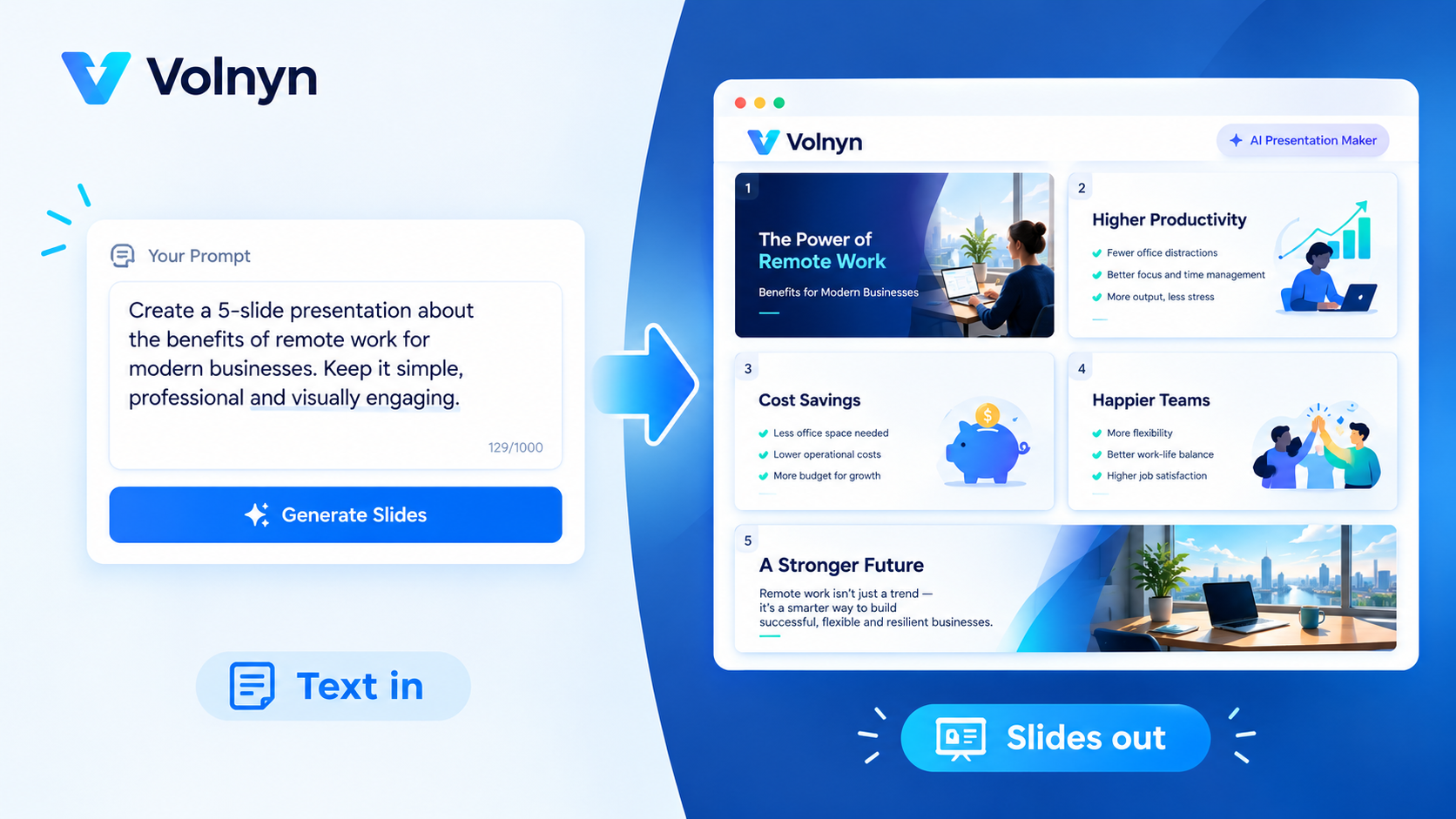
Most people don't search for "AI presentation maker" out of curiosity they're staring at a blank deck, a deadline, and a pile of notes, and they want to know one specific thing: will this actually work with the file format I already have? This guide answers that plainly for the four most common starting points plain text, PowerPoint, Google Slides, and PDF so you can pick the right workflow before you spend time on the wrong one.
An AI presentation maker from text takes a written description a topic, an outline, or pasted notes and turns it into a structured slide deck automatically. Instead of opening a blank slide and deciding on layout, wording, and design one screen at a time, you describe what you need in a sentence or two, and the tool generates the full sequence: title slide, section breaks, bullet content, and a consistent visual style.
This is different from a template library, where you still write every word yourself. A true text-to-presentation tool writes the structure and first-draft content for you, based on what you typed, and leaves you to refine rather than build from scratch.
The workflow is consistent across most AI presentation tools, including Volnyn's:
You describe the presentation. A short prompt like "training presentation on workplace safety for new hires" or "investor pitch for a food delivery startup" gives the AI enough to work with. More context audience, tone, length produces a more usable first draft.
The AI builds the structure. It plans a logical flow (opening, body sections, conclusion), writes slide titles and concise bullet points, and applies a consistent design across every slide colors, fonts, and layout stay uniform without you setting any of it manually.
You refine and export. The generated deck is a starting point, not a finished product. You open individual slides to adjust wording, swap layouts, change images, or regenerate a single slide you don't like then present directly from the browser or export the file.
For Volnyn specifically, this whole loop typically takes under a minute for a standard 10-slide deck, and every slide remains editable afterward nothing is locked once it's generated.
"For PowerPoint" usually means one of two things, and it's worth separating them:
Exporting to a .pptx file you can open, edit, and present in Microsoft PowerPoint. This is what most people actually need, and it's the more common feature across AI presentation tools today, Volnyn included.
Importing an existing PowerPoint file so the AI restructures or redesigns a deck you already built is a less universally supported feature, and one you should confirm directly with any tool before relying on it, since "works with PowerPoint" is sometimes used loosely in marketing to mean only the export side.
If your goal is "generate a deck with AI, then keep working in PowerPoint the way I always have," export compatibility is what to check for, not whether the tool can read your old .pptx files.
This is where searchers most often get a misleading answer, because "Google Slides compatible" covers two very different products:
Add-ons that run inside Google Slides (SlidesAI is a well-known example), generating content directly in a deck you already have open in Google's editor.
Standalone tools that export a file you can then upload into Google Slides separately, rather than working inside it.
Neither approach is objectively better; it depends on whether you want to stay inside Google's ecosystem the whole time, or you're fine generating the deck elsewhere and importing the result. Before choosing a tool for this specific need, confirm which of the two it actually offers, since the phrase "for Google Slides" gets used for both.
Turning a PDF a report, a research paper, or a proposal directly into slides is one of the more requested workflows, and it's also one of the least consistently supported across tools. Some platforms accept a direct PDF upload and extract structure automatically; others require you to copy the relevant text out of the PDF and paste it into the prompt, which the AI then restructures into slides.
If a tool doesn't explicitly advertise native PDF upload, assume the paste-the-text workaround, which still gets you most of the value: the AI reorganizes your existing content into slide structure and design, you just do the copy-paste step yourself first. It's a smaller extra step, not a dealbreaker, but worth knowing going in so you're not surprised.
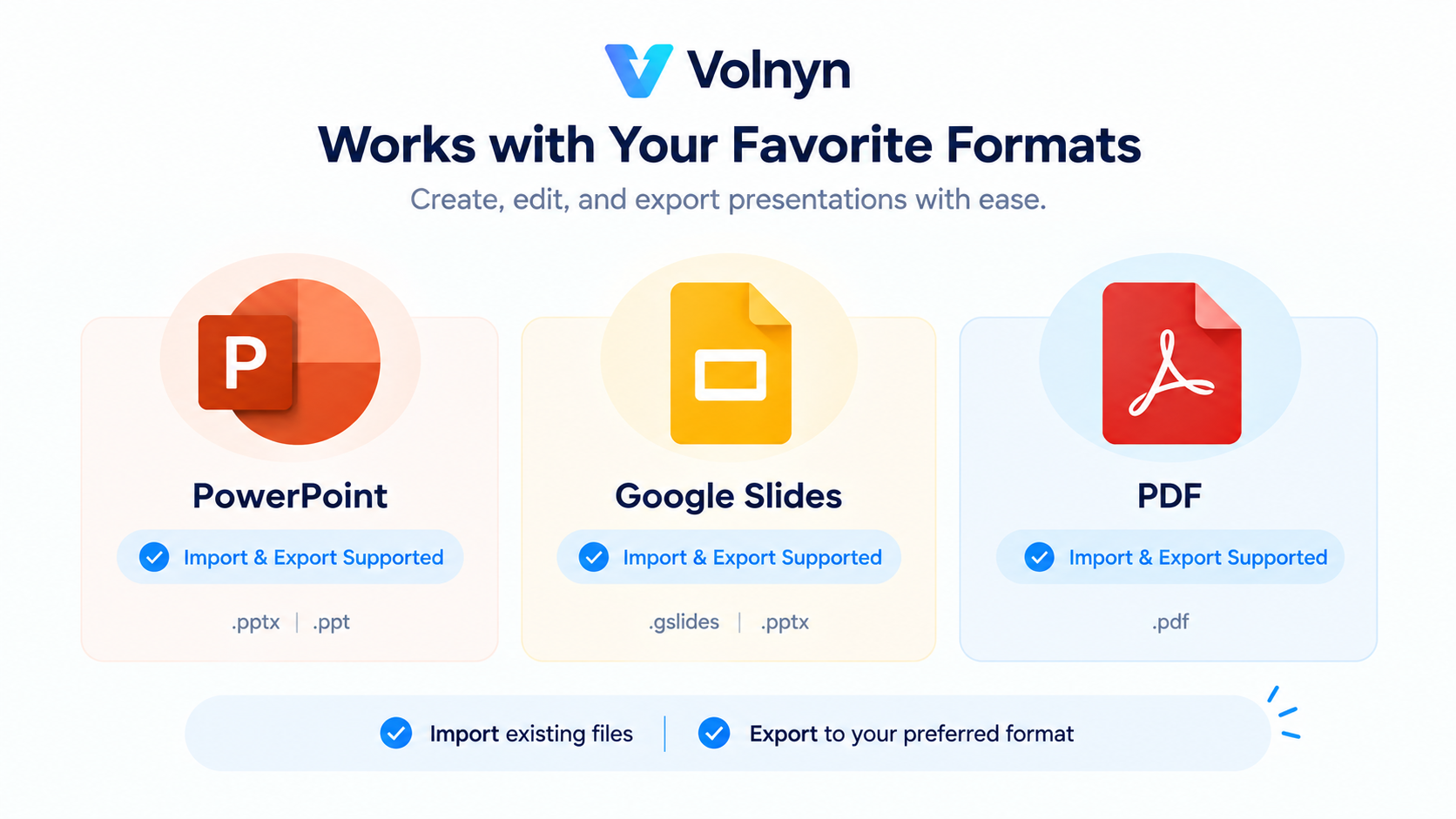
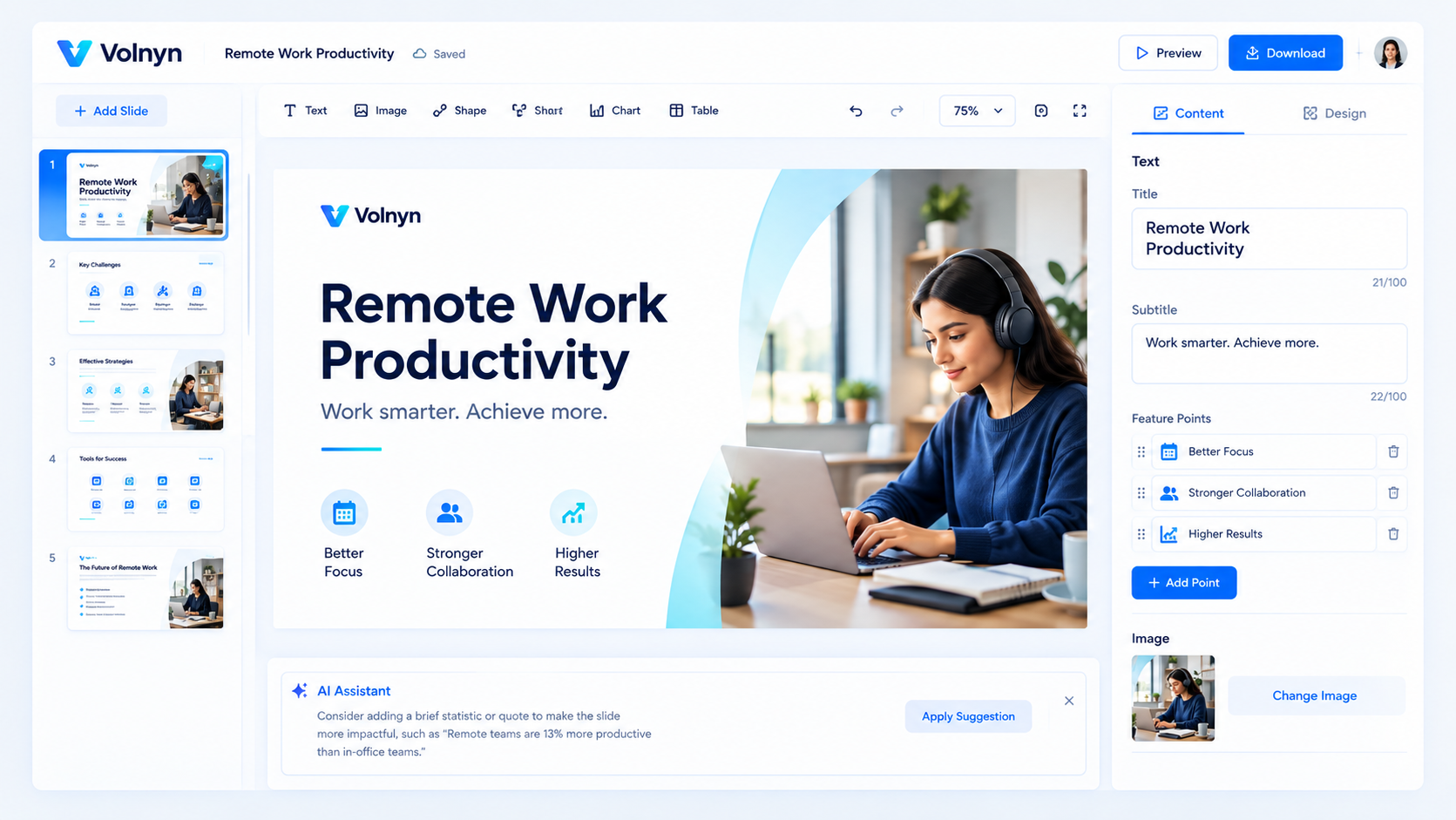
If your priority is generating a complete, editable deck from a written description quickly and exporting a file you can keep using in PowerPoint, Volnyn's AI presentation maker is built for exactly that: describe the topic, get a structured deck with consistent design in under a minute, and refine any slide afterward. It also supports PDF export alongside PPTX, so the output isn't locked to one downstream tool.
If your specific need is running an AI generator inside Google Slides as an add-on, or importing and redesigning a PowerPoint file you already built, that's a narrower use case worth confirming directly before you commit, since it's not the core workflow any general-purpose text-to-presentation tool is optimized for.
No AI presentation maker: Volnyn includes a human's judgment on nuance, brand-specific design polish, or highly technical data visualization out of the box. Treat the first generated draft as a strong starting point, not a finished deliverable: plan to spend a few minutes adjusting wording and swapping layouts, especially for anything client-facing or high-stakes like an investor pitch.
Can an AI presentation maker really turn plain text into a full deck? Yes, that's the core function. You describe the topic (or paste notes), and the AI generates the structure, wording, and design. The more specific your description, the closer the first draft gets to what you need.
Does an AI presentation maker export to PowerPoint? Most do, including Volnyn, which exports to .pptx. Just confirm whether you need export to PowerPoint (common) or import from an existing PowerPoint file (less common); they're different features.
Is there an AI presentation maker that works with Google Slides? Some run as add-ons inside Google Slides; others export a file you upload separately. Check which model a specific tool uses before assuming it works the way you expect.
Can I upload a PDF directly and get a presentation out of it? Some tools support direct PDF upload; others require you to paste the relevant text from the PDF into the prompt. If native upload isn't advertised, assume the paste workflow still works, just with one manual step first.
Is Volnyn's AI presentation maker free to try? Yes, you can generate presentations on Volnyn's free plan with no credit card required; paid plans unlock additional generations and features.
If you're ready to see how a text prompt turns into a full deck, try Volnyn's AI presentation maker and generate your first draft in under a minute.