
Welcome to Volnyn
Sign in or create an account to continue
Continue with Google
or
Sign in with email
New here? Create an account
By continuing, you agree to our Terms of Service
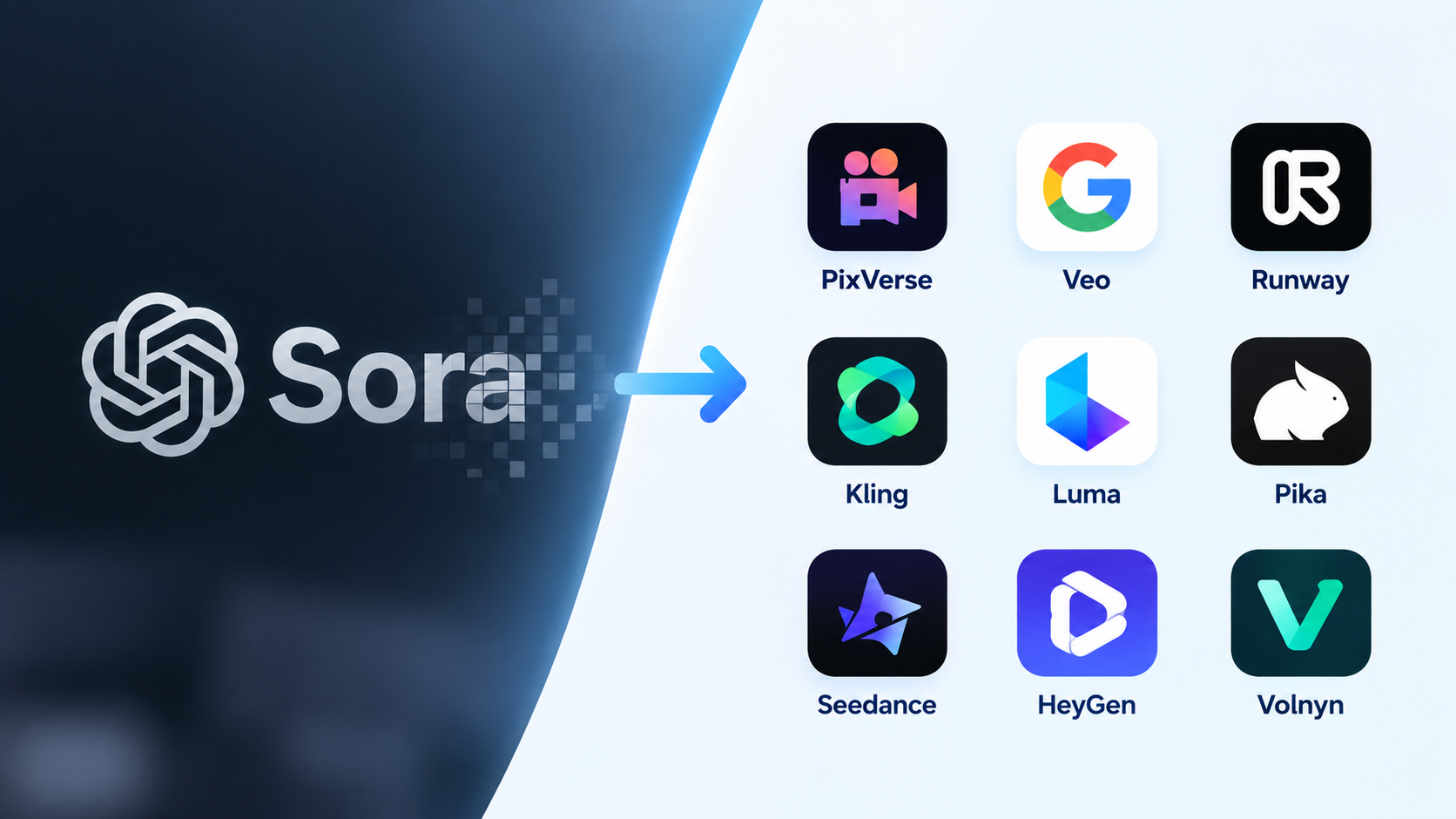
OpenAI shut down Sora. If you built any part of your workflow around it, here's the short version: the app and web experience ended in April 2026, and the API — the part developers and automated pipelines relied on — is being switched off on September 24, 2026. If you're reading this close to that date, this is not a "someday" problem.
The good news is that Sora was never the only text-to-video option, and the field has moved fast in the months since. Below is an honest look at what's actually filling the gap, organized by what each tool is genuinely good at rather than a single "best overall" crown.
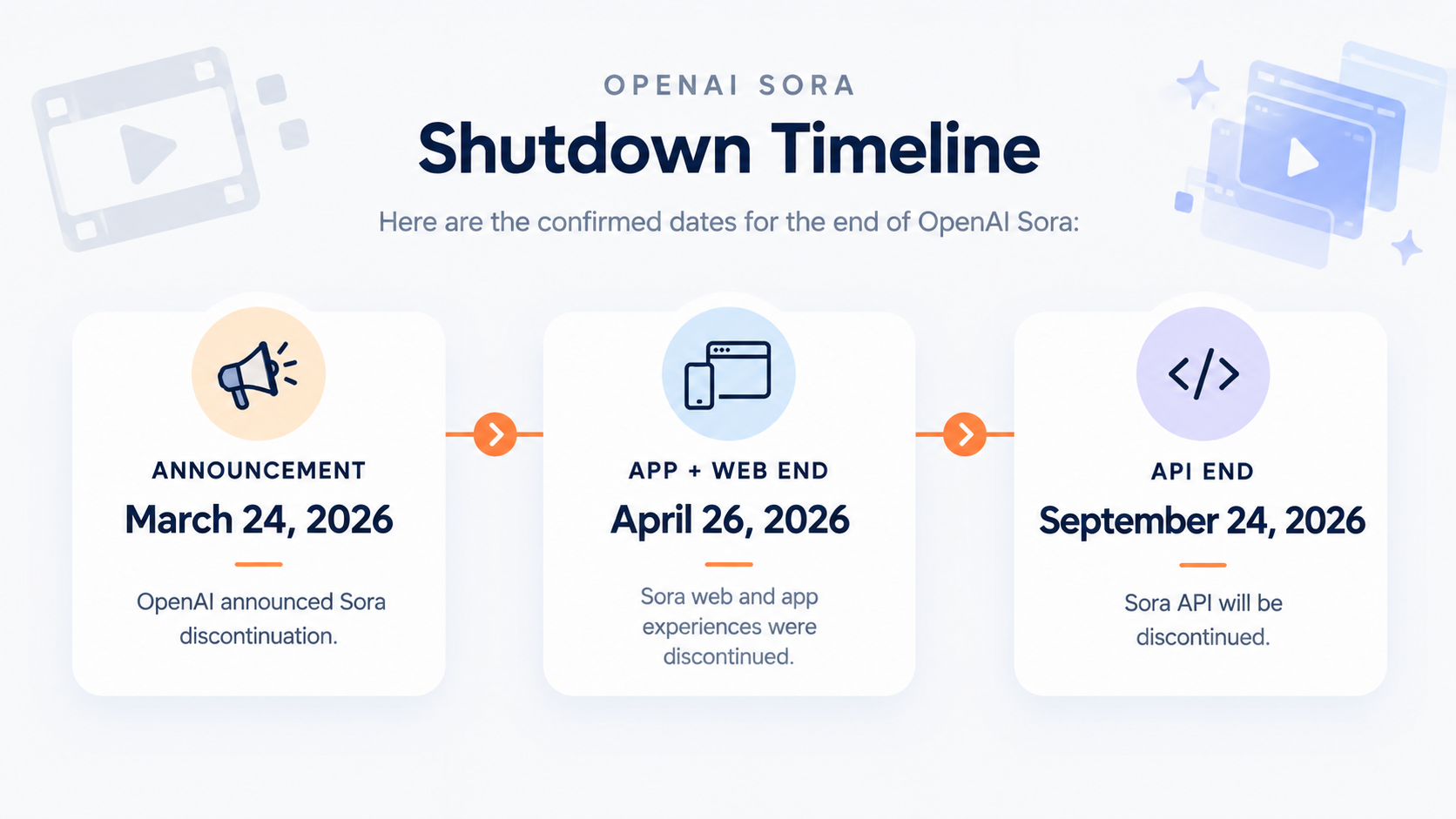
OpenAI announced Sora's discontinuation on March 24, 2026, then shut down the web and mobile app on April 26, 2026, with the API following on September 24, 2026 (source: Engadget). Coverage at the time noted that interest in the app had cooled sharply after its initial App Store spike, with month-over-month declines in installs and spending, and that the move lined up with OpenAI's broader shift toward enterprise and coding-focused products. A high-profile Disney content partnership tied to Sora was also dropped as part of the shutdown.
For anyone with existing Sora projects, OpenAI's own guidance was to export generated content before the app shutdown — so if you haven't already, that's step one, separate from picking a new tool.
Not every "Sora alternative" solves the same problem. Before comparing tools, get clear on:
What you're actually making — short social clips, ad concepts, product demos, B-roll, or long-form narrative video all favor different tools.
Commercial usage rights — confirm you can use output commercially without attribution or per-use fees before you build a workflow around a tool.
Standalone vs. bundled — a dedicated video model gives more control over cinematography and physics; a bundled tool inside a broader content workspace trades some of that control for speed and fewer subscriptions.
Cost at your actual volume — free tiers are usually credit-limited; check what a realistic month of output costs before committing.
Learning curve — some tools reward detailed, technical prompting; others are built for one-line descriptions.
If you're looking for an AI video generator like Sora, comparing video quality alone is not enough. Different platforms are designed around different workflows, so it is more useful to compare model choice, prompt adherence, motion, audio, camera control, consistency, clip length, and ease of use.
The table below gives a quick overview before looking at each platform in more detail.
| Platform | Main Strength | Audio | Control & Consistency | Typical Use |
|---|---|---|---|---|
| Volnyn | Multiple video models in one AI workspace | Depends on selected model | Depends on selected model | Social content, B-roll, ads, general AI creation |
| Google Veo 3.1 | Realism, audio, references, creative control | Native | Strong reference and camera controls | Cinematic and realistic video |
| Runway Gen-4.5 | Shot direction and camera choreography | — | Strong prompt and shot control | Filmmaking and creative production |
| PixVerse V6 | Multi-shot generation and 1080p output | Native | Multi-shot and camera controls | Social, ads, product videos |
| Kling 3.0 | Multi-shot narratives and motion | Native | Element consistency and storyboard controls | Action and narrative clips |
| Luma Ray | Cinematic generation and video modification | — | Keyframes, references and Modify workflows | Creative and production workflows |
| Pika | Social-first effects and fast creation | Feature-dependent | Effects and short-form workflows | Reels, Shorts and social content |
| Seedance 2.0 | Multimodal references and audio-video generation | Native | Strong multimodal control | Complex scenes and multi-shot content |
| HeyGen | Avatars and presenter videos | Native voice workflows | Script, avatar and scene control | Business, marketing and explainers |
| Synthesia | Training and corporate video | Native voiceovers | Avatars, editing and localization | L&D, training and corporate communication |
Best suited for: creators who want access to multiple AI video models without switching between separate platforms.
Volnyn takes a different approach from a single-model video generator. Its current AI video workspace lets users choose between several models, including Veo 3, Veo 3 Fast, Veo 3 Lite, Seedance 2.5, Wan 3.0, LTX-2.5, and Grok Imagine Video. Users can create videos from text or still images, select the available model and settings, then review, download, and iterate on the result from the same workspace.
Key advantages:
Multiple video models available from one interface.
Supports both text-to-video and image-to-video workflows.
Lets users switch models depending on the type of generation they need.
Generated videos are saved to the user's Volnyn library.
Video creation sits alongside other AI tools rather than operating as a standalone video-only service.
Useful when a project requires video, images, podcasts, presentations, or website content in the same workflow.
Where Volnyn fits:
Volnyn is particularly practical for social media clips, B-roll, advertising concepts, product visuals, content experiments, and creators who want a broader AI workspace rather than a dedicated filmmaking platform.
Important consideration:
Because Volnyn provides access to multiple models, the exact output quality, duration, resolution, audio capabilities, and motion behavior can vary according to the model selected. For highly specialized cinematic workflows, a dedicated platform may provide more model-specific controls.
Best suited for: realistic, cinematic video with native audio and detailed creative control.
Google's Veo 3.1 focuses on realism, prompt adherence, physical interactions, and audio generation. It can generate dialogue, sound effects, and ambient audio natively, while reference images can be used to guide characters, objects, scenes, and visual styles.
Notable capabilities include:
Native audio generation.
Character and object reference images.
Scene extension.
First-and-last-frame control.
Camera controls.
Motion controls.
Object insertion and removal.
1080p and 4K output options.
Where it fits:
Veo is well suited to cinematic scenes, realistic advertising, storytelling, product visuals, and projects where sound and visual consistency are important.
Trade-off:
Its extensive controls make it more appropriate for users who want to direct individual scenes rather than simply generate quick clips with minimal configuration.
Best suited for: precise shot direction and camera choreography.
Runway Gen-4.5 supports both text-to-video and image-to-video. Its documentation specifically highlights its ability to interpret complex, sequenced instructions, detailed camera choreography, scene composition, timing, and atmospheric changes.
Key points:
Text-to-video and image-to-video.
Detailed camera movement instructions.
Strong prompt-based shot direction.
Supports 24 or 25 FPS.
Current generation length: 2–10 seconds.
Where it fits:
Runway is relevant for filmmakers, commercial creators, visual artists, and anyone who wants more control over individual shots.
Trade-off:
Because individual generations are short, longer productions still require multiple clips and an editing workflow.
Best suited for: short narrative, social, advertising, and multi-shot video generation.
PixVerse V6 supports 1–15 second generation, up to 1080p resolution, native audio, multi-shot generation, and multiple aspect ratios. Its multi-shot system can structure several shots within a single generation rather than treating every shot as completely independent.
Key capabilities:
Text-to-video.
Image-to-video.
Up to 15-second clips.
Up to 1080p.
Native audio.
Multi-shot generation.
First/last-frame support.
Extend functionality.
Multiple aspect ratios.
Where it fits:
PixVerse is relevant for social media content, product videos, advertisements, short narratives, trailers, and campaign creatives.
Trade-off:
Multi-shot generation can reduce the amount of manual stitching required, but complex projects may still need editing and additional generations.
Best suited for: longer short-form scenes, motion-heavy content, and multi-shot narratives.
Kling 3.0 adds native audio, element consistency controls, and multi-shot narrative generation. Its multi-shot mode can automatically plan shot transitions, while Custom Multi-Shot allows creators to specify the number and duration of individual shots. Kling 3.0 supports video generation up to 15 seconds.
Key capabilities:
Native audio-visual generation.
Multi-shot narratives.
Custom shot configuration.
Dynamic scene and camera-angle changes.
Element consistency controls.
Up to 15-second generation.
Where it fits:
Kling is useful for action scenes, narrative clips, dynamic camera work, and projects that benefit from multiple connected shots.
Best suited for: cinematic generation, video modification, and controlled creative workflows.
Luma's current video ecosystem is built around its Ray models. Ray3 introduced reasoning-driven video generation, character references, keyframes, HDR workflows, and video-to-video modification. Ray3.14 later added native 1080p generation, faster generation, improved prompt adherence, and stronger frame-to-frame consistency.
Key capabilities include:
Text-to-video and image-to-video.
Character references in supported Ray workflows.
Keyframe controls.
Video-to-video modification.
Scene redesign and element replacement.
Native 1080p with Ray3.14.
Extend and modification workflows.
Where it fits:
Luma is relevant for cinematic concepts, advertising, creative development, video modification, and production-oriented workflows.
Important limitation:
Capabilities differ between Ray versions and workflows. For example, Ray3.14's documentation notes that character consistency and reference images are currently unavailable in that specific model, while other Ray workflows provide reference-based controls.
Best suited for: social-first content, effects, and short creative videos.
Pika positions itself as a social-first AI video platform, with tools such as text-to-video, image-to-video, Pikascenes, Pikaswaps, Pikadditions, Pikatwists, and Pikaffects.
Its current pricing documentation shows support for both 5- and 10-second text/image-to-video generations, while some Pikaframes workflows can extend to longer sequences.
Where it fits:
TikTok content.
Instagram Reels.
YouTube Shorts.
Social ads.
Stylized effects.
Quick creative experiments.
Trade-off:
Pika is more focused on accessible, social-oriented creation and effects than on the detailed shot-by-shot filmmaking workflow offered by platforms such as Runway or Veo.
Best suited for: complex multimodal references, multi-shot storytelling, and audio-video generation.
Seedance 2.0 uses a unified audio-video architecture and accepts text, image, audio, and video inputs. It can combine multiple reference assets to guide composition, movement, camera language, visual effects, and sound.
Key capabilities:
Text, image, audio, and video inputs.
Up to 9 images, 3 video clips, and 3 audio clips as references.
15-second multi-shot audio-video generation.
Video extension and editing.
Character and scene consistency.
Camera and performance control.
Stereo audio generation.
Where it fits:
Seedance is particularly relevant to story-driven content, advertisements, complex action scenes, character-focused sequences, and workflows that depend on multiple reference assets.
Best suited for: presenter-style videos, AI avatars, marketing content, and business communication.
HeyGen has expanded beyond avatar-only workflows and now includes text-to-video, image-to-video, AI video generation, and multiple video models within its editor. Its Video Agent can turn a description into a structured video with scripting, scenes, avatars, voice, pacing, and captions.
Where it fits:
Business presentations.
Marketing videos.
Product explainers.
Training content.
Social videos with presenters.
AI-avatar content.
Key distinction:
HeyGen is not simply a cinematic text-to-video generator. Its major strength is combining avatars, scripts, voice, scenes, and AI-generated video into a finished communication workflow.
Best suited for: corporate training, learning and development, and presenter-led business videos.
Synthesia is primarily designed around business video creation rather than cinematic text-to-video generation. It supports AI avatars, voiceovers, multilingual production, interactive elements, and workflows for training and corporate communication.
Where it fits:
Employee training.
Onboarding.
Internal communications.
Product education.
Sales enablement.
Corporate presentations.
Multilingual training.
Synthesia can also generate videos from prompts, scripts, documents, URLs, or presentations, combining avatars, voices, generated media, and interactive elements.
| If you need... | Platforms to consider |
|---|---|
| Multiple AI video models in one workspace | Volnyn |
| Realistic video + native audio | Veo 3.1, Seedance 2.0, PixVerse V6, Kling 3.0 |
| Detailed camera choreography | Veo 3.1, Runway Gen-4.5 |
| Multi-shot generation | PixVerse V6, Kling 3.0, Seedance 2.0 |
| Character/reference-driven workflows | Veo 3.1, Luma Ray workflows, Seedance 2.0 |
| Social-first effects and short videos | Pika, Volnyn |
| AI presenters and avatars | HeyGen, Synthesia |
| Training and corporate communication | Synthesia, HeyGen |
| Video plus other AI creation tools | Volnyn |
| Video modification and creative transformation | Luma Ray, Volnyn depending on selected model |
The biggest difference between Volnyn and many dedicated video platforms is workflow breadth.
With Volnyn, the user does not have to treat video generation as an isolated task. The platform brings multiple video models into the same workspace while also providing tools for images, music, podcasts, presentations, and website creation. Its current video workflow also allows users to switch between available models rather than being locked into one generation model.
That makes Volnyn particularly relevant when the goal is to create and move between different types of digital content from one place.
For example, a creator could:
Generate a product image.
Turn that image into a video.
Create supporting audio or music.
Build a presentation around the same campaign.
Create a website or landing page for the project.
A dedicated video platform may provide deeper controls for a specific filmmaking workflow, while Volnyn's advantage is having multiple AI creation capabilities and multiple video models within one broader workspace.
There is no single tool that handles every video-generation requirement in exactly the same way.
Choose based on cinematic control when camera direction and shot-level production are the priority.
Choose based on realism and native audio when believable scenes and sound are important.
Choose based on multi-shot capabilities when you want several connected shots in one generation.
Choose avatar platforms when the video needs a presenter or digital spokesperson.
Choose a broader workspace such as Volnyn when you need video generation alongside other AI content tools and want to switch between multiple video models.
The right Sora alternative therefore depends on the workflow, level of control, type of content, and number of tools you need, rather than on a single universal quality ranking.
If cinematic control and physical realism are non-negotiable, a dedicated model — Veo, Runway, or Kling depending on the shot type — is worth the steeper learning curve. If you're prioritizing speed for social content, Pika's preset-driven workflow is built for that. If you need the same character consistent across a short sequence, Seedance's joint audio-video approach is the more specific fit. If you're a solo creator, freelancer, or small business that needs video alongside images, music, and a website — and doesn't want to manage several vendor accounts for one campaign — a bundled tool like Volnyn is the more practical starting point, even if it's not chasing the same raw output ceiling as the specialist models.
No tool here fully replicates what Sora was aiming for, and that's worth saying plainly: physics accuracy, shot length, and prompt-following consistency still vary a lot between models, including Volnyn's. If you need frame-accurate camera moves or multi-minute narrative sequences, expect to still do manual editing work on top of any AI-generated output, regardless of which tool you pick.
Why did OpenAI shut down Sora? OpenAI didn't give a detailed public reason beyond a strategic shift toward enterprise and research priorities (including robotics), alongside reported declines in app engagement after its initial launch spike.
Is there a free alternative to Sora? Several tools above — including Pika and Volnyn — offer a usable free tier with limited monthly generations, so you can test fit before paying.
Can I still access my old Sora videos? OpenAI advised exporting content before the app shutdown on April 26, 2026. If you haven't downloaded your clips, check OpenAI's help center directly for current guidance, since access details can change.
Do I need video editing skills to use these tools? No — all the tools covered here, including Volnyn's, work from a plain-language text prompt. You'll still want basic editing skills if you're stitching multiple clips into a longer piece.
If your use case is occasional, campaign-driven video — not a dedicated production pipeline — try Volnyn's AI video generator free, and use the same account for image and music generation when a project needs more than just video.