
Welcome to Volnyn
Sign in or create an account to continue
Continue with Google
or
Sign in with email
New here? Create an account
By continuing, you agree to our Terms of Service
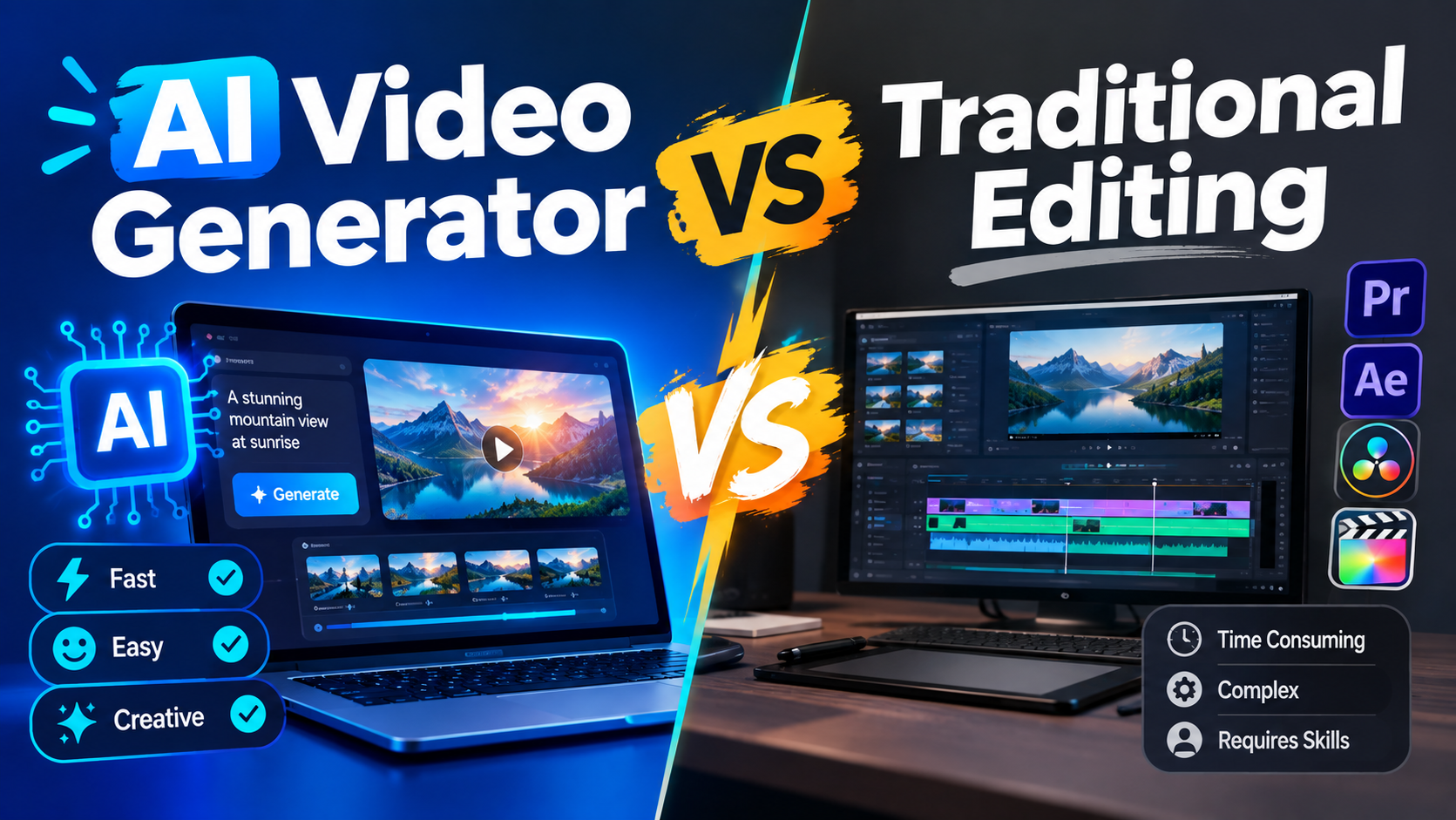
If you've ever typed a simple idea into an AI video tool and watched it turn into a video clip, you may have wondered: Do I still need traditional video editing?
The answer isn't simply yes or no.
An AI video generator and a traditional video editor solve different parts of the video-production process. AI can help you go from an idea to a usable visual much faster, while traditional editing gives you detailed control over footage, timing, audio, color, and the final story.
So which approach should you use?
It depends on what you're trying to create.
This guide breaks down the difference between AI video generation and traditional video editing, where each approach works best, what to watch out for, and how you can combine both in a practical workflow.
Traditional video editing starts with footage that already exists.
You might record it with a camera or phone, capture your screen, or use footage you've licensed. You then bring those files into editing software such as Adobe Premiere Pro, Final Cut Pro, or DaVinci Resolve.
From there, an editor can:
Choose the best takes
Cut and rearrange clips
Control the exact timing of each shot
Adjust color and lighting
Clean up or mix audio
Add titles, graphics, music, and transitions
Build the final story around the available footage
Modern editing software can automate many repetitive tasks, but the creative decisions are still largely controlled by the editor.
That's the main idea behind traditional editing: you start with captured footage and shape it into the final video.
An AI video generator takes a different starting point.
Instead of filming a scene first, you can describe what you want in a prompt and let the AI create a video clip from that description.
Depending on the tool, you may also be able to work with reference images or other inputs. Text-to-video tools, for example, can create a scene based on details such as the subject, setting, visual style, and mood.
This makes AI video generation particularly useful when you need:
Social media clips
Ad concepts
Product visuals
Explainer scenes
B-roll
Creative experiments
Quick visual variations
Volnyn's AI video generator follows this simpler text-to-video approach: describe the scene in plain language, generate the clip, preview it, and download the result. It is designed for use cases such as social content, advertising, product visuals, explainers, and B-roll.
The important difference is this:
Traditional editing works with footage you already have. AI video generation can create new footage from an idea.
| Factor | Traditional Video Editing | AI Video Generator |
|---|---|---|
| Starting point | Recorded or sourced footage | Usually a text prompt or other AI input |
| Main skill | Editing, storytelling, and production knowledge | Writing clear prompts and directing the desired result |
| Speed | Can take hours or days depending on the project | Often much faster for short generated clips |
| Creative control | Detailed control over footage and timing | Directional control through prompts |
| Real performances | Excellent for real actors and presenters | Not designed to replace every real performance |
| Consistency | Easier to maintain the same real people, products, and locations | Consistency can be harder across multiple generated clips |
| Best for | Films, documentaries, interviews, testimonials, polished productions | Social clips, concepts, B-roll, ads, and quick visual experiments |
| Post-production | Full editing control | Generated clips may still need editing |
| Cost | May involve equipment, crew, software, and editing time | Usually starts with the AI tool's plan or generation limits |
| Learning curve | Can take time to learn professional editing software | Basic generation can be easier for beginners |
The table shows why there isn't one universal winner. The better option depends on the project.
One of the biggest advantages of an AI video generator is the time between having an idea and seeing a visual version of it.
Instead of arranging a shoot before testing a concept, you can generate an early version and decide whether the idea is worth developing further.
This is particularly useful for marketers and creators who need to test multiple concepts.
Short-form content often requires a steady stream of new visuals.
AI can help you create additional clips for:
Instagram Reels
TikTok
YouTube Shorts
Social ads
Promotional posts
You don't necessarily need every clip to be a full production. Sometimes you simply need an interesting visual that supports the message.
Volnyn's current AI video workflow is specifically positioned for short social clips, advertising creative, product visuals, and B-roll.
B-roll is one of the easiest places to experiment with AI video generation.
For example, imagine you're creating a video about online shopping. Instead of filming every supporting scene yourself, you could generate visuals showing:
Someone browsing products
A package being opened
A modern online store
A close-up product scene
A customer using a laptop
You can then bring those clips into your normal editing workflow.
Sometimes the biggest problem isn't editing.
It's deciding what the video should look like.
AI lets you explore several visual directions before investing heavily in production. You can try different settings, moods, compositions, or concepts and keep the ideas that actually work.
AI video generation is useful, but it doesn't eliminate the need for traditional editing.
If your video depends on a real person's expressions, delivery, body language, or interaction with another person, recording that performance still has major value.
This is especially important for:
Testimonials
Interviews
Tutorials
Presentations
Brand stories
Customer videos
A real performance gives you something an AI-generated scene isn't necessarily designed to reproduce exactly: the specific performance captured during the shoot.
Traditional editing gives you detailed control over existing footage.
You can move a cut by a fraction of a second, adjust individual clips, change audio levels, correct color, or replace one shot without regenerating an entire scene.
That's important when the exact timing matters.
Product videos can be another area where real footage remains valuable.
If you're selling jewelry, clothing, electronics, cars, food, or another physical product, viewers may need to see the actual item accurately.
AI-generated visuals can be useful for concepts and promotional scenes, but they shouldn't automatically replace real product photography or footage when accuracy matters.
Documentaries, interviews, brand films, and longer narrative projects often require careful control over real footage, dialogue, pacing, sound, and continuity.
For these projects, AI can support the workflow without necessarily being the entire workflow.
You don't have to choose between AI video generation and traditional video editing.
For many small teams and creators, combining them makes more sense.
A practical workflow could look like this:
1. Plan the video
Decide what the video needs to communicate and which scenes are essential.
2. Identify the shots that need real footage
If a real person, product, location, or specific performance matters, plan to capture it.
3. Generate supporting visuals with AI
Use an AI video generator for B-roll, background scenes, concept visuals, or shots that would be expensive or inconvenient to film.
4. Bring everything into an editor
Combine the generated clips with your real footage.
5. Finish the video traditionally
Handle pacing, transitions, audio, color, captions, branding, and final quality control in your editor.
6. Review before publishing
Check the final video for visual consistency, factual accuracy, brand requirements, and platform-specific requirements.
This approach lets AI handle some of the time-consuming visual production while keeping human control over the final result.
An AI-generated clip is not automatically a finished production.
You may still need to:
Regenerate the clip
Trim unwanted sections
Add audio
Add captions
Combine multiple clips
Adjust the final pacing
Think of AI generation as part of the production workflow rather than a replacement for every other step.
A prompt such as:
"A cool video of a car."
doesn't give the model much direction.
A more useful prompt might describe:
The subject
Location
Time of day
Visual style
Mood
Camera perspective
Important movement
For example:
"A cinematic close-up of a black sports car driving through a modern city at night, wet streets reflecting neon lights, slow camera movement, realistic commercial style."
Specific instructions give you a clearer creative direction.
If your project requires the same person or product to look identical across many generated scenes, test the workflow before building the entire project around it.
Consistency across multiple AI-generated clips can still be challenging depending on the tool and workflow.
Before using an AI-generated video in advertising, client work, or another commercial project, check the tool's current usage terms.
Don't assume that every AI video generator gives you the same rights.
Volnyn currently states that videos generated through its AI video generator can be used commercially on both free and paid plans, without an attribution requirement or separate per-use fee.
Even so, you should always review the current terms before publishing important commercial work.
This is probably the biggest misconception.
AI can make creating footage faster, but a strong video still benefits from good pacing, sound, structure, branding, and human judgment.
The more useful question isn't:
"Will AI replace video editing?"
It's:
"Which parts of my video workflow can AI make faster?"
Use AI video generation when:
You need short visual content quickly
You want to test several creative ideas
You need B-roll
You're creating social media content
You want concept visuals without organizing a shoot
You need multiple variations of an idea
Use traditional video editing when:
You already have important footage
Your video depends on a real performance
Precise timing matters
You're editing interviews or testimonials
You need detailed control over audio and color
You're producing a longer or more complex project
Use both when:
Some scenes need real people or products
Other scenes can be generated
You want to reduce production time
You still want detailed control over the final video
For many modern content workflows, that last option can be the most practical: use AI where it saves time and use traditional editing where human control adds value.
If you're new to AI video generation, you don't need to redesign your entire production process.
Start small.
Don't start with a 10-minute production. Choose one social clip, ad concept, or B-roll scene.
Describe the subject, setting, style, mood, and movement you want.
Review the result instead of assuming the first generation will be perfect.
Change the prompt and generate another version when the first result doesn't match your idea.
Add captions, music, voiceover, branding, or other elements in your preferred editor.
Before publishing, make sure the video looks appropriate for your brand and platform and that your usage rights are clear.
Volnyn's workflow is designed to keep the starting point simple: describe a scene, generate it, preview the result, and download the video.
Not completely.
AI video generation can reduce the time needed to create certain types of footage, but traditional editing is still useful for combining clips, controlling pacing, working with real footage, and finishing the final video.
It depends on the tool and its current terms.
Always check the platform's commercial-use policy before using generated content in advertising or client work. Volnyn currently states that its generated videos are commercially usable on both free and paid plans without attribution.
Not necessarily.
Basic AI video generation can be done with a plain-language prompt. However, learning basic editing skills can help you turn individual generated clips into more polished videos.
Generative video models are creating a visual result based on learned patterns rather than recording a real event.
As a result, some scenes can have problems with movement, details, consistency, or physical interactions. Reviewing and regenerating clips is often part of the process.
It can reduce some production costs, particularly when you need quick concepts, short clips, or multiple variations.
But the total cost still depends on the project. You may need editing software, multiple generations, voiceover, music, human review, or other production work.
Absolutely.
You can generate supporting footage with AI, combine it with real recordings, and then finish the project in a traditional video editor.
For many creators and small businesses, this hybrid workflow provides a practical balance between speed and creative control.
AI video generation and traditional video editing aren't really competing versions of the same process.
They start from different places.
Traditional editing starts with footage and gives you detailed control over how that footage becomes a finished video. AI video generation starts with an idea and helps turn that idea into new visual content.
If you need speed, experimentation, social content, B-roll, or quick creative concepts, an AI video generator can make the process much easier.
If you need real performances, precise editing, complex storytelling, or detailed control, traditional editing remains important.
And if your project needs both, you don't have to choose.
Use AI to create what would otherwise take too long to produce, then use human judgment and editing to turn those pieces into a finished video.