
Welcome to Volnyn
Sign in or create an account to continue
Continue with Google
or
Sign in with email
New here? Create an account
By continuing, you agree to our Terms of Service
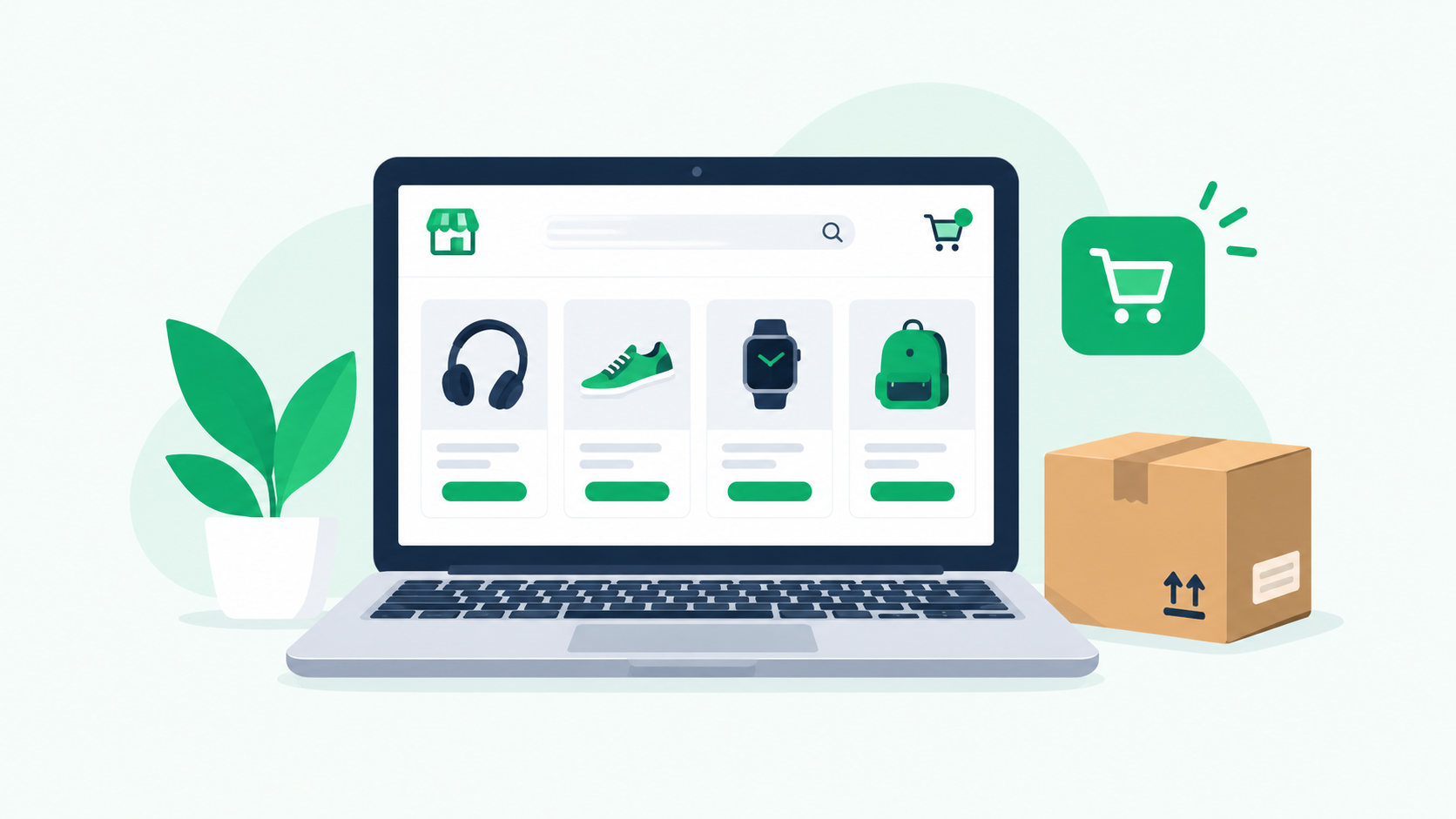
Creating an online store is a practical way to sell products to customers beyond your local area. You can display your products, explain their features, accept orders, and help customers shop from their computers or mobile devices. However, starting an online store involves more than choosing a design. You also need to select a platform, prepare product pages, configure payments, and organize shipping.
The good news is that you do not need to build every part of your website from scratch. Website builders and AI-powered tools can help you create your storefront, organize pages, and prepare your initial content. Some platforms also provide product management and checkout features to simplify daily operations.
In this guide, you will learn how to create an online store step by step, explore free and no-code options, understand the main costs, and prepare your website for customers and search engines.
Before you create an online store website, prepare a few essentials. These will help you choose the right platform and avoid unnecessary changes later.
Products: Decide what you want to sell, including physical or digital products.
Business name: Choose a clear name that represents your business.
Product information: Prepare descriptions, prices, specifications, and product images.
Website platform: Select a website builder or ecommerce platform that fits your requirements.
Domain name: Choose a suitable web address for your business.
Payment methods: Check which payment providers support your business and target market.
Shipping arrangements: Decide how you will deliver physical products.
Store policies: Prepare appropriate shipping, returns, privacy, and other required information.
Marketing plan: Consider how customers will discover your products.
You do not need to have every detail finalized before starting. However, having a clear plan will make the setup process easier.
Start by deciding which products you want to offer and who your customers will be.
You might sell clothing, handmade products, skincare items, home accessories, electronics, or digital downloads. Your product type will influence the features your store needs.
For example, a clothing store may require size and color variations, while a digital product store may need automatic file delivery after purchase.
Before moving forward, consider these questions:
Who is most likely to buy your products?
What problems do your products solve?
What information do customers need before purchasing?
How will your products differ from competing options?
Will you manage inventory yourself or use another fulfillment method?
Research similar stores to understand how they organize products, communicate prices, and answer customer questions. Use that information to identify ways to make your own store more useful.
Your website platform determines how you design your store, manage products, accept orders, and maintain the website.
The best website to create an online store depends on your budget, technical experience, product catalog, and required features.
Here are some options worth comparing.
| Platform | What to consider | Best suited for |
|---|---|---|
| Shopify | Ecommerce features, plan costs, apps, and payment options | Businesses looking for a dedicated ecommerce platform |
| WooCommerce | WordPress setup, hosting, extensions, and maintenance | Businesses wanting a customizable WordPress store |
| Wix | Visual editing, available store features, and plan restrictions | Businesses looking for a visual website builder |
| Squarespace | Design flexibility, ecommerce features, and pricing | Businesses that value visual presentation |
| Volnyn | AI website generation, customization, and available ecommerce functionality | Businesses exploring AI-assisted website creation |
Before choosing, check each platform's current pricing and features. Confirm that it supports your required payment methods, product types, shipping arrangements, and integrations.
If you want to compare AI-focused options in more detail, read our guide to AI ecommerce website builders.
Once you have selected a platform, create the main pages of your website.
Most stores need a homepage, product categories, individual product pages, an About Us page, contact information, and relevant store policies.
Your homepage should explain what you sell and help visitors find products quickly. Use clear headings, relevant images, and simple navigation.
Product category pages should group related items together. Individual product pages should provide accurate descriptions, prices, images, and purchasing information.
AI website builders can help generate an initial website design from a description of your business. Depending on the platform, they may also help draft text and organize page sections.
For example, you could use this prompt:
"Create a clean, mobile-friendly online store for a small US-based home decor business. Include a homepage, product categories, individual product pages, an About Us page, and a Contact page. Use clear navigation, readable text, and a simple design. Leave space for accurate product images, descriptions, prices, shipping information, and customer support details."
Review the generated website before publishing it. Replace placeholder content, correct inaccurate information, and make sure the design matches your business.
AI can simplify the initial setup, but you still need to configure the required ecommerce functions and test the complete shopping experience.
You can explore Volnyn's AI website builder to see whether its available tools fit your website creation needs.
Your product pages help customers understand what they are buying. Make each page clear, accurate, and easy to navigate.
Include:
Product name and price
Clear product photographs
A useful product description
Available sizes, colors, or variations
Materials, dimensions, or specifications where relevant
Stock information, if applicable
Shipping and return information
A clear purchase button
Organize related products into categories. For example, a clothing store might have separate categories for shirts, trousers, and accessories.
Avoid placing every product into one long list. Meaningful categories help visitors find products more easily and make your website structure clearer.
AI can help draft product descriptions, but verify all generated information. Do not publish invented specifications, unsupported product claims, or inaccurate details.
Also check how your product pages look on mobile devices. Visitors should be able to view images, select variations, and find purchasing options without unnecessary difficulty.
Before accepting orders, configure the systems that allow customers to purchase and receive products.
Payments: Choose a supported payment provider and confirm its eligibility requirements, transaction fees, and available payment methods.
Shipping: Decide where you will deliver, which shipping methods you will offer, and how shipping costs will be calculated.
Returns and refunds: Explain your return conditions, refund process, and relevant timeframes.
Order notifications: Check whether customers receive appropriate confirmations and order updates.
Customer support: Provide a reliable way for customers to ask questions about products and orders.
Your store should display accurate information about these arrangements. Requirements vary by business location, product type, and target market, so check the relevant provider documentation and applicable laws.
Before launch, test the shopping cart, order totals, shipping charges, checkout, and order notifications. Use a supported test payment method where available.
Search engine optimization can help people discover your store through relevant searches. Start with the pages that matter most to your customers, including the homepage, product categories, and product pages.
Give each important page a descriptive title. A product category page should identify the category, while a product page should describe the specific product.
Avoid repeating the same keyword unnaturally across every page.
Explain product features, materials, sizes, uses, and other details that customers need before buying.
Avoid copying descriptions from competitors without adding useful information. If you use AI to draft content, check it for accuracy and make it relevant to your actual products.
Keep your URLs readable and consistent. For example, a category URL might use a structure such as /collections/home-decor/ if your platform supports it.
Avoid changing existing URLs without a redirect plan.
Use clear product photographs and compress large image files to help improve loading performance. Add descriptive alternative text when images communicate useful information.
Connect related categories, products, and helpful articles with natural internal links.
For example, a guide about choosing home decor can link to the relevant product category. A general guide about setting up an online store can also link to a more detailed ecommerce platform comparison.
Internal links should help visitors find useful information rather than exist only to repeat keywords.
Make sure important pages are accessible to search engines. Review mobile usability, page speed, canonical URLs, and sitemap settings.
If your platform supports structured data, use the appropriate schema for the content on the page and validate the implementation.
For further guidance, read Google's SEO Starter Guide.
Before publishing your website, review it from the customer's perspective.
Use this checklist:
The homepage explains what the business sells.
Product names, prices, descriptions, and images are accurate.
Product variations and stock information are correct.
Shopping cart and checkout work correctly.
Payment and shipping settings have been tested.
Contact and policy pages are available.
Navigation and important links work.
The website is usable on mobile devices.
Page titles and meta descriptions are in place.
Important pages can be indexed.
Analytics and relevant conversion tracking are configured.
Domain and security settings are correct.
Once these checks are complete, publish your store.
After launch, monitor website errors, customer feedback, product performance, and search visibility. Update your website as your business and customer needs change.
You may be able to create an online store for free by using a platform with a free plan or free starting option. However, the available features vary from one provider to another.
A free plan may help you build a website, prepare your product pages, or test a design. It may not include every feature required to operate a complete online store.
Before choosing a free option, check:
Whether you can list enough products
Whether ecommerce and checkout features are included
Whether you can accept payments
Whether you can connect a custom domain
Whether transaction fees apply
Whether the platform displays its own branding
Whether you will need to upgrade to access important features
If your budget is limited, begin with the features your business actually needs. Compare the full cost of operating each platform instead of focusing only on its advertised starting price.
Starting without a budget can be difficult, but you may be able to prepare an initial website using free tools.
You can research products, draft descriptions, prepare images, and explore free website-building options before committing to a paid plan.
However, running a business may still involve costs such as payment processing, a domain name, shipping supplies, or other services. Make sure you understand these expenses before accepting orders.
The cost depends on the platform and the features you need.
| Expense | What to consider |
|---|---|
| Website platform | Subscription fees and free-plan limitations |
| Domain | Registration and renewal |
| Hosting | Whether hosting is included |
| Payments | Transaction fees and provider charges |
| Design | Optional themes or professional assistance |
| Apps | Additional features and recurring subscriptions |
| Marketing | SEO, content creation, and optional advertising |
| Maintenance | Updates, troubleshooting, and ongoing management |
You may be able to reduce initial costs by choosing a simple design and using only essential features. As your business grows, you can add tools based on actual needs.
You do not necessarily need programming skills to create an online store. Many website builders provide visual editors, ready-made templates, and guided setup processes.
A typical no-code workflow includes:
Choose a platform that supports your required ecommerce features.
Select a template or generate an initial website design.
Customize the text, colors, images, and navigation.
Add products and organize categories.
Configure payments, shipping, and order settings.
Test the website on desktop and mobile devices.
Publish the store after checking the complete purchase process.
No-code tools reduce the need to write code, but they do not guarantee that every feature will work automatically. Custom integrations and specialized business requirements may still need technical assistance.
A low starting price may not include every feature you need. Review subscriptions, transaction fees, domain costs, and additional integrations before making a decision.
Missing prices, unclear descriptions, and poor images can make customers uncertain. Review every product page before launch.
Check menus, product variations, buttons, and checkout on smaller screens. A store should be easy to use on the devices your customers prefer.
Make your contact information, shipping details, and relevant policies easy to find. Avoid unsupported claims or invented customer reviews.
Publishing a website does not automatically attract visitors. You may need SEO, useful content, email marketing, social media, or other appropriate promotional channels.
Test the complete purchasing process before accepting real orders. Incorrect shipping charges or a broken checkout can prevent customers from completing purchases.
Choose your products, select a website platform, create your storefront, add product information, configure payments and shipping, and optimize your website for SEO. Test the complete purchase process before launching.
Look for platforms that offer free plans or free starting options. Check whether they support your required product listings, payments, checkout, and domain settings. Some features may require a paid plan.
The best website depends on your budget, products, technical experience, and required features. Compare platforms such as Shopify, WooCommerce, Wix, Squarespace, and other suitable builders before choosing.
Yes. AI tools can help generate initial layouts, draft content, and organize website sections. You must still review the content, configure ecommerce features, and test the finished website.
Costs depend on subscriptions, domains, hosting, payment processing, design, and additional tools. Some platforms offer free starting options, while a complete store may require paid services.
Yes. Many website builders let you create pages, add products, and customize layouts through visual editors. Advanced integrations may still require technical assistance.
Start with a clear product range and target audience. Choose a suitable platform, create useful product pages, configure payments and shipping, and prepare your store policies. Then test the website and work on SEO.
Yes, depending on your business model. Dropshipping and certain print-on-demand arrangements allow you to sell products without keeping all inventory yourself. However, you still need to check supplier reliability, delivery times, product quality, and profit margins.
Yes. WordPress can be used with ecommerce solutions such as WooCommerce to build an online store. You should review hosting, setup, maintenance, payment options, and any extensions required for your business.
The time depends on your product catalog, design, platform, and required features. Generating an initial design may be quick, but preparing products, configuring payments, testing checkout, and reviewing content can take considerably longer.
So guys, in this article, we have explained how to create an online store, from choosing a platform and designing your website to adding products, configuring payments, and improving SEO. You can use a traditional website builder or explore AI-assisted tools, depending on your business needs and budget.
Start with the essential features, make your product information accurate, and test the shopping experience before launching. A useful online store should help customers find products, understand their options, and complete purchases with confidence.
If you want to explore AI-assisted website creation, visit Volnyn's AI website builder and review its current features and plans. Choose the setup that fits your business, then continue improving your store based on customer feedback and actual performance.