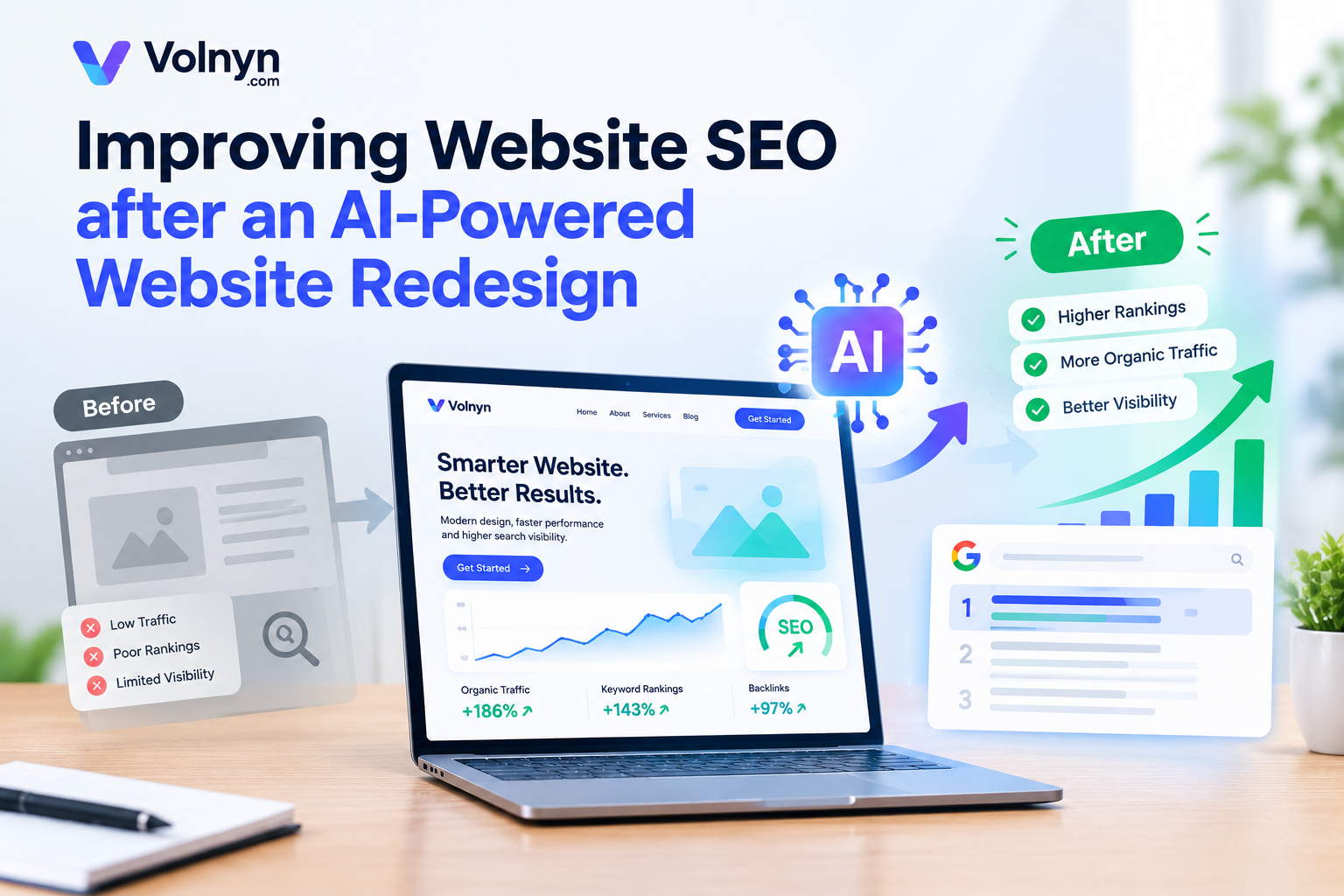
Redesigning a website with AI can help you improve its layout, user experience, and overall appearance. However, a new design does not automatically improve your search engine rankings. If important URLs change, internal links break, content gets removed, or technical SEO issues go unnoticed, your redesigned website may lose valuable organic traffic.
The key is to treat SEO as part of the redesign process rather than something to fix after publishing.
In this guide, you will learn how to improve website SEO after an AI redesign, protect existing rankings, identify technical issues, and help search engines understand your updated website.
Why Website SEO Matters After an AI Redesign
A website redesign can change more than colors, fonts, and page layouts. Depending on the changes, it may also affect URLs, headings, page content, internal links, images, loading performance, and navigation.
Search engines need to crawl and understand your pages to determine how they relate to users' search queries. If a redesign makes important content harder to find or removes useful information, your website's organic visibility may be affected.
For example, imagine a service page that previously ranked for a valuable keyword. During the redesign, its URL changes, the original content is shortened, and links from other pages are removed. Even if the new page looks better, these changes can create SEO problems.
A successful redesign should improve the visitor experience while preserving the website's existing search value.
1. Audit Your Website Before Making Changes
Before redesigning your website, establish a clear picture of its current SEO performance. This gives you a reference point for measuring the impact of your changes.
Start by reviewing your website's important pages and identifying which ones already attract organic traffic, receive backlinks, or rank for relevant keywords.
Focus on these areas:
Organic traffic: Identify pages that bring visitors from search engines.
Keyword rankings: Record the important search queries for which your pages appear.
Backlinks: Identify pages that have earned links from other websites.
Indexed pages: Review which URLs Google has indexed.
Technical issues: Look for broken links, crawl errors, redirect problems, and other issues that need attention.
Google Search Console can help you review search impressions, clicks, average positions, indexing information, and reported page issues. SEO tools can provide additional information about keyword rankings, backlinks, and competitors.
Create a list of important URLs before changing the design. This makes it easier to identify pages that need special attention during and after the redesign.
2. Preserve Important URLs and Page Structure
One of the most important SEO considerations during a website redesign is URL management.
If your existing URLs are already indexed or receive organic traffic, keep them unchanged whenever possible. A visual redesign usually does not require you to change the URL of every page.
For example, if your existing page uses:
example.com/services/website-design
there may be no SEO benefit to changing it to:
example.com/our-new-services/website-design-solutions
simply because the website has a new design.
A URL change may be necessary when reorganizing a website, removing outdated pages, or improving its information architecture. However, every change should have a clear reason.
Before publishing, compare your old URL list with your new website structure. Confirm that important pages still exist and that their destinations are correct.
If a URL must change, configure a relevant permanent redirect, generally a 301 redirect, from the old URL to the closest equivalent new page. Avoid redirecting every deleted URL to the homepage when a more relevant destination exists.
After launch, test important redirects and update internal links to point directly to the new URLs.
3. Review Your SEO Titles and Meta Descriptions
A redesigned website may introduce new page templates, headings, and content. During this process, make sure important SEO elements remain accurate and useful.
Every important page should have a descriptive title that reflects its primary topic and a meta description that accurately summarizes its content.
For example, a generic title such as:
“Home | Business Website”
could be replaced with a more descriptive title, such as:
“Custom Landscaping Services in Austin | Green Garden”
The second example communicates the service and location more clearly, assuming those details accurately describe the business.
When reviewing metadata:
Give each important page a unique, descriptive title.
Match the title to the page's main search intent.
Write useful meta descriptions that explain what visitors can expect.
Avoid repeating the same keyword unnaturally.
Check that important page titles have not been replaced with generic template text.
Meta descriptions do not directly determine rankings, but a relevant description can help searchers understand the value of a result.
If your AI website builder generates metadata automatically, review it before publishing. Automated suggestions still need to match the actual content and purpose of each page.
4. Maintain a Clear Heading Hierarchy
Headings help readers navigate content and help search engines understand a page's structure.
A redesign may change the visual appearance of headings or introduce a new page template. Check that the underlying heading structure remains logical.
For most standard pages, use one clear main heading that describes the page's primary subject. Organize supporting sections under relevant subheadings.
For example:
Use heading levels to represent the content hierarchy, not simply to make text larger or smaller.
Your headings should also make sense to visitors. Avoid forcing keywords into every heading when they do not fit naturally.
5. Improve Content Without Removing Valuable Information
AI tools can help reorganize website content, simplify explanations, and improve readability. However, replacing existing content with generic AI-generated text can weaken the usefulness of a page.
Before changing your copy, identify the information that makes each page valuable.
This may include:
Detailed service descriptions
Product specifications
Original research or examples
Customer questions and answers
Helpful guides and instructions
Relevant location information
Unique insights based on business experience
Keep useful information even when you change the layout or writing style. Remove outdated or duplicated material when appropriate, but do not assume that shorter content is automatically better.
The goal is to make the page more helpful, not simply to make it look cleaner.
If you use AI to rewrite content, review the result for accuracy, originality, completeness, and relevance to the visitor's needs. Add real expertise and information that generic content cannot provide.
6. Check Internal Links Across the Website
Internal links connect related pages and help visitors discover useful information. They also help search engines find pages and understand relationships between them.
A redesign can accidentally remove links, change destinations, or leave older URLs in the website's navigation and content.
Review your internal linking structure after the new design is published.
Check the following:
Important pages are accessible through relevant internal links.
Navigation menus point to the correct destinations.
Links inside articles still work.
Related pages link to one another where it benefits readers.
Anchor text describes the destination naturally.
No important links point to outdated URLs or unnecessary redirects.
For example, a guide about website design could link to a relevant guide about creating a website with AI when the additional information genuinely helps the reader.
Avoid adding links simply to increase their number. Relevance and usefulness matter more than inserting links into every paragraph.
7. Test Mobile Usability and Page Performance
A website may look excellent on a desktop screen but become difficult to use on a mobile device. Since visitors use different screen sizes and devices, test the redesigned website before considering the work complete.
Review important pages on mobile and desktop.
Pay particular attention to:
Text that is difficult to read
Buttons that are too small or close together
Navigation menus that do not work correctly
Images that overflow their containers
Sections that overlap or create unexpected spacing
Forms that are difficult to complete
Elements that shift unexpectedly while loading
Next, evaluate page performance using Google PageSpeed Insights. Review its mobile and desktop reports, including Core Web Vitals where data is available.
Look for opportunities to optimize large images, reduce unnecessary scripts, improve loading behavior, and address layout shifts.
A redesigned website does not need to score perfectly on every performance test to be useful. Prioritize problems that meaningfully affect loading, stability, and the visitor experience.
8. Optimize Images and Alternative Text
Website redesigns often introduce new banners, illustrations, product images, and background visuals. These assets should be optimized for usability and performance.
Use descriptive image filenames where practical, select suitable image dimensions, and compress images without unnecessarily damaging their quality.
For informative images, write alternative text that explains the image's relevant purpose or content. For example:
alt="Modern landscaping design for a residential garden"
Use this description only if it accurately represents the image.
Decorative images that do not add meaningful information can generally use empty alternative text. Avoid stuffing keywords into alt attributes or writing long descriptions for images that do not require them.
Also check that important images load correctly on mobile devices and that replacing an image during the redesign has not removed useful information.
9. Review Indexing, Robots Directives, and Sitemaps
A redesigned website can look ready to visitors while still having technical settings that prevent search engines from accessing important pages.
Before launch, confirm that the pages you want indexed are not accidentally blocked by robots.txt rules or marked with an unintended noindex directive.
After publishing, review the following:
Important pages return the correct HTTP status.
Pages intended for search engines are accessible to crawling.
Canonical tags point to the appropriate preferred URLs.
The XML sitemap contains the correct, indexable URLs.
Important internal links lead to live pages.
No unwanted staging or test pages are exposed as indexable content.
Use Google Search Console to inspect important URLs and review indexing reports. If you have substantially changed the website's URL structure, submit an updated sitemap when appropriate.
Remember that submitting a sitemap does not guarantee indexing. Google decides which pages to crawl and index based on several factors, including accessibility, content, and its assessment of the page.
10. Check Structured Data and Canonical Tags
Structured data can help search engines interpret certain types of website information. A redesign may change page templates or remove markup that was previously present.
Review structured data on pages that use it, such as relevant product, article, organization, or local business pages.
Make sure the markup accurately reflects visible page content and follows the requirements for the relevant schema type. Test it with Google's Rich Results Test where supported.
Also review canonical tags. These indicate which URL should be treated as the preferred version when similar or duplicate pages exist.
For example, if a page is available through multiple URL variations, its canonical configuration should reflect the intended preferred URL. Do not automatically set every page's canonical tag to the homepage.
Use URL inspection and relevant testing tools to identify configuration mistakes. Structured data can make pages eligible for certain search features, but it does not guarantee rich results or higher rankings.
11. Monitor SEO Performance After Publishing
Publishing the redesigned website is not the end of the SEO process. You need to monitor its performance and investigate meaningful changes.
Record a baseline before the redesign and compare it with the results after launch.
Use Google Search Console to monitor:
Search impressions and clicks
Average search positions for important queries
Indexing issues
Crawl or URL problems reported in available reports
Performance changes affecting key pages
Use analytics data, where configured, to evaluate organic sessions and important actions such as form submissions, purchases, or enquiries.
Do not panic if rankings fluctuate immediately after a major change. Search engines may need time to recrawl and reassess updated pages. However, do not assume every decline is temporary.
If organic performance drops significantly, investigate whether URLs have changed, redirects are missing, important content has disappeared, pages are blocked, or internal links are broken.
Compare the affected pages and queries with your pre-redesign baseline to narrow down the cause.
12. Use an AI Website Builder Without Neglecting SEO
An AI website builder can simplify website creation and redesign, but the quality of the final result depends on how carefully you plan, edit, and review the website.
With Volnyn's AI Website Builder, you can generate a website from a description and customize elements such as text, images, colors, and sections through its editing workflow.
If you are planning a redesign, start by identifying what needs to improve and what should remain unchanged. Give the builder clear instructions about your existing website, target audience, required pages, brand style, and SEO priorities.
You can also review Volnyn's documentation on writing a good AI website prompt to prepare a more specific brief. When your changes are ready, follow the relevant website publishing guide.
Before publishing, verify the actual SEO settings and functionality available for your project. Do not assume that generating a website automatically completes every SEO task.
Common SEO Mistakes to Avoid After an AI Redesign
Even a visually impressive website can have avoidable SEO problems. Watch out for these common mistakes:
Changing URLs without redirects: Old pages may stop serving visitors and search engines at their previous addresses.
Removing useful content: Deleting information that answers important user questions can reduce a page's usefulness.
Using duplicate metadata: Repeated titles and descriptions may make it harder to distinguish pages clearly in search results.
Ignoring mobile testing: Navigation, content, and calls to action may not work as intended on smaller screens.
Publishing broken links: Visitors and search engines may encounter unnecessary errors or redirect chains.
Blocking important pages: Accidental indexing restrictions can prevent search engines from accessing pages you want discovered.
Expecting immediate ranking improvements: A new design does not guarantee better rankings, more traffic, or faster indexing.
Skipping post-launch monitoring: Without reviewing performance, it is harder to identify and resolve problems early.
Website SEO After an AI Redesign: Final Checklist
Before considering your redesigned website ready, work through this checklist:
Important existing URLs have been preserved where possible.
Changed URLs have relevant redirects.
SEO titles and meta descriptions have been reviewed.
Heading hierarchy is clear and logical.
Valuable content has been preserved and improved.
Internal links and navigation work correctly.
Mobile layouts and important interactions have been tested.
Images are optimized and informative images have appropriate alt text.
Canonical tags, robots directives, and sitemap URLs have been checked.
Structured data has been validated where applicable.
Important pages have been checked in Google Search Console.
Performance and organic search results will be monitored after launch.
Frequently Asked Questions
Does redesigning a website affect SEO?
It can. Changes to URLs, content, internal links, page performance, and indexing settings can affect organic visibility. A redesign that preserves valuable content and improves usability can support your SEO goals, but better rankings are not guaranteed.
How long does SEO take to recover after a website redesign?
There is no fixed recovery period. The timeline depends on the size of the changes, how quickly search engines recrawl the pages, the technical condition of the website, and other ranking factors. Monitor key URLs and investigate persistent or significant declines rather than relying on a specific number of days.
Should I change my URLs during an AI website redesign?
Keep existing URLs when there is no compelling reason to change them. If a change is necessary, redirect the old URL to its closest relevant replacement and update internal links and sitemaps.
Can AI improve website SEO automatically?
AI can help with tasks such as drafting content, organizing page structures, and suggesting metadata. However, keyword targeting, technical configurations, content accuracy, internal links, indexing, and performance still require careful review.
What should I check first if my rankings drop after a redesign?
Start with the affected URLs. Check their HTTP status, redirects, indexing accessibility, canonical tags, content changes, and internal links. Then use Google Search Console to compare search performance and investigate any reported issues.
Final Thoughts
Improving website SEO after an AI redesign requires more than updating the visual design. You need to preserve valuable URLs, maintain useful content, review metadata, strengthen internal links, test mobile usability, and verify that search engines can access the right pages.
The most reliable approach is to audit before making changes, test thoroughly before publishing, and monitor performance afterward.
AI can make redesigning a website more accessible, but careful SEO planning helps ensure that a new design does not come at the expense of the search visibility you have already built.