Have you ever asked an AI website builder to create a website, only to get a result that looks too basic or does not match your idea? Maybe the design feels generic, the content does not explain your business well, or the pages are missing important details. The problem may not be the AI tool. It may be the prompt you gave it.
The good news is that you do not need coding skills or advanced technical knowledge to write better website prompts. You need clear instructions that explain what you want to build, who the website is for, and what visitors should be able to do.
In this guide, you will find the best prompts for an AI website builder, including ready-to-use examples for business websites, portfolios, online stores, restaurants, blogs, landing pages, and more. You will also learn how to improve AI-generated designs, content, mobile layouts, and SEO with simple follow-up prompts.
What Are AI Website Builder Prompts?
AI website builder prompts are instructions that tell an AI tool what kind of website you want it to create or improve.
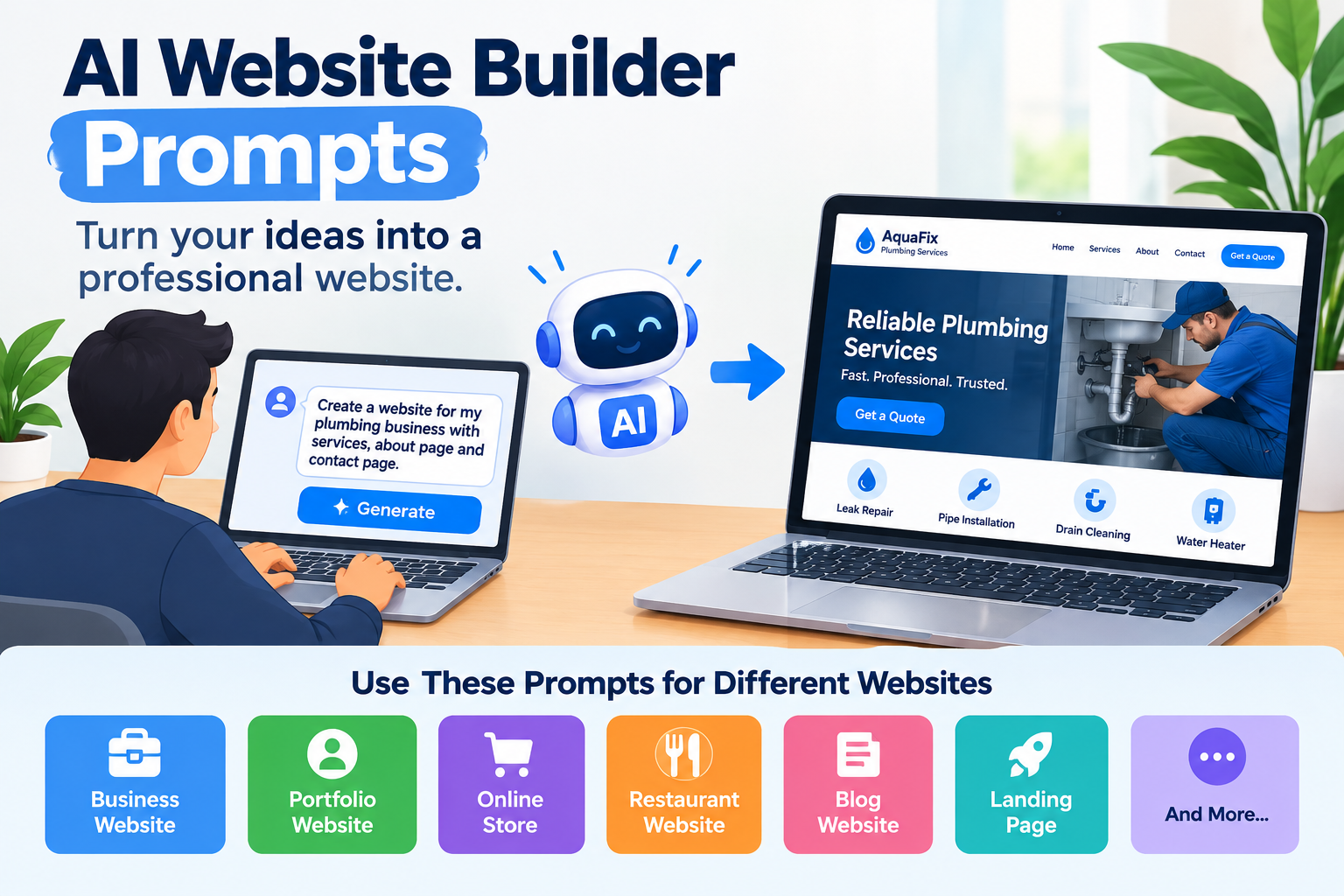
For example, you could write:
Create a professional website for a local plumbing business. Include a homepage, services page, about page, and contact page. Use a clean design, explain our services in simple language, and encourage visitors to request a quote.
The AI can use these instructions to create a starting point for your website. Depending on the platform, it may generate page layouts, text, images, navigation, and other website elements.
A short prompt can work, but a detailed prompt usually gives the builder more useful information about your goals and preferences.
The key is to describe the result you need instead of relying on general words such as “beautiful,” “modern,” or “professional.”
How to Use These AI Website Builder Prompts
You can use the prompts below with an AI website builder that accepts natural-language instructions. Some builders may support only certain features, so adjust each prompt to match the tools available on your platform.
Follow these simple steps:
Choose the prompt that matches your website type.
Replace the information inside square brackets with your real business details.
Copy the prompt and paste it into your AI website builder.
Review the website it generates.
Use the follow-up prompts later in this guide to improve the result.
Important: Do not copy every prompt without editing it. A website for a restaurant needs different content and features from a website for a photographer or an online store.
Your goal is to give the AI enough information to create a website that fits your actual needs.
1. Universal AI Website Builder Prompt
Not sure which prompt to start with? Use this general template for almost any website project.
Copy-and-paste prompt
Create a complete website for [business or project name], a [business type] that offers [products, services, or main purpose].
The target audience is [describe your ideal visitors], and the main goal of the website is to [generate leads, sell products, get bookings, showcase work, or another goal].
Include these pages: [list the required pages]. The homepage should clearly explain what we offer, who we help, and why visitors should choose us. Add relevant sections such as an introduction, main benefits, services or products, our process, frequently asked questions, and a clear call to action.
Use a [minimal, modern, creative, elegant, or other] design with [preferred colors], readable typography, suitable images, and enough white space. Keep the layout easy to understand and the navigation simple.
Write clear, natural content for [target audience]. Use the business information I provide. Do not invent prices, customer reviews, awards, qualifications, statistics, or services.
Make the website easy to use on mobile phones, tablets, and desktop screens. Use descriptive page titles, clear headings, logical page structure, and useful internal links where appropriate.
Before finishing, check the page structure, navigation, content, and calls to action. If a required feature is not supported, tell me rather than pretending it is available.
Why this prompt works: It covers the main details an AI builder needs: business type, audience, goal, pages, design, content, and important limits.
You can use this as your starting point and add more specific instructions for your type of website.
2. Best Prompt for a Small Business Website
A small business website should help visitors understand your services and decide how to contact you. It does not need dozens of pages or complicated features.
Copy-and-paste prompt
Build a professional website for [business name], a small business that provides [main services] in [location or service area].
Our target customers are [describe the customers], and we want visitors to [request a quote, call us, book an appointment, or contact our team].
Create a homepage, about page, services page, FAQ page, and contact page. On the homepage, include a clear headline, a short introduction, our main services, the benefits of working with us, our work process, and a strong call to action.
Use a clean and welcoming design with [brand colors], readable text, relevant images, and simple navigation. Make our phone number or contact button easy to find.
Write in a friendly, professional tone. Explain our services in language that ordinary customers can understand. Use only the facts I provide, and do not create fake reviews or unsupported claims.
Make the website usable on mobile and desktop. Keep each page focused on one main purpose and make it easy for visitors to contact us.
Best for: Cleaning companies, plumbers, electricians, consultants, repair services, local agencies, and other small businesses.
Tip: If you serve a specific city or region, provide that information when it is relevant. It helps the AI create more useful location-specific content.
3. Best Prompt for an eCommerce Website
An online store needs more than an attractive homepage. Customers should be able to understand the products, compare options, and move through the shopping process easily.
Copy-and-paste prompt
Create an online store for [store name], which sells [product types] to [target customers].
The main goal is to help visitors discover our products and make purchases. Create a homepage, shop page, product category pages, individual product pages, about page, contact page, and the policy pages we provide.
Design a clean, trustworthy shopping experience. Use clear product images, readable product names, useful descriptions, visible prices, and easy-to-find product categories. Include product filters, search, cart, and checkout only if the platform supports them.
Make the homepage highlight our main product categories, key customer benefits, and popular products using verified information. Keep the shopping process simple, especially on mobile phones.
Do not invent product specifications, stock levels, delivery times, discounts, payment methods, customer reviews, or return policies. Use placeholders for information that I have not supplied.
Use a consistent brand style, clear navigation, descriptive page titles, and helpful product content. After generating the store, identify any shopping features that still need to be configured or tested.
Best for: Clothing brands, handmade products, home accessories, beauty products, digital goods, and other online stores.
Before publishing: Test product pages, cart, checkout, payment settings, shipping information, and store policies. A prompt cannot confirm that every part of an online store is working correctly.
4. Best Prompt for a Portfolio Website
A portfolio website should show your work and help potential clients, employers, or customers understand what you can do.
Copy-and-paste prompt
Create a portfolio website for [your name], a [designer, photographer, writer, developer, marketer, or other professional].
The website should help [target audience] understand my skills, review my work, and [contact me, request a quote, or discuss a project].
Include a homepage, portfolio or projects page, about page, services page if relevant, and contact page. Feature selected projects with space for a project title, brief description, my role, the work completed, and the outcome where verified results are available.
Use a modern, uncluttered design that makes the work the main focus. Use [preferred colors], readable typography, and a clear visual hierarchy. Keep the navigation simple and make my contact information easy to find.
Write a natural introduction based on the experience and skills I provide. Do not invent clients, projects, qualifications, awards, or results. Use placeholders for missing project details.
Make the portfolio responsive, accessible, and easy to update. Add clear calls to action that invite visitors to discuss a project or learn more about my work.
Best for: Freelancers, graphic designers, developers, writers, photographers, marketers, and creative professionals.
Tip: Real project details are more valuable than impressive-sounding claims. If you have a case study, explain the problem, your role, the work you completed, and the result you can honestly support.
5. Best Prompt for a Restaurant Website
Restaurant visitors often want quick answers: what is on the menu, where the restaurant is located, when it opens, and how they can book a table or order food.
Copy-and-paste prompt
Build a website for [restaurant name], a [restaurant type] located in [city or area].
Our main audience is [local families, office workers, tourists, or another group]. The main goal is to help visitors explore our menu and [make a reservation, order online, call us, or visit the restaurant].
Create a homepage, menu page, about page, location and opening-hours section, and contact page. Add reservation or online ordering functionality only if the platform supports it or an appropriate integration is available.
Use a warm, inviting design with [preferred colors] and suitable food photography. Make the menu easy to read on mobile devices. Display our actual address, phone number, opening hours, and booking details prominently.
Write short, helpful descriptions for our food and dining experience. Use only the menu items, ingredients, prices, and business details I provide. Do not invent awards, customer reviews, opening hours, or food claims.
Make it easy for visitors to find directions, view the menu, and take the next step. Keep the design focused on the restaurant and avoid unnecessary pop-ups or distracting animations.
Best for: Cafés, family restaurants, bakeries, takeaways, food trucks, and catering businesses.
For more guidance on creating this type of site, see Volnyn's guide to how to build a restaurant website with AI.
6. Best Prompt for a Personal Blog
A blog needs a clear topic, readable articles, and a structure that helps visitors find useful information.
Copy-and-paste prompt
Create a blog website about [main topic or niche] for [target audience].
The goal is to publish helpful articles that answer readers' questions, build trust, and encourage visitors to explore related content.
Create a homepage, blog archive, category pages, individual article template, about page, and contact page. Add a search function and newsletter signup only if supported and needed.
Use a simple, reading-friendly design with clear headings, comfortable line spacing, readable fonts, and a clean mobile layout. Make article titles, publication dates, author information, and category labels easy to find.
Organize the blog into relevant categories such as [category one], [category two], and [category three]. Make related articles easy to discover through useful internal links.
Do not create fake author biographies, expert credentials, references, or claims of personal experience. Use placeholders where real information is missing.
Keep the design focused on the content. Avoid intrusive pop-ups, excessive animations, and distracting elements that make articles harder to read.
Best for: Educational blogs, hobby websites, personal blogs, software tutorials, and niche content websites.
SEO tip: Plan categories around closely related topics. Link between articles when the link genuinely helps readers explore the subject further.
7. Best Prompt for a Landing Page
A landing page usually has one main goal, such as collecting leads, getting registrations, promoting a service, or encouraging a purchase.
Copy-and-paste prompt
Create a focused landing page for [product, service, event, or offer].
The target audience is [describe the audience], and the main action I want visitors to take is [sign up, book a call, request a quote, register, or buy].
Build a page with a clear headline, a short explanation of the offer, the main benefits, supporting details, answers to common questions, and a strong call to action. Include testimonials or trust signals only when I provide genuine, approved material.
Use a clean design that makes the offer easy to understand. Keep the main call to action visible and use a clear visual hierarchy. Avoid unnecessary navigation elements if they distract from the page's purpose.
Write concise, benefit-focused copy. Explain what the offer does, who it is for, and what the visitor should expect next. Do not invent guarantees, discounts, performance figures, or urgency.
Make the page mobile-friendly and ensure the form or call-to-action button works with the supported platform features. Leave space for a privacy notice where personal information is collected.
Best for: Lead generation, product launches, webinars, service offers, waitlists, and event registrations.
Tip: A strong landing page makes one offer clear. Avoid giving visitors too many competing actions.
8. Best Prompt for a Freelancer Website
Freelancers need a website that explains their services, demonstrates their skills, and helps potential clients start a conversation.
Copy-and-paste prompt
Build a professional website for [your name or brand], a freelance [your profession] serving [target clients or industries].
My main goal is to attract relevant clients who need [specific services]. Create a homepage, services page, portfolio or case studies page, about page, FAQ section, and contact page.
On the homepage, explain who I help, what I offer, and how clients can work with me. Add a section describing my process, examples of relevant work, and a clear invitation to contact me.
Use a modern, trustworthy design with [brand colors] and a friendly professional tone. Keep service descriptions easy to understand and make the contact process simple.
Use my actual skills, experience, and project details. Do not invent client names, testimonials, certifications, results, or years of experience. If information is missing, leave a clear placeholder for me to complete.
Make the website responsive, organize services clearly, and use descriptive page titles and headings. Help visitors understand whether my services are right for their needs before they contact me.
Best for: SEO specialists, content writers, virtual assistants, designers, developers, and consultants.
Tip: If you are still building your portfolio, show honest sample projects or practice work and label them clearly. You do not need to pretend that sample work came from a paying client.
9. Best Prompt for a SaaS or Software Website
A software website should explain the product, its main features, who it helps, and how visitors can try or buy it.
Copy-and-paste prompt
Create a website for [software or SaaS product name], a tool that helps [target audience] solve [main problem].
The main goal is to encourage suitable visitors to [start a trial, create an account, request a demo, or explore pricing].
Include a homepage, features page, use cases or solutions page, pricing page if pricing information is available, FAQ page, and contact or support page.
Explain the product in simple language. For each main feature, describe what it does, who may find it useful, and what problem it helps solve. Use screenshots or product visuals only when supplied or available.
Use a clean, modern interface with clear navigation, readable text, and consistent brand colors. Make the primary call to action easy to find without making unsupported promises.
Do not invent integrations, security certifications, customer numbers, performance claims, pricing, or product capabilities. Use only verified product information and identify any missing details.
Make the site easy to use on mobile devices and structure the pages so visitors can understand the product before taking action.
Best for: SaaS products, productivity tools, AI tools, business software, and online services.
10. Best Prompt for a Real Estate Website
A property website needs clear listings, useful property details, and easy ways for visitors to ask questions or arrange viewings.
Copy-and-paste prompt
Create a real estate website for [agency or business name], serving [city or region].
Our audience includes [home buyers, renters, property owners, investors, or other groups]. The main goal is to help visitors explore relevant properties and [request information, schedule a viewing, or contact an agent].
Create a homepage, property listings page, property detail page template, about page, services page if needed, and contact page. Organize property listings using useful filters such as location, property type, price range, and number of bedrooms when supported.
Each property page should have space for verified details, including photographs, location, price, size, features, availability, and contact information.
Use a clean, trustworthy design with readable text and high-quality property images. Make property details and inquiry options easy to find on mobile devices.
Do not invent property prices, availability, addresses, legal details, rental terms, or investment returns. Use placeholders for missing information and make it easy for visitors to contact the agency.
Best for: Real estate agencies, rental businesses, property managers, and independent agents.
Important: Confirm property information and any relevant legal requirements before publishing listings.
11. Best Prompt for an Author Website
Authors need a website where readers can discover their books, learn about the writer, and find reliable information about upcoming work or events.
Copy-and-paste prompt
Build an author website for [author name], who writes [book genres or subjects] for [target readers].
The main goal is to introduce my work, help readers discover my books, and encourage them to [buy a book, join a newsletter, attend an event, or contact me].
Include a homepage, books page, individual book detail sections, author biography, news or blog page, and contact page. Add event information or a newsletter signup if relevant and supported.
Use a design that matches the tone of my writing: [warm, literary, playful, dramatic, minimalist, or another style]. Make book covers, descriptions, and purchase links easy to find.
Use only my real biography, book titles, publication details, awards, and event information. Do not invent reviews, bestseller claims, publishing history, or personal experiences.
Make the site easy to navigate on mobile and desktop. Help first-time visitors understand what I write and which book they might want to explore first.
Best for: Fiction writers, nonfiction authors, independent publishers, and writers building a personal brand.
12. Best Prompt for an Online Course Website
An online course website should explain what learners will study, who the course is for, and what they need before enrolling.
Copy-and-paste prompt
Create a website for [course or education brand], which teaches [subject or skill] to [target learners].
The main goal is to help visitors understand the course and [enroll, register interest, or contact the instructor].
Include a homepage, courses page, individual course detail page template, instructor or about page, FAQ, and contact page. Each course page should include learning goals, topics covered, required experience, course format, and pricing only when verified information is available.
Use a clear, welcoming design with simple navigation and readable text. Organize course information so learners can quickly understand whether it fits their needs.
Use the real instructor biography, course details, schedule, pricing, and policies I provide. Do not invent student testimonials, certificates, employment outcomes, or guarantees.
Add enrollment, payment, or learning features only if the platform supports them or an appropriate integration is available. Identify any setup that still needs to be completed.
Best for: Teachers, trainers, coaches, online educators, and training businesses.
13. Best Prompt for a Website Redesign
If you already have a website, you may not need to start from scratch. A redesign prompt can help you explain what should improve while keeping useful parts of the existing site.
Copy-and-paste prompt
Review the existing website for [business name] at [website URL] and help redesign it for [target audience].
The website's main goal is to [main goal]. Keep the information and features that still support this goal, but improve the areas that feel outdated, confusing, inconsistent, or difficult to use.
Focus on improving the homepage layout, navigation, content clarity, visual hierarchy, mobile usability, and calls to action. Use [preferred design direction] and [brand colors].
Preserve important URLs, useful page content, brand assets, and existing functionality where possible. Do not remove pages or change URL structures without identifying the potential impact and asking for confirmation.
Do not invent new business details or claim that the website has technical or SEO problems unless those issues have actually been checked.
Provide a revised design that makes the website easier to understand and use. List any content, integrations, redirects, or technical checks that need manual review before the redesign goes live.
Best for: Existing business websites, outdated portfolios, older blogs, and websites with confusing navigation.
Important: A redesign can affect SEO if URLs, content, internal links, or technical settings change. Review those changes before publishing.
14. Best Prompt for SEO-Friendly Website Content
A website can look attractive but still be difficult to understand if its pages have weak headings, vague descriptions, or missing information.
This prompt helps you create a clearer website structure and content. It does not guarantee rankings.
Copy-and-paste prompt
Help me create clear, search-friendly website content for [business or website name], which provides [products or services] for [target audience] in [location, if relevant].
The primary goal of the website is to [main goal]. Organize the site around the main services, products, and questions that matter to this audience.
Suggest a logical page structure, descriptive page titles, clear H1 headings, useful subheadings, concise meta descriptions, and natural internal links between closely related pages.
Use the primary topic [main keyword or topic] naturally where it fits. Include related terms only when they help explain the subject. Give each page a clear purpose and avoid creating multiple pages that target the same intent without a good reason.
Write for people first. Answer the visitor's likely questions, explain the offering clearly, and use accurate business information. Do not repeat keywords unnaturally or make claims about guaranteed rankings.
Identify missing information that I should provide before publishing. Do not claim that technical SEO, indexing, page speed, schema, or other settings have been fixed unless they have actually been checked.
Best for: Business websites, blogs, service pages, product pages, and informational websites.
For further reading, use Google's official SEO Starter Guide. It explains how to make website content easier for search engines to understand while keeping the visitor's needs in mind.
15. Best Prompt for a Website With Stronger Trust Signals
Visitors often need more than attractive design before they trust a business. They may want to know who runs it, what it offers, how to get help, and whether its claims are supported.
Copy-and-paste prompt
Improve the trust and clarity of my website for [business name].
Our target audience is [audience], and our main offer is [product or service]. Review the website structure and suggest where visitors may need more information before contacting us or making a purchase.
Make our business identity, services, contact details, process, policies, and important limitations easy to find. Include an about section that uses our real background and experience. Add genuine customer reviews, case studies, certifications, or project examples only when I provide verified information and have permission to publish it.
Use clear language and a consistent visual style. Explain what visitors can expect and avoid exaggerated promises, misleading badges, fake urgency, or unsupported claims.
Identify missing information that could help visitors make an informed decision. Use placeholders where necessary rather than inventing facts.
Best for: Service businesses, professional websites, online stores, consultants, and software companies.
Why it matters: A trustworthy website should help people understand the business and make informed decisions. Design alone cannot replace accurate information and real evidence.
Follow-Up Prompts to Improve an AI-Generated Website
You do not always need to rebuild the entire website when the first result is not right. Often, a clear follow-up instruction is enough to improve one section at a time.
Use these prompts after the AI has generated your first draft.
Improve the homepage design
Improve the homepage design without changing the main purpose of the website. Create a clearer visual hierarchy, improve spacing, use consistent typography, and make the most important information easy to notice. Keep the design aligned with [brand style] and avoid unnecessary decorative elements.
Improve the hero section
Rewrite and redesign the homepage hero section for [target audience]. Use a clear headline that explains what we offer and who it helps. Add a short supporting sentence and one primary call to action: [desired action]. Avoid vague slogans and unsupported claims.
Improve the website navigation
Review the website navigation and make it easier for first-time visitors to find the most important pages. Use short, descriptive menu labels. Group related pages logically and avoid adding unnecessary navigation items.
Improve the website copy
Rewrite the selected website content in clear, natural English for [target audience]. Keep the meaning accurate, remove unnecessary words, explain the main benefit, and make the next step clear. Do not add claims, features, prices, or promises that I have not provided.
Improve the mobile layout
Review the website layout for small screens. Make text readable, keep buttons easy to tap, prevent content from overflowing, and ensure images and sections fit the screen. Keep the navigation simple and make the main call to action easy to find. Tell me which changes require manual testing.
Improve website SEO
Review the page structure and content for basic SEO improvements. Suggest a descriptive title, a useful meta description, one clear H1, relevant subheadings, descriptive image alt text, and natural internal links where appropriate. Keep the content useful for visitors and avoid keyword stuffing. Do not claim that rankings or indexing are guaranteed.
Improve calls to action
Review the calls to action on this page. Make each one clear, specific, and relevant to the visitor's needs. Use action-focused wording such as “Request a Quote,” “View Our Services,” or “Book an Appointment” where appropriate. Keep the primary action more prominent than secondary actions.
Improve image selection
Suggest suitable images for this website's audience and purpose. Use visuals that match the brand style and support the surrounding content. Do not use unrelated stock images or present generated images as real products, customers, staff, or business locations.
Improve accessibility and readability
Review this page for readability and accessibility. Suggest clearer headings, sufficient text contrast, descriptive link labels, useful image alt text, and a logical reading order. Keep paragraphs easy to follow and do not rely on color alone to communicate important information. Identify anything that needs manual testing.
Remove unnecessary elements
Simplify this page by removing or reducing elements that distract from its main purpose. Keep useful content, important navigation, and the primary call to action. Do not remove important business information, legal notices, accessibility features, or necessary functionality.
Improve one specific section
Improve only the [section name] section. Its purpose is to [section goal], and it is intended for [target audience]. Keep the existing brand style, use clear content, and make the next step obvious. Do not redesign unrelated sections or change other parts of the website.
A useful rule: Give the AI one clear improvement task at a time. Review the result before moving to the next change.
How to Get Better Results From AI Website Builder Prompts
Ready-made prompts are a useful starting point, but the details you add will make the result more relevant to your project.
1. Use real business information
Provide your actual services, products, location, contact details, brand colors, and business goals. If something is not confirmed, tell the AI to leave a placeholder.
2. Describe your target audience
Instead of saying “make a website for everyone,” explain who the website needs to help.
For example, a website for first-time home buyers may need more guidance and explanations than a website for experienced property investors.
3. Explain the main goal
Decide what visitors should do first. Do you want them to call, request a quote, buy a product, book an appointment, or read your articles?
A clear goal helps the AI organize the page around the right action.
4. Be specific about the design
Words such as “modern” and “clean” are helpful, but you can give better direction by describing colors, typography, image style, spacing, and layout preferences.
If you have a logo or brand guide, provide it when the platform allows it.
5. Ask for the features you actually need
Do not add booking systems, payment features, complex filters, or customer accounts simply because they sound useful. Request features that support your website's real purpose, and confirm that your builder can provide them.
6. Review the generated content
AI can produce incorrect or generic details. Check the names, prices, services, policies, testimonials, credentials, and other important claims before publishing.
7. Test the finished website
Preview the website on desktop and mobile. Check navigation, forms, buttons, images, page content, and any shopping or booking process. A visual preview does not prove that every feature works.
Common Mistakes to Avoid When Using AI Website Prompts
Even a detailed prompt can produce a weak result if the instructions are unclear or the final website is not reviewed.
Avoid these common mistakes:
Using a vague prompt: “Build a nice website” does not explain your audience, goals, pages, or design preferences.
Adding too many unrelated features: Keep the website focused on what visitors actually need.
Accepting the first draft without review: Check the content, layout, navigation, and functionality before publishing.
Using invented business details: Never publish fake reviews, qualifications, prices, awards, or results.
Forcing keywords into every section: Use relevant search terms naturally and write for people first.
Ignoring mobile visitors: Check the actual layout and user experience on small screens.
Assuming the prompt handles all technical work: Domain settings, integrations, redirects, analytics, indexing, and other technical tasks may require additional configuration.
Creating a Website With Volnyn
If you want to turn your prompt into a website, Volnyn's AI Website Builder lets you describe the website you want and generate a starting design and structure that you can then customize.
You can start with one of the prompts in this guide, replace the placeholders with your own information, and adjust the instructions to match your project. Review the generated website carefully and confirm that the pages and features you need are available.
If you want to understand how AI website creation works before you start, read Volnyn's related guide on how AI website builders work. You can also explore how to build a website with AI for a broader look at the process.
If your main challenge is writing the initial instructions, our guide on how to write the perfect prompt for an AI website builder explains how to describe your business, audience, website goals, and design preferences.
These guides serve different purposes: this article gives you ready-to-use prompts, while the prompt-writing guide helps you understand how to create and customize your own instructions.
Conclusion
So guys, we've covered the best prompts for AI website builder tools and how you can use them for different website types. From small business websites and portfolios to online stores and blogs, the right prompt can help you create a more useful starting point. Choose a prompt, replace the placeholders with your real information, and review the result carefully.
Remember, you do not need to get every detail right in your first instruction. Start with your main goal, generate the website, and improve it one section at a time. Most importantly, check the content and features before publishing. A clear prompt is a helpful beginning, but your review is what makes the final website fit your needs.
Frequently Asked Questions
What is the best prompt for an AI website builder?
The best prompt clearly describes your business or project, target audience, main goal, required pages, design preferences, content, and important features. Add real information and explain what the AI should avoid inventing. The right prompt depends on the type of website you want to create.
Can I use the same prompt with different AI website builders?
Yes, you can use the same basic prompt with different builders that accept natural-language instructions. However, the results may vary because each platform has different features, templates, editing tools, and limits. Adjust your instructions to fit the platform you choose.
How long should an AI website builder prompt be?
There is no fixed word count. A prompt should be long enough to explain your requirements clearly without becoming difficult to follow. Start with the website's purpose, audience, structure, and design, then use follow-up prompts to refine individual sections.
Can AI website builder prompts help with SEO?
Yes. You can ask the AI to create clear headings, descriptive page titles, useful page content, logical navigation, and relevant internal links. However, a prompt cannot guarantee rankings or replace technical checks, keyword research, content review, and ongoing SEO work.
Can I use AI website prompts without coding skills?
Yes. Many AI website builders are designed to accept instructions in everyday language. You can describe the website you need without writing code. You may still need to review the result, edit content, configure features, and complete platform-specific setup.
Should I publish the website immediately after AI generates it?
It is better to review it first. Check all business details, page content, images, navigation, mobile layouts, forms, and important features. Replace placeholders, correct errors, and confirm that the website works as intended before publishing.
How can I improve a website that the AI has already created?
Identify the weakest part of the website and give the AI one specific follow-up instruction. For example, ask it to simplify the homepage, improve the headline, reorganize the navigation, or make the mobile layout easier to use. Review each change before making the next one.